Last updated
Get Idea to App OS (Standard $149)Your AI-Built App Is 80% Done. How to Finish It Without a Developer
An AI app builder can give you screens that look finished in one afternoon. The trouble starts in the last 20 percent: login breaks, users see each other's data, payments fail and the app will not go live. This page shows how to finish that last part in a fixed order, one problem at a time, even if you have never written code.
Why does an AI-built app stop working at 80 percent?
An AI-built app stops at 80 percent because the first 80 percent is screens, and the last 20 percent is rules. A builder can draw a booking page in minutes. It cannot guess who may see which booking, where your secret keys belong or what happens when a payment fails.
Here is what the stuck stage usually looks like:
- Login breaks. It worked on Tuesday. On Wednesday nobody can sign in, and the fix broke the sign-up page.
- Data leaks between users. You log in as a test user and see someone else's records.
- "Fixed" is not fixed. The AI says the button works. You click it. Nothing happens.
- Credits keep burning. Each round of "try again" costs money and moves you sideways.
This is not a rare problem. In October 2025, the security company Escape scanned more than 5,600 public apps built with vibe coding tools and reported over 2,000 vulnerabilities and more than 400 exposed secrets. Vibe coding means building software by describing it to an AI rather than writing the code.
Escape's summary page, The State of Security of Vibe Coded Apps, counts about 1,400 vibe-coded apps with 2,038 highly critical vulnerabilities and 175 cases of exposed personal data. I checked it on October 21, 2026. Some blogs add neat percentages that I could not find on Escape's own pages, so I leave them out.
How to finish an AI-built app by hand, step by step
You can finish a stuck AI-built app by fixing the last 20 percent in a fixed order, one item per session. The order matters, because each step depends on the one before it. You do not need to write code, but you do need to slow down and test each step yourself.
- Save a working version before anything else. Git is a free tool that saves snapshots of your project, so you can go back when a change breaks things. If your builder has its own version history, find it now. The Git book explains snapshots, called commits, in plain steps.
- Write down what "done" means for one feature. For example: "A new user signs up with email, gets a confirmation, logs in and sees an empty booking list." If you cannot write it, the AI cannot build it.
- Fix one thing per session. Paste the exact error message, say what you expected and what happened instead. Ask the AI to explain the cause before it changes anything.
- Use built-in login, not custom code. Services like Supabase come with ready-made login. Ask the AI to use that rather than building its own. Home-made login is where many apps break.
- Make sure users only see their own data. In Supabase this is done with Row Level Security, a database rule that decides which rows each user may read. Test it with two accounts: log in as A, create a record, log in as B, and confirm B cannot see it.
- Move secrets out of the code. A secret is a key or password that unlocks a paid service. It belongs in environment settings on your host, never in the code a browser can download. Ask the AI to list every secret and where it lives.
- Test payments in test mode. Stripe has a test mode with fake cards. The Stripe testing docs list them, including 4242 4242 4242 4242 for a payment that succeeds. Run a full purchase and a failed one before you switch to live keys.
- Deploy, then run a self-test. Deploy means putting the app on a real web address. Repeat steps 2, 5 and 7 on the live address, because things that work on your laptop can fail online.
If you are still at the idea stage, read I want an app built and I cannot code first. It covers how to start. This page is about how to finish.
Works on your laptop, broken on the live site
| What you see | Where to look first |
|---|---|
| Works locally, fails online | Missing environment variables. Your laptop reads them from a .env file; the host needs each one entered in its project settings. |
| You added a variable, nothing changed | Redeploy. Vercel says changes to environment variables apply only to new deployments. |
| The deploy failed | Open the full build log and find the first real error, not the warnings. Paste that line to the AI and ask for the cause before any fix. |
| Blank white page | The browser console and the server log. Ask the AI to read both and report the root cause before it changes code. |
| It worked yesterday | List what changed since then (git log and git diff), then ask which change is the likely cause. |
From guides 04 and 05 of the kit.
The faster way: finish the app with Claude Code and a written playbook
The faster way is to move the build into Claude Code and follow a playbook that tells you what to type at each stuck point. Claude Code is an AI developer that works on the real files of your project. With the right rules, it asks questions before coding, shows you a plan and tests each step.
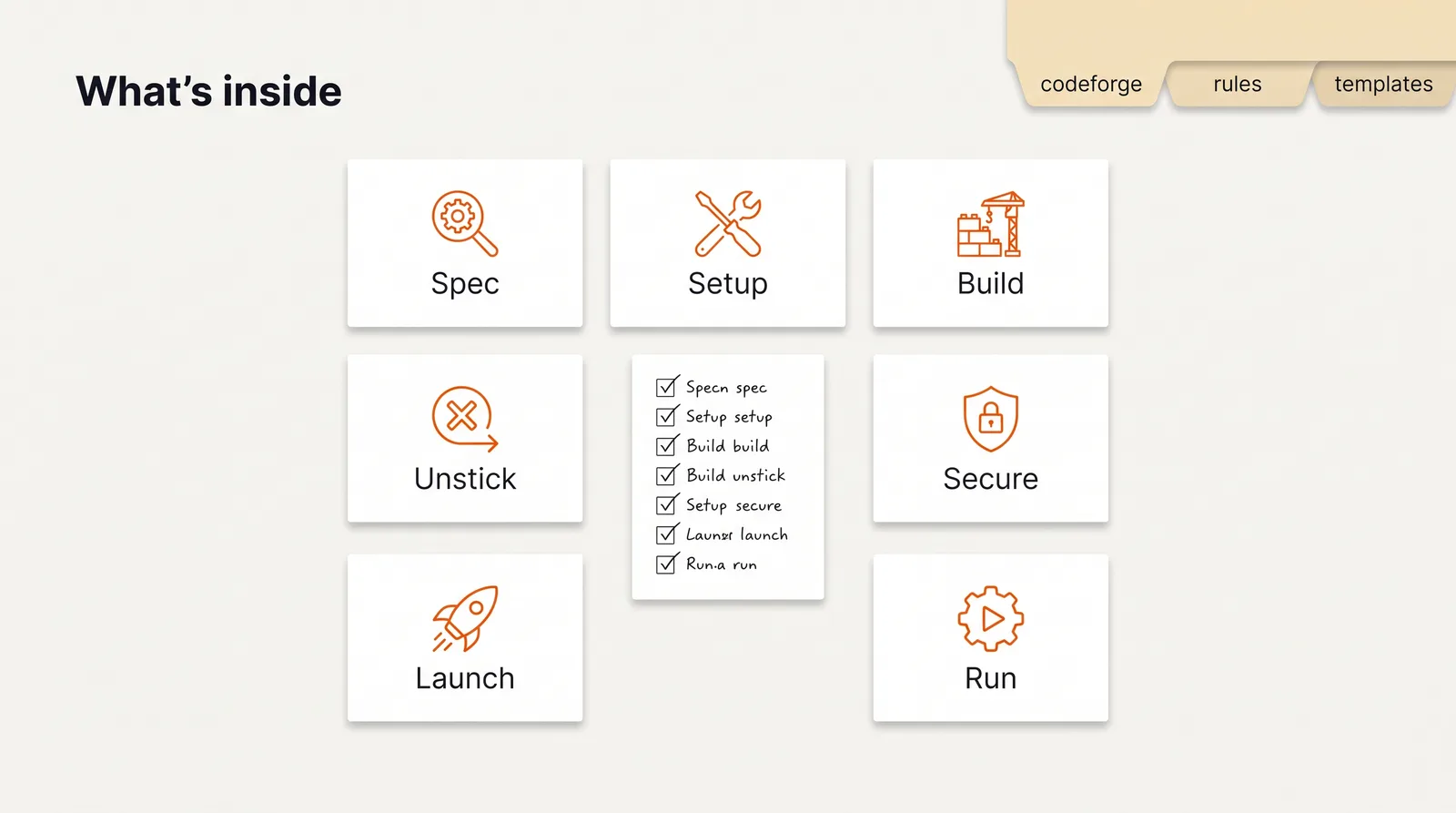
Idea to App OS is that playbook. It has seven guides, the CodeForge plugin that enforces plan, test and review, and a project file that tells the AI you are not a developer and must be spoken to in plain English. I wrote it for one reader: someone who knows exactly what the app should do and has no idea what to type next.
How to use it, step by step
- Buy and download. Polar or Gumroad sends the files right after payment.
- Write your one-page spec. Guide 01 asks seven questions and gives you the first prompt.
- Set up your AI developer. Guide 02 walks through Node, Git, Claude Code and CodeForge on Mac or Windows. It tells you to budget about two hours, most of it waiting for installers, then run a 15-minute check. For the CodeForge step, use Claude Code's own plugin commands:
/plugin marketplace addwith the path to thecodeforgefolder, then/plugin install codeforge@codeforge-dev. That is the route in Anthropic's plugin install guide. Guide 02 still shows a copy command; use the plugin commands instead. - Build in one-hour sessions. Guide 03 sets the rule: one feature per session, and "done" means you tested it.
- Get unstuck. When something breaks, find your situation in guide 04 and paste the message it gives you. Two of those prompts roll back to the last working version.
- Finish the last 20 percent. Guide 05 runs the checklist: login, data rules, secrets, backups, Stripe in test mode, deploy and the pre-launch self-test.
What the output looks like
At the end of each session you have a saved version, a short note of what changed, and a test you ran yourself. The session log template asks for the same few lines every time: the goal you set before you started, what worked, what broke, whether you deployed, and the first prompt for tomorrow, ready to paste.
At the end of guide 05 you have a live app on a real address and two written checks. The first is a 12-step self-test that takes about ten minutes, done in a private browser window on your phone and your laptop. A few of the steps:
- Sign up with a new email. The confirmation arrives (check spam).
- Run the two-account test from the data rules section.
- Pay with the test card, refund it, and check the app shows the right state.
- Open a page that does not exist. You see a friendly "not found", not a wall of code.
The second is a 20-item security checklist with a column called "How I verified". "Claude Code said so" does not count. The column has to name the file, setting, page or test you looked at. Claude Code fills the column, and then you open three of the files it named and check them yourself. Anything that fails goes into a bugs file, and you do not launch until it passes.
How much time it saves
I have not timed a non-coder from "stuck" to "fixed", with or without the guides, so I will not give you a number. Most of my own lost hours were not hard bugs. They were checks nobody had made yet.
On September 18, 2026, I pushed a change and my live site did not change at all. The hosting project was connected to a different repository. Another time a style fix would not show after three hard reloads and two restarts. A 30-second check found that the dev server was serving a stylesheet 27 minutes older than the file I had edited. Guide 04 pushes the same habit: describe what you see, paste the exact error, and ask for the root cause before any fix.
The real saving is the money you stop spending on loops. One clean session that ends with a tested fix beats ten rounds of "try again".
// what it looks like
Inside Idea to App OS



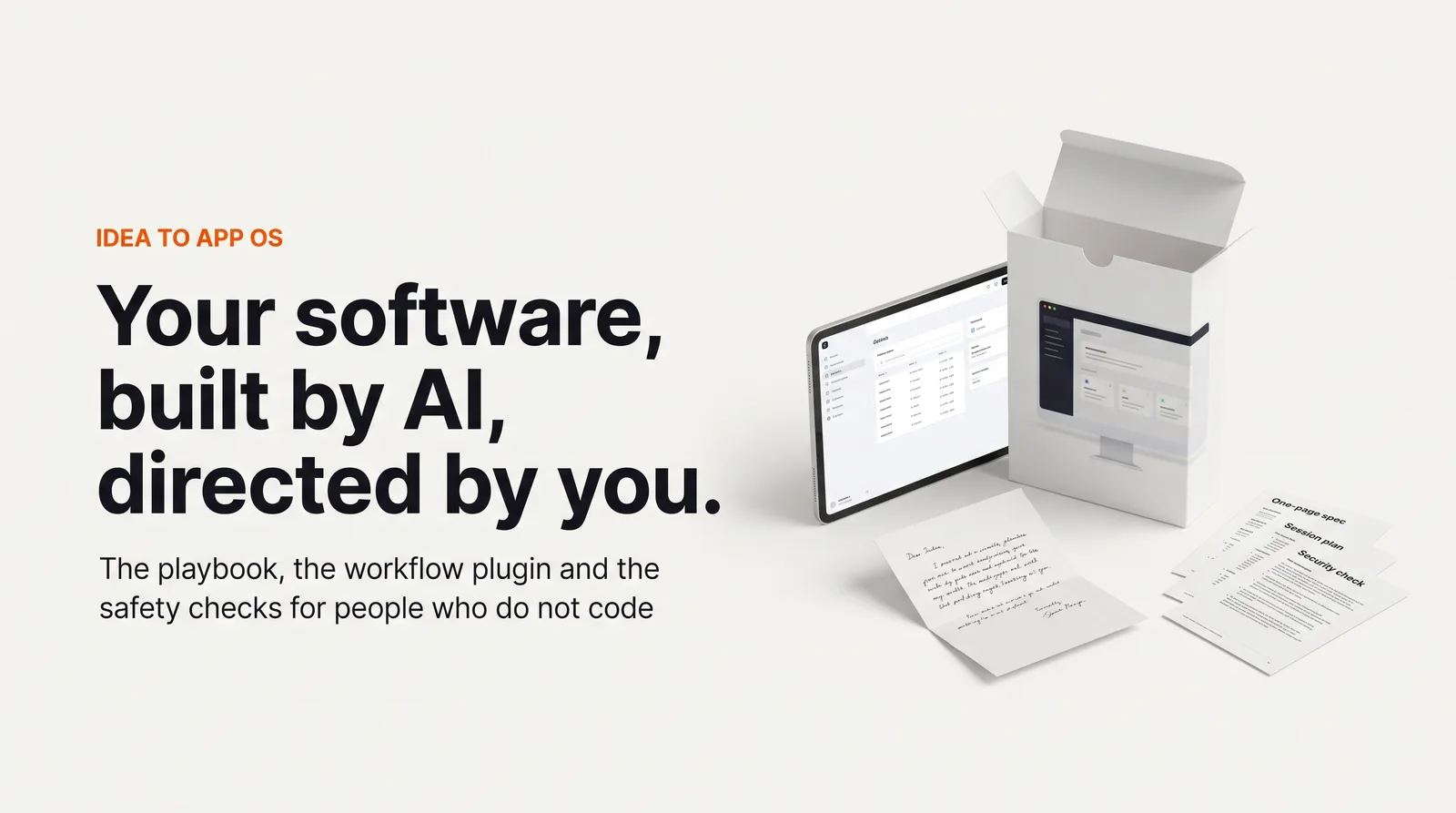
Want the exact words to type at every stuck point? Idea to App OS has seven guides written for people who do not code.
Get Idea to App OS, Standard $149 one-time// side by side
By hand vs a generic AI prompt vs Idea to App OS
The finishing work is the same in all three columns: login, data rules, secrets, payments and deploy. What changes is whether you know what to ask for, and whether "fixed" means fixed.
| Criterion | By hand | Generic AI prompt | Idea to App OS |
|---|---|---|---|
| Knowing what to ask | Trial and error, often at night | You ask, it guesses, it says "fixed" | Exact messages for fifteen common stuck points |
| Login and data rules | Easy to get wrong without knowing it | Often looks fine until a second user signs up | A checklist with a two-account test you run yourself |
| Rolling back a bad change | Only if you saved versions | Depends on the builder; credits keep burning | Two prompts that return to the last working version |
| Setup before the first build | You work out the tools alone | The builder hides it, inside its own walls | Guide 02: about two hours, mostly installers, then a 15-minute check |
| Human review | None, unless you hire someone | None | Written reviews by email in Pro and Founder; no calls |
| Cost | Free, plus your time | Builder credits, often monthly | $149 once, plus your Claude plan and hosting |
// in the download
What is inside Idea to App OS
Idea to App OS is seven plain-English guides for people who do not code, plus the CodeForge plugin that makes Claude Code plan, test and check its own work, plus rule files and templates.
- Guide 01: turn your idea into a one-page spec with seven questions and the exact first prompt
- Guide 02: set up Node, Git, Claude Code and CodeForge on Mac or Windows, with a monthly cost table
- Guide 03: the 60-minute build session, one feature at a time, and what "done" means
- Guide 04: fifteen stuck situations with the exact message to send, plus two prompts that roll back to the last working version
- Guide 05: the last 20 percent: login, users seeing only their own data, secrets, backups, Stripe in test mode, deploy, a pre-launch self-test
- Guides 06 and 07: launch to ten people first, then run the app without a developer
- The CodeForge plugin (14 skills), three rule files, a CLAUDE.md project template and seven templates
- Pro ($397): a written Idea Review of your spec within three business days
- Founder ($697, 5 per month): a written Pre-Launch Review of your live app and 30 days of email questions
Who Idea to App OS is for, and who should skip it
This fits people with an idea, a budget and time for one-hour sessions, but no coding vocabulary. It does not fit developers, and it does not fit anyone hoping for an app without putting in time.
It is for you if
- You have the idea, the budget and time for one-hour sessions, and none of the vocabulary.
- You got to 80 percent in Lovable, Bolt or Replit and are stuck on login, data, payments or deploy.
- You priced an agency build and want a cheaper path that is still safe.
- You want to own the tool, not rent a developer every time a button moves.
It is not for you if
- Developers. You already know this, and CodeForge alone covers the workflow part.
- Anyone who wants an app without spending time. A first build usually takes weeks of one-hour sessions, and that is an estimate.
- A regulated first project, such as medical records, financial accounts or data about children. Build something smaller first.
// frequently asked
Questions buyers ask
- Why does my AI-built app stop working after the first version?
- Your AI-built app stops working because the first version is mostly screens, and screens are easy. The hard parts come later: login, rules about who sees which data, payments and going live. Each change can break an earlier one, and the AI often reports success without testing.
- How do I fix an app built with Lovable or Bolt?
- Save a working version first, then fix one problem per session and test it with two separate user accounts. If the builder keeps failing at the same step, move the project into a code editor with Claude Code, where you can see every file and roll back cleanly.
- Do I need coding skills to use Idea to App OS?
- No, the guides were written for people who have never written code. Every technical word is explained the first time it shows up, and every step has the exact text to paste. What it asks of you is time: short sessions most days for a few weeks.
- Does it work with ChatGPT?
- The guides and templates are plain text, so you can read them anywhere. The build itself runs in Claude Code with the CodeForge plugin, which needs a paid Claude plan. ChatGPT can help you think, but it cannot edit and test your project files the same way.
- Is it a one-time payment?
- Yes. Standard is $149 once. Pro is $397 and adds a written Idea Review. Founder is $697, adds a written Pre-Launch Review and 30 days of email questions, and is limited to five buyers a month. There are no calls in any edition.
- Is AI-written code safe to put in front of customers?
- AI-written code is not safe by default. Guide 05 is a checklist against the common failures, such as leaked keys and users reading each other's data, with a two-account test you run yourself. The Founder edition adds a human written review before launch. None of it is a security certification.
- What will it cost per month to run the app?
- A first month can stay in the tens of dollars if you use free tiers for hosting and the database plus a Claude Pro plan. Prices change, so guide 02 tells you to check each pricing page before you sign up.
- When should I hire a real developer instead?
- Guide 07 names four triggers: more than about 500 daily users, a custom login flow, payment logic beyond Stripe Checkout, or a compliance requirement. For those it includes a brief that helps you hire a good contractor without handing over the keys.
Get Idea to App OS
Idea to App OS costs from $149 as a one-time payment. You get an instant download, lifetime access to every v1 update, and no subscription.
// pick an edition
3 editions, one listing
Pick the edition on the Gumroad page. Every edition includes the full download; the higher ones add written reviews delivered by email. There are no calls to book.
01 · Standard
$149one-time
The seven guides, CodeForge, the rule files, the project template and seven templates. Free updates.
02 · Pro
$397one-time
Standard plus a written Idea Review: email your spec, get a build plan with your first five prompts within three business days.
03 · Founder
$697one-time
Pro plus a written Pre-Launch Review of your deployed app and 30 days of email questions.
limited to 5 per month
// next problem
Related problems
- Why your AI coding assistant keeps breaking working code
The workflow plugin inside this kit, sold alone for people who already code.
- How to plan the launch once the app works
When the app is live and you need a pitch, a price and a launch plan around it.
// Also on this topic
- guideClaude Code forgets everything each session. How do you make it remember?
You told it about the new supplier last week and today it uses the old one. Why each session starts fresh, how memory notes work, and the traps to avoid.
- guideClaude Code vs the Claude chat window: which one should you use for your business?
The chat window talks. Claude Code works on your files. A side-by-side table, which jobs suit each one, and how to choose for a small business.
- free toolllms.txt generator
A spec-valid llms.txt built in the browser, validated as you type.
- bookClaude Code for Non-Programmers
A Business Owner's Guide to Building Your Own AI Operating System (2027 Edition)