Last updated
Claude Code vs the Claude chat window: which one should you use for your business?

| Question | Claude chat window | Claude Code |
|---|---|---|
| What it does with a job | Tells you the steps | Takes the steps, then checks they worked |
| Your files | Only what you paste or upload | The files in the folder you start it in |
| Commands on your computer | None | Any command you could type, if you allow it |
| Your online accounts | No | No, unless you connect them later |
| New session tomorrow | A new chat | Starts fresh, then reads CLAUDE.md and memory notes |
| Asks before acting | Nothing to ask about | Depends on the mode; new sessions start in auto |
| Undo | Nothing changed, nothing to undo | Esc twice or /rewind for file changes |
| Best first job | Draft an email or sum up a contract | Make one table from twelve supplier price lists |
Reading the chat vs Claude Code table
Read the first row and you have most of it. The chat window answers. Claude Code acts.
They share a brain. The book uses two helpers to show it. One lives in your phone and texts you smart answers. Ask it to tidy your room and you get tips. The other stands in your room, opens the drawers and asks before it throws anything out.
The files row is where it gets real. Claude Code works inside one folder, the one you start it in. If your work lives in online tools, you export copies into a folder, let Claude work on those, and put the checked result back yourself. It does not log in to your website builder on its own.
Two rows need a warning. As of the 2027 Edition, new sessions start in auto mode, where Claude decides many steps without asking you. And the undo button covers files only. It cannot unsend an email or undo a change on a website. The checkpointing page in the official docs spells out those limits.

The week you paste the same thing four times
It's Wednesday. You've pasted your price list into the chat three times this week. Each time it gave you a good answer. Each time you copied that answer back into a file by hand, and fixed the bits it got wrong because it could only see half the sheet.
Then you asked it to just update the file. It explained how you could do that.
So it knows how. It just won't.
That is the moment the chat window has done all it can. Not because it is weak. It has no hands in your folder.
When the chat window is still the right tool
I still use the chat for thinking. A rough plan, a hard email, a question I want answered once. Nothing gets changed, so nothing can go wrong in a folder.
Claude Code earns its setup on weekly jobs that live in files. The book's own test for a good first job is simple. The files are already on your computer, or you can export copies there. The result is easy to check by looking. And if it goes wrong, nothing is lost that you can't restore.
There is one more difference people miss. Each Claude Code session starts fresh. The fix is a plain text file called CLAUDE.md that it reads every time it walks into your folder. You write your rules there once, and they stop slipping. The page on writing a CLAUDE.md for a small business shows what goes in it.

What about Claude Cowork?
If you compare the two, you will soon meet a third name. Cowork is Anthropic's mode for handing Claude a task with several steps, not just asking a question. The book does not cover it, so here is what Anthropic's own Get started with Claude Cowork page says.
- It uses the same agent design that powers Claude Code, with no terminal needed.
- You describe the result you want, step away and come back to the finished work.
- It needs a paid plan: Pro, Max, Team or Enterprise.
- Tasks run mostly in the cloud. To touch files on your computer, the Claude Desktop app has to be open and connected.
- Anthropic is folding it into the main Claude app, so in some accounts there is no separate Cowork button any more. Claude decides if your request needs a quick answer or a task.
So think of it as three steps up the same ladder. Chat talks. Cowork carries out tasks without a terminal. Claude Code works inside a folder you choose, with rules, modes and an undo you can see. The book teaches the third one because it shows you exactly what is happening and lets you set the locks yourself.

The book that walks you across
This is the problem Claude Code for Non-Programmers was written for. The book is independent and is not affiliated with Anthropic.
What Claude Code Actually Is explains the two helpers, the loop of looking, acting and checking, and what the harness is. It ends with a First Job List you fill in before you install anything.
The Terminal Without Fear gets it running on your computer and runs your first job on copies in a practice folder. The official quickstart is there too if you want the source.
CLAUDE.md: The Instruction Sheet turns the things you explain every Monday into one short file it reads every session.
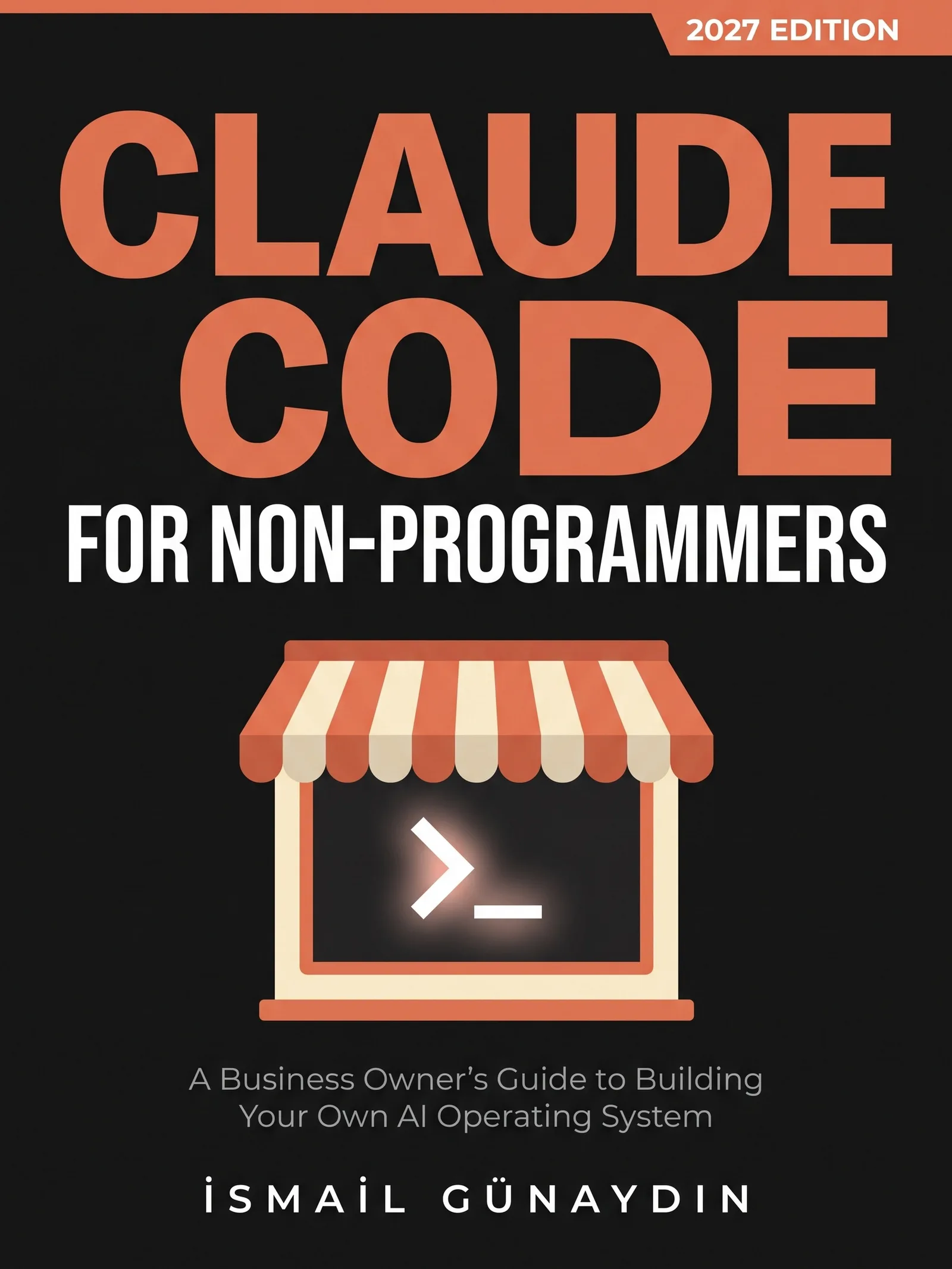
The book for this problem
Claude Code for Non-Programmers
A Business Owner's Guide to Building Your Own AI Operating System (2027 Edition). By İsmail Günaydın, 355 pages.
Where this problem is in the book:
- What Claude Code Actually Is
- The Terminal Without Fear
- CLAUDE.md: The Instruction Sheet
Links go to Amazon. I wrote this book and earn a royalty on every sale. Amazon sets the price and handles delivery and returns.

Is Claude Code for Non-Programmers the right book for you?
Yes, if
- You copy and paste between the chat window and your files every week
- You keep asking the chat to do something and it hands you instructions instead
- You want to know if Claude Code is worth the setup before you start
Skip it if
- You only use Claude for the odd email or question; the chat window is enough
- You want a review of every AI tool on the market
Fair doubts before you buy
If it's the same brain, why bother with Claude Code at all?
Because the brain is not what makes the work useful for your business. The book calls everything around the model the harness: the tools, the rules about what it may touch and what it gets to see. That is the part you control, and it only exists in Claude Code.
Is Claude Code more expensive than the chat?
As of the 2027 Edition, a Claude Pro, Max, Team or Enterprise plan is the recommended way in, so if you already pay for Claude you can start. The desktop app and the web version need a paid plan. I run my own scheduled jobs on my normal subscription.
Get Claude Code for Non-Programmers
A business owner who has never opened a terminal can give Claude real jobs on real files, safely, using one working system including the parts that broke.
Links go to Amazon. I wrote this book and earn a royalty on every sale. Amazon sets the price and handles delivery and returns.
This book is independent and is not affiliated with or endorsed by Anthropic.

Questions people ask about this
- Is Claude Code smarter than Claude chat?
- No. It uses the same models. You switch between them in Claude Code with the /model command, using short names like sonnet, opus and haiku. What changes is that it can open files, change them and run commands in the folder you start it in.
- Can Claude chat edit files on my computer?
- No. The chat window can read what you paste or upload and write an answer, but it can't reach into a folder and change your files. If you ask it to update prices on your site, you get instructions, not the update.
- Does Claude Code remember my earlier chats?
- No. Each new Claude Code session starts fresh, without the history of earlier ones. Lasting rules go in an instruction file called CLAUDE.md, and Claude can keep memory notes. Both load at the start of every session.
- Where can I run Claude Code?
- In the terminal, in code editors like VS Code, in a desktop app and in the browser at claude.ai/code. All of them use the same engine. The book uses the terminal because it shows you exactly what is happening.
- Should a small business use Claude Code or just the chat?
- Both. Keep the chat for thinking and drafting. Move a job to Claude Code when it is a weekly job on files, the result is easy to check by looking, and a mistake can be undone. Start on copies of your files, not the originals.
- Can I use Claude Code on the free Claude plan?
- Plan for a paid one. The official docs say most ways to run Claude Code need a Claude subscription or an Anthropic Console account, and the desktop app needs a paid plan. The book recommends a Pro, Max, Team or Enterprise plan. Plans change, so check the current list on Claude's pricing page before you sign up.
Related problems
- What is Claude Code, and can you use it if you don't write code?
Claude Code is Claude with hands: it works on the files in a folder. What it can reach, what it can't, and a safe first job for a non-coder.
- Scared of the terminal? Here is why one wrong key won't break your computer
The black window looks like one typo could break things. It can't. What the terminal is, the four errors most people hit, and a safe first session.
- How to write a CLAUDE.md file for a small business, even if you don't code
Stop explaining the same rules every Monday. What a CLAUDE.md file is, what goes in it for a small shop, how long it should be and how to check it loaded.
- Everything inside Claude Code for Non-Programmers
Every chapter, who the book is for, and every problem it helps with.