Last updated
What is Claude Code, and can you use it if you don't write code?
The chat window wrote the email, then stopped at the door
It's Thursday night. The Claude chat window has been open all week. It wrote you a decent email. It summed up a contract. It gave you five blog titles, and two were good.
Then you asked it to update the prices on your website. It gave you a neat list of steps for doing it yourself.
So it knows how. It just won't do it.
That gap is what Claude Code closes. And if you have never written a line of code, the name makes it sound like it is not for you.

The name is the problem, not you
Anthropic's own pages describe Claude Code as an agentic coding tool. The word "coding" puts off most business owners. The word that matters is "agentic." It means it does not stop at telling you the steps. It takes them.
Most guides then jump straight into code and settings, because they are written for developers. So you close the tab and go back to copying and pasting from the chat.
You don't need to become a programmer. You need to know what it can touch, what it can't, and how to make it ask first.

Two helpers, same brain
Picture two helpers. The first lives in your phone. You text it a question and it texts back a smart answer. Ask it to tidy your room and it sends tidying tips.
The second one is standing in your room. It can open the drawers, read the labels and move things. Before it throws anything away, it asks. You gave it that rule.
The chat window is the first helper. Claude Code is the second. It is not smarter. It has hands, eyes and a room to work in.
The room is a folder. When you start Claude Code inside a folder, it can reach the files there and any command you could type. It cannot reach your online accounts unless you connect them later. If your prices live on a website builder, you copy the page text into a folder, let Claude work on the copy, and paste the checked result back yourself.
It works in a loop, which the docs describe in how Claude Code works. It looks around, it acts, it checks. You can break in at any point and say, "Not that folder, the other one."
One thing surprises everyone. Each new session starts fresh. It does not remember yesterday unless you leave it notes, and the book spends two chapters on those notes.

What non-coders actually use it for
Most of the work in a small business already lives in files: price lists, product photos, blog posts, job notes. These are first jobs the book gives as examples from small businesses:
- "Read the twelve supplier price lists in this folder and make one comparison table."
- "Go through last month's blog posts and list every one that has no image description."
- "Rename these 200 product photos so the file names describe what's in them."
- "Read last month's job notes and list every customer who needs a fall cleanup quote."
Notice what they share. Each one is plain English. Each result is something you can check by looking. None of them sends anything, spends money or deletes a file.

Do you have to use the terminal?
No. The official overview lists several ways in, and they all use the same engine:
| Where | What it looks like | Good to know |
|---|---|---|
| Terminal | A text window where you type claude |
The book's choice, because you see every step |
| Desktop app | The Claude app, with a Code tab | Needs a paid plan; no separate install |
| VS Code | A panel inside a code editor | Shows each change right in the file |
| Web | claude.ai/code in your browser | Runs in the cloud, with no setup on your computer |
The book uses the terminal on purpose. It shows you exactly what Claude is doing and asking, and the same few commands work everywhere. If the black window is the only thing stopping you, the desktop app is a fair place to start, and the rules in this book still apply.
Write the job list before you install anything
The biggest mistake new users make has nothing to do with tech. They open Claude Code, type "hello," get a friendly answer and close it.
So before you install, take a pen. Write down three things you do every week that involve files, documents or a website. For each one, answer five questions: where do the files live, how long does it take, what does done look like, what must never be touched, and who checks the result.
Good first jobs have the files on your computer already, a result you can check by looking, and nothing at risk you can't restore. "Read the twelve supplier price lists in this folder and make one comparison table" is a good first job. Emails to customers, money and deleting things come later, once you know how the brakes work.

My own reason for building on it
In June 2026 I wanted an assistant that would remember my projects and run small jobs on a schedule. My first plan was to plug Claude Code into an open-source agent framework. The research killed that in an afternoon, because that kind of framework needs its own paid API key. On June 27, 2026, I built the assistant on Claude Code itself instead.
The best part was not the zero extra cost. Every important file, from the rules to the memory notes, is plain text in normal folders. If I ever change tools, what I know comes with me.

Where the book starts you
This is the problem Claude Code for Non-Programmers was written for. The book is independent and is not affiliated with Anthropic.
What Claude Code Actually Is gives you the two-helper picture, the loop, what it can and can't reach, and the First Job List you fill in with a pen.
The Terminal Without Fear installs it with you, line by line, and runs Job 1 on copies in a practice folder where nothing you care about can be harmed.
Permissions and Modes shows you why new sessions no longer ask before every edit, and how to make it ask. If the black window is what stops you, read scared of the terminal first.
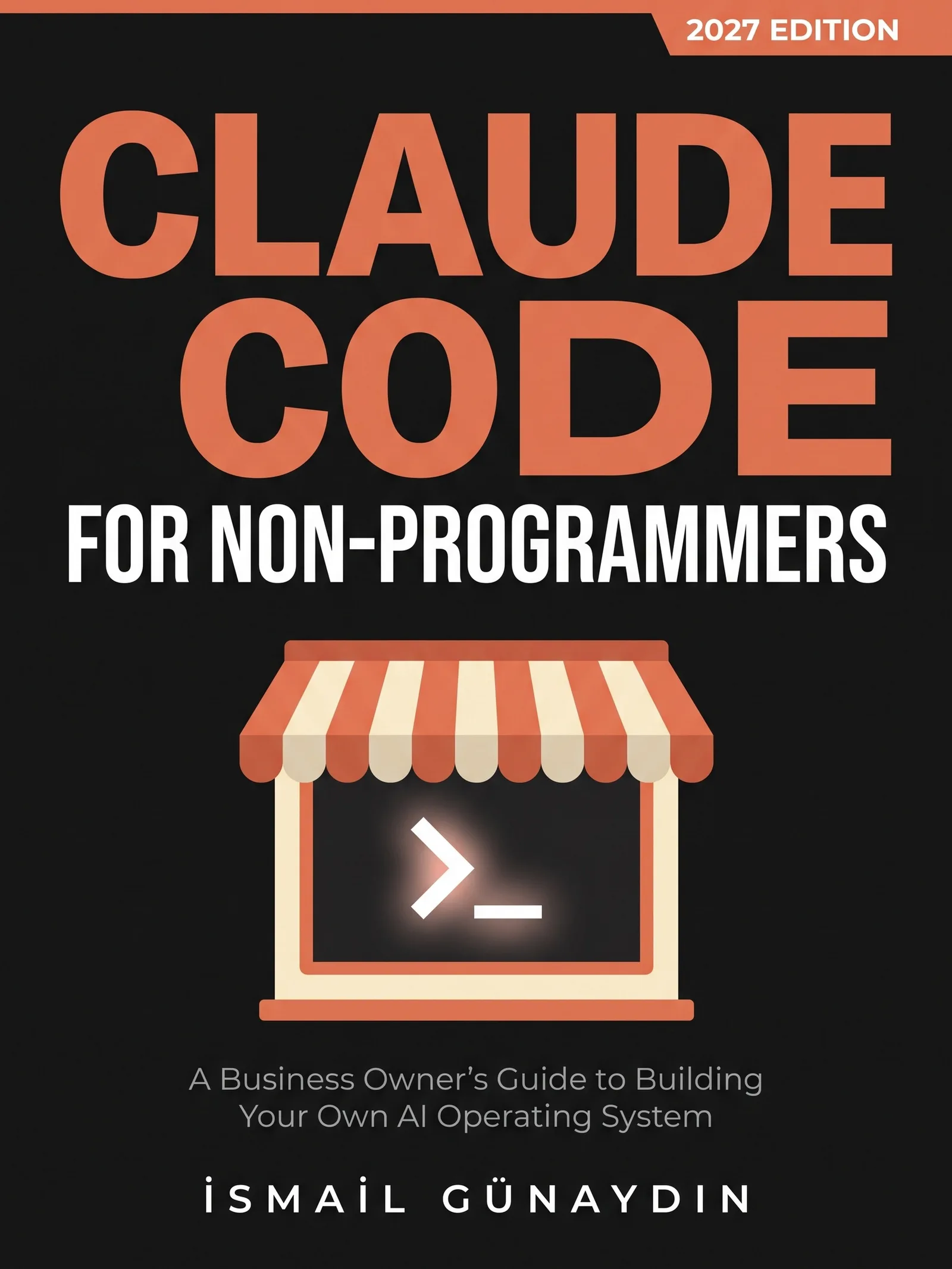
The book for this problem
Claude Code for Non-Programmers
A Business Owner's Guide to Building Your Own AI Operating System (2027 Edition). By İsmail Günaydın, 355 pages.
Where this problem is in the book:
- What Claude Code Actually Is
- The Terminal Without Fear
- Permissions and Modes
Links go to Amazon. I wrote this book and earn a royalty on every sale. Amazon sets the price and handles delivery and returns.
Is Claude Code for Non-Programmers the right book for you?
Yes, if
- You pay for Claude and use the chat window, but it only tells you what to do
- You run a shop, a service or a few websites from files and spreadsheets
- You have never opened a terminal on purpose
Skip it if
- You are a software developer; the official documentation will serve you better
- You want to learn to program
Fair doubts before you buy
Isn't Claude Code just for programmers? It has code in the name.
The name scares a lot of people off. The documentation calls it an agentic coding tool, but in practice it reads files in a folder, edits them and runs commands. A price table, a folder of product photos or a set of blog posts are files too. Nothing in the book asks you to write code.
Can't I just learn it from the official docs?
The docs are good, and the book points to them by name. They are written for developers and they change almost every week. The book is set at the pace of someone who has never used a terminal, and it shows what happened when one person ran a real business on these tools, including what broke.
Get Claude Code for Non-Programmers
A business owner who has never opened a terminal can give Claude real jobs on real files, safely, using one working system including the parts that broke.
Links go to Amazon. I wrote this book and earn a royalty on every sale. Amazon sets the price and handles delivery and returns.
This book is independent and is not affiliated with or endorsed by Anthropic.

Questions people ask about this
- What is Claude Code in simple terms?
- It is Claude with hands. The chat window can only talk. Claude Code can open the files in a folder, change them, run commands on your computer and check whether the change worked. It works in a loop of looking around, acting and checking, and you can stop it at any point.
- Do I need to know how to code to use Claude Code?
- No. You type requests in plain English once it is running. The only exact typing you do is a few short commands in the terminal, like walking into a folder and typing claude to start it.
- What plan do I need for Claude Code?
- As of the 2027 Edition, the quickstart page lists a Claude Pro, Max, Team or Enterprise plan as the recommended option. A Console account with pre-paid API credits also works. If you already pay for Claude, you are set.
- Can Claude Code log in to my website builder or accounting app?
- Not on its own. It works on files in a folder. For tools it can't reach, you export copies, like a CSV of a spreadsheet or the text of a page, let Claude work on the copies, then put the checked result back yourself. Some tools can be connected later.
- What is a good first job for Claude Code?
- A job where the files are already on your computer, the result is easy to check by looking, and nothing is lost if it goes wrong. Making one comparison table from a folder of supplier price lists is a good one. Anything that sends emails, moves money or deletes things waits until later.
- Can I use Claude Code without the terminal?
- Yes. The official docs list a desktop app with a Code tab, a VS Code extension and a web version at claude.ai/code, all on the same engine. The desktop app needs a paid plan. The book teaches the terminal because it shows every step, but your CLAUDE.md file and settings work the same across them.
Related problems
- Claude Code vs the Claude chat window: which one should you use for your business?
The chat window talks. Claude Code works on your files. A side-by-side table, which jobs suit each one, and how to choose for a small business.
- Scared of the terminal? Here is why one wrong key won't break your computer
The black window looks like one typo could break things. It can't. What the terminal is, the four errors most people hit, and a safe first session.
- How to make Claude Code ask before it changes your files
New Claude Code sessions start in auto mode and don't ask. The six modes in one table, how to make Manual your default, and the locks no mode can skip.
- How to write a CLAUDE.md file for a small business, even if you don't code
Stop explaining the same rules every Monday. What a CLAUDE.md file is, what goes in it for a small shop, how long it should be and how to check it loaded.
- Everything inside Claude Code for Non-Programmers
Every chapter, who the book is for, and every problem it helps with.