Last updated
Get Private AI Office (from $97)How to Use AI on Client Files Without Sending Them to a Cloud AI Service
You want AI on client files. You don't want client files in someone else's cloud. There is a middle path: run the AI model on your own computer, so the contract you ask about stays on your disk. This page shows how to set that up by hand, what it changes for confidentiality, what it does not change, and where a ready-made kit saves you the guesswork.
Why is using AI on client files a confidentiality problem?
Using AI on client files is a confidentiality problem because most AI tools run in the cloud. Paste a contract into a chatbot and the text goes to the AI company's servers, under its terms of use. For a lawyer that is not a small detail.
ABA Formal Opinion 512, issued July 29, 2024, asks you to weigh the risk that client information is disclosed to or accessed by others outside the firm before it goes into an AI tool. For self-learning tools, it says informed consent is required first, and that general, boilerplate clauses in an engagement letter are not enough.
Local AI tools such as Ollama avoid the vendor problem, but their documentation assumes you know what an embedder or a vector database is. And going local does not improve accuracy: a private model can still invent a case.
How to set up a private AI on your own computer, step by step
To set up a private AI, you check your hardware, install a local AI app, pick a model that fits your memory, point every setting at your own machine, and prove it works offline. Here is each step, done by hand.
- Check your memory. On Windows, open Settings, System, About, and read Installed RAM. On a Mac, open About This Mac. 16 GB is the practical floor. With 8 GB, only very small models fit, and they make too many mistakes for client work.
- Install a local AI app. AnythingLLM Desktop is free, open source under the MIT license, and runs on Windows and Mac. It reads your documents and chats with you about them. On Windows, install it for the current user only.
- Pick the built-in AI provider. During setup, choose the app's own engine. Do not pick OpenAI, Anthropic or another cloud name, because those send your text over the internet.
- Choose a model that fits. The model has to fit in memory while it works. Bigger memory means a bigger, more capable model. Check each model's license before business use.
- Check every place data could leave. The LLM provider, the embedder (the small model that makes documents searchable) and the vector database (where that search index is stored) should all be local. Clear any cloud API key you find.
- Turn off telemetry and web agents. The AnythingLLM privacy policy explains what telemetry covers. You need neither for client work.
- Test with the internet off. Turn off Wi-Fi, unplug the cable, reopen the app, upload a public document and ask three questions only that document can answer.
- Encrypt the disk. The client files now live on your laptop. Use BitLocker or Device encryption on Windows, or FileVault on a Mac.
- Use one workspace per matter. The model can pull text from any document in a workspace. Two clients in one workspace means one client's facts can show up in the other's answer.
- Check every answer. Quotes against the source, citations in Westlaw, Lexis or the official reporter, dates and dollar amounts against the document.
Steps 4 to 6 are where most people get stuck: one wrong pick sends text to a cloud service. If you want local AI for marketing work instead, AutoEarnaAI runs on Ollama.
What a local model is good at, and what it is not
| Task | Local model |
|---|---|
| Summarize a letter, an email thread, a clause | Good |
| Pull out dates, parties, defined terms | Good, but check them against the document |
| Put key terms into a table | Good |
| First draft of a routine client letter | Good, from your notes |
| Every obligation in an 80-page agreement | Weak: it sees the most relevant passages, not the whole file |
| Find case law | Do not use it for this; it may invent a case |
| Add up a column of numbers | Weak; use a spreadsheet |
| Strategy, credibility, enforceability | Yours, not the model's |
This split comes from the kit's own "what it does well" page. The short version: the answer has to be in the text you gave it.
The faster way: a setup kit with the choices already made
The faster way is to follow one path where the app, the model and every setting are already decided. I built Private AI Office for solo and small law firms: a set of PDF guides you read in order, two Word templates, and a plain-text copy of every prompt.
It includes no software. You download AnythingLLM and the model from their official sources. The model picks are all Qwen models under the Apache 2.0 license, matched to three memory tiers.
What it does not do matters just as much here. It does not make you compliant with anything, and it is not legal advice. The kit's own one-line summary: your data stays on your computer, and whether your setup meets your professional duties is a decision for you and your state bar.
How to use it, step by step
- Buy and download. Gumroad sends the zip right after payment. Open the README, then the start-here guide.
- Check your computer. About 10 minutes. Write down your memory, free disk and, on Windows, graphics card memory, then find your tier.
- Install AnythingLLM. Follow the Windows or Mac guide. It covers the "Windows protected your PC" box and the Mac Gatekeeper prompt, and what each one means.
- Download your model. The which-model guide gives one file name per tier. A Starter model is about 6 GB, which the guide says takes 10 to 40 minutes on a normal office connection.
- Lock it down before any client file. Work through the privacy switches, the offline proof test and disk encryption, in that order.
- Ask your first real questions. Set the matter workspace to Query mode, which answers only from your uploaded documents, and start with the contract review prompts.
- Read the ethics kit before client matters. Go through the ABA 512 checklist, check your state bar's guidance, then edit the client letter and firm policy templates.
What the prompts look like
Every prompt has fields in brackets and ends with the same rule line. This one is from the contract review set:
List every deadline, notice period, and time
limit in [contract name]. For each one give:
what must happen, who must do it, how much
time, what starts the clock, and the section.
Use only the uploaded documents. If the answer
is not there, write "Not in the documents."
Under each prompt sits a check note. For this one: confirm what starts the clock, because models often confuse "from signing" with "from notice."
The verify-everything page explains why that habit matters. In Mata v. Avianca (S.D.N.Y. 2023), lawyers filed opinions an AI chatbot had made up and were fined $5,000. In Wadsworth v. Walmart (D. Wyo. 2025), the drafting lawyer used his firm's own in-house AI tool and was fined $3,000. Private did not mean accurate.
How much time it saves
I have not timed a firm doing this setup alone against the same setup with the kit, so I will not give you a number. The kit's own plan fits the whole setup into one afternoon, most of it spent waiting for the model to download.
The bigger saving is the research you skip: which app, which model, and which of the five settings could leak data. Our free tools page has a few more small helpers.
// what it looks like
Inside Private AI Office


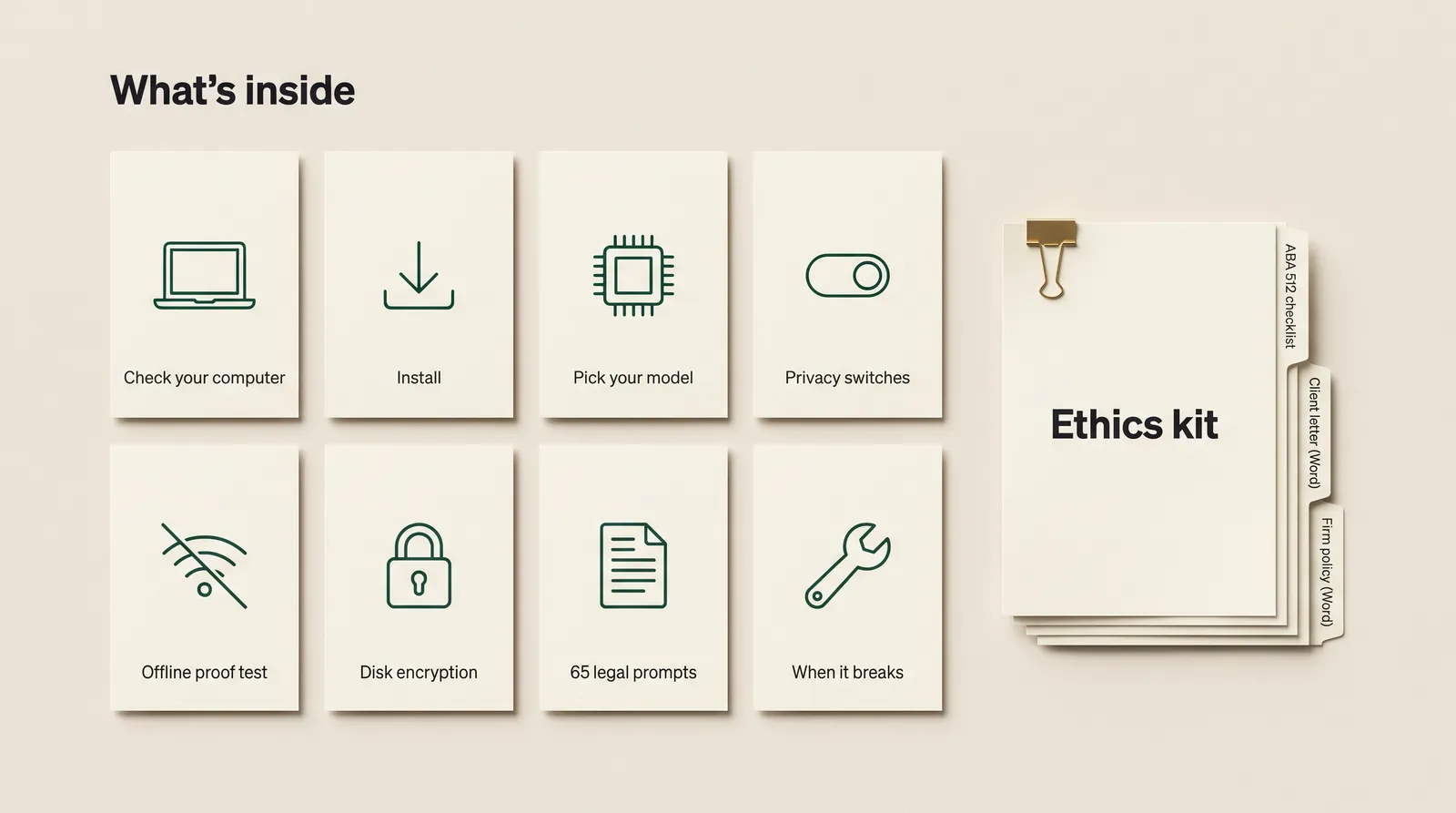
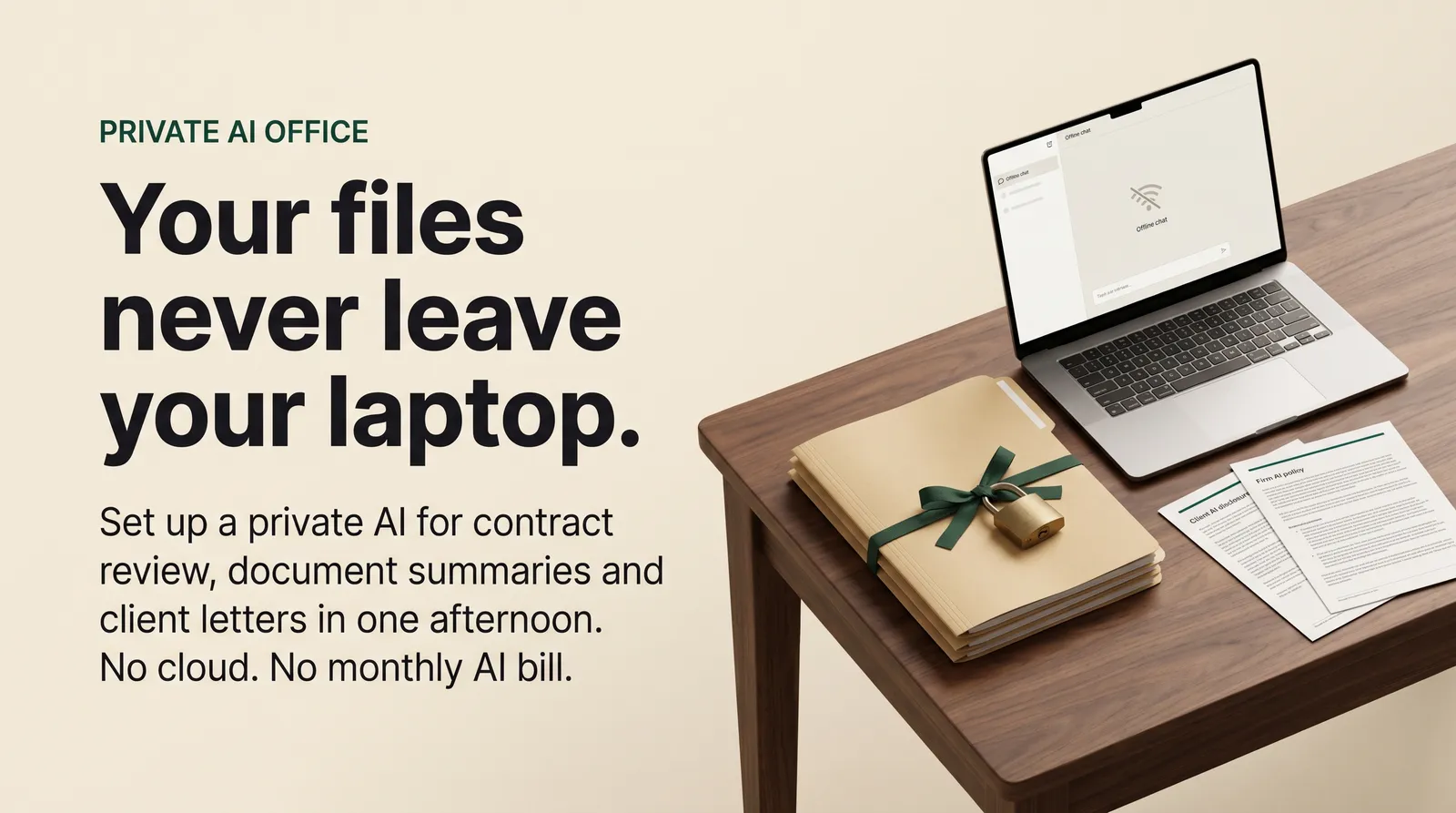
Want the choices already made? Private AI Office gives you the steps, the settings, 65 legal prompts and an ethics kit.
Get Private AI Office, from $97 one-time// side by side
By hand vs a generic AI prompt vs Private AI Office
All three routes can summarize a contract. What changes is where the client document goes, how many decisions you make alone, and whether you have anything written down to show a partner or a client who asks how your AI works.
| Criterion | By hand | Generic AI prompt | Private AI Office |
|---|---|---|---|
| Where the client file goes | Stays on your disk if you get every setting right | To the AI company, under its terms of use | Stays on your disk; the kit lists each setting to check |
| Choices you make alone | App, model, size, embedder, every privacy switch | Which plan to pay for | One app and one model per memory tier, already picked |
| Works with the Wi-Fi off | Yes, once you set it up correctly | No | Yes, with a written offline test you run and record |
| Prompts for legal work | You write your own | You write your own or buy a prompt pack | 65 prompts, each with a check-the-answer note |
| Ethics paperwork | You start from a blank page | Vendor terms to read, plus your own letter | ABA 512 checklist, client letter and firm policy templates |
| Answer quality | Depends on the model you pick | Strongest of the three on hard reasoning | Good at reading and drafting, weaker at tricky reasoning |
| Cost | Free software, plus your time to research it | A monthly plan per user | $97 once; the app and models are free downloads |
// in the download
What is inside Private AI Office
Private AI Office is a set of PDF guides plus two Word templates, version 1.0 from October 2026. It sets up the free AnythingLLM Desktop app with one open model per hardware tier, locks down the privacy settings, and adds legal prompts and an ethics kit built around ABA Formal Opinion 512.
- A computer check for Windows and Mac with three tiers: 16 GB, 32 GB and 64 GB of memory, plus a plain answer if you have 8 GB
- Step-by-step install of AnythingLLM Desktop on Windows (x64 or ARM) and on Mac (Apple silicon or Intel)
- One Qwen model per tier under the Apache 2.0 license, with file names and sizes: about 6 GB, 17 GB and 22 GB
- Privacy switches: the five settings where data could leave, telemetry off, web agents off, and a 1-minute recheck after every update
- An offline proof test with a fill-in record, and what that test proves and does not prove
- Disk encryption with BitLocker, Windows Device encryption or FileVault, including where to keep the recovery key
- 65 legal prompts in five sets of 13: contract review, discovery summaries, client letters, deposition prep, research and memos
- A verify-everything page with two real sanction cases, and a page on what a local model does well and badly
- An ethics kit: an ABA Formal Opinion 512 checklist plus a client AI disclosure letter and a one-page firm AI policy in Word
- A 12-row fix-it table and an upgrade path for bigger machines, other local apps and multi-user setups
What you do not get
- No software or AI model. You download AnythingLLM and the model from their official sources.
- No legal or ethics advice, and no statement that any setup is compliant with any rule.
- No screenshots of the app. The guides are written steps, checked against AnythingLLM Desktop v1.18.0.
Who Private AI Office is for, and who should skip it
This fits solo lawyers and small US firms who want AI help on documents they would not paste into a cloud chatbot, and who own a computer with 16 GB of memory or more. It does not fit anyone looking for a compliance certificate or cloud-level reasoning.
It is for you if
- You have a 40-page agreement on your desk and you will not paste it into ChatGPT.
- You read ABA Formal Opinion 512 and want to keep client information off third-party AI tools.
- You can install a normal program and drag a file into a window, but you do not use a terminal.
- Your computer has 16 GB of memory or more, or you plan to buy one.
It is not for you if
- Your computer has 8 GB of memory. The kit says plainly that it is not enough for client work.
- You want something that certifies your AI use as compliant. No kit can, and this one says so in its license.
- You need cloud-level reasoning on hard legal questions. A local model is weaker there.
- You need case law research. A local model does not search Westlaw or the internet.
// frequently asked
Questions buyers ask
- Is it ethical for lawyers to use AI on client files?
- It can be, but the call is yours and your state bar's. ABA Formal Opinion 512 (July 29, 2024) asks you to understand the tool, protect client information, communicate with clients, supervise staff and bill fairly. For self-learning tools it says informed consent is required before you input client information, and boilerplate in an engagement letter is not enough. The opinion is advisory, not binding.
- Does running AI locally make me compliant with ABA Formal Opinion 512?
- No. Keeping data on your machine removes one big risk: a vendor storing or reading client information. It does not fix wrong answers, made-up citations, fee rules, supervision or laptop theft. The kit's checklist goes through the opinion rule by rule so you can make the decision yourself. It is not legal advice.
- Do I still need client consent if the AI runs on my own computer?
- Maybe. A local model in AnythingLLM does not retrain itself on your documents; it searches them when you ask. That differs from the cloud tools the ABA mostly had in mind. Whether that removes the need for consent depends on your state's rules and the facts. The kit's own advice: when in doubt, disclose and ask. A disclosure letter template is included.
- Is a local model as good as ChatGPT or Claude?
- No. It reads, summarizes, pulls out dates and parties, and drafts routine letters well. It is weaker at long, tricky reasoning, at math, and at current law. It can be wrong and sound sure, so check every answer the way you would check a first-year associate's draft.
- Does it need the internet?
- Only to download the app and the model. After that, the AI answers with the internet off, and the offline proof test shows you this. The test does not prove the app never sends anything once you are back online, which is why the privacy settings come first.
- Is there a version with a setup review?
- Yes, on Gumroad there is a Pro edition. You email screenshots of your settings, your offline test record and your machine specs, never client information, and get a written review within 3 business days. It is email only, with no calls, and limited to 5 reviews per month.
- Is it a one-time payment?
- Yes. The kit costs $97 once and Gumroad sends the download right after payment. AnythingLLM and the recommended models are free downloads, so there is no monthly AI bill. Updates come free through your Gumroad library.
Get Private AI Office
Private AI Office costs from $97 as a one-time payment. You get an instant download, lifetime access to every v1 update, and no subscription.
// pick an edition
2 editions, one listing
Pick the edition on the Gumroad page. Every edition includes the full download; the higher ones add written reviews delivered by email. There are no calls to book.
01 · Standard
$97one-time
The full kit, with free updates.
02 · Pro
$197one-time
Standard plus a written setup review by email, with a reply within 3 business days.
limited to 5 per month
// next problem
Related problems
- How to run AI tools on your own computer with Ollama
A different kit built on a local model through Ollama, aimed at posting and outreach work rather than client files.
- How to make AI-drafted copy sound like you wrote it
For your firm newsletter or website text, the kind of non-client writing the firm policy template leaves open to cloud AI.
- How to turn off ads and viewing tracking on a smart TV
The same idea at home: a plain-English kit for cutting what your TV reports about what you watch.
// Also on this topic
- guideThe client deliverable is due in an hour and AI wrote most of it. How do you check it fast?
Re-reading an AI draft top to bottom catches little. Check only the facts that would hurt if wrong, against a real source. Steps for the next hour.
- guideWhich parts of client work can AI deliver, and which parts must stay yours?
A step-by-step rule for letting AI deliver part of your client work: what it runs, what stays human, and the order to switch it on.
- free toolPricing calculator
Floor, anchor and premium price band, with revenue after fees.
- bookThe Leverage Stack
How One Person Runs What Used to Take a Team