Last updated
Get AutoEarnaAI ($27)How to Run AI Automations on Your Own Computer with No Monthly API Bill
Most AI automation tools rent you a model in the cloud and charge you each month, or each time a script calls it. A local model runs on your own computer instead. Once it is installed, a script can call it all night and the bill stays at zero. This page shows how to set that up by hand, and then what a ready-made version looks like.
Why do AI automation tools cost so much every month?
AI automation tools cost a lot each month because you pay for every call to a model running on someone else's servers. Each post, reply or email your script writes is a small charge. Many small charges add up, and the subscription on top of them never stops.
Here is where the money and time usually go:
- Per-call billing. Cloud AI APIs charge for the text you send and the text you get back. A bot that writes forty drafts a night pays forty times.
- Stacked subscriptions. One tool posts, one schedules, one writes. Each has its own monthly plan.
- Hidden glue work. Even with paid tools, you still copy text from one app into another by hand.
- Fear of running it. When every test costs money, you test less. So the automation never gets good.
A local model fixes the first problem and makes the last one go away. It runs on your own computer, so trying a prompt fifty times costs nothing but time.
Local does not mean worry-free, though. Starting July 18, 2026, every scheduled routine on my own computer stopped for 7 days, while Task Scheduler kept saying "Ready". Later my morning briefing script crashed silently for 44 days. Nothing billed me, and nothing told me. Check what you automate with your own eyes every few days.
How to run AI automation locally by hand, step by step
Running AI automation locally means installing a model runner, downloading a free model, and pointing a small script at it. You can do the whole thing in an afternoon with free software. Do it once by hand, even if you later buy a ready-made kit, because you will understand what can break.
- Check your memory. RAM is your computer's short-term memory, and the model has to fit inside it. On Windows, open Task Manager, then Performance, then Memory. On a Mac, open the Apple menu and choose About This Mac. Under 8 GB is too little for useful models. 16 GB is a comfortable start.
- Install Ollama. Ollama is a free program that downloads open AI models and runs them on your machine. Get it from the Ollama download page. It runs quietly in the background once installed.
- Download a small model. Open a terminal and type
ollama pull llama3.2. A "3B" or "7B" label on a model means 3 or 7 billion parameters, the numbers it learned in training. Smaller numbers load faster and need less RAM. Browse more in the Ollama model library. - Talk to it once by hand. Type
ollama run llama3.2and ask it to write a short post. If the answer is slow or weak, try a different size. This is your free test lab. - Call it from a script. Ollama opens a local address on your computer,
http://localhost:11434. Your script sends a prompt there and gets text back, exactly like a cloud API, but with no key and no bill. The Ollama API docs show the chat endpoint and its fields. - Keep prompts in text files. Put each job's instructions in its own file, such as one for posts and one for emails. You can then improve the wording without touching the code.
- Schedule it. Use cron on Mac or Linux, or Windows Task Scheduler, to run the script at night. Write the drafts to a folder, not straight to the internet.
- Review before anything goes live. Read the drafts in the morning and publish the good ones. Check the X automation rules before you let a bot post. If you link to Amazon products, the FTC says you must disclose the affiliate relationship clearly.
One small fact saves a lot of confusion. The Ollama FAQ says a model stays in memory for 5 minutes by default, then unloads. So the first request after a pause is slow, and the next ones are quick. That is normal.
Here is a minimal script for step 5, so you can see how little is involved:
import requests

prompt = open("prompts/post.txt").read()
reply = requests.post(
    "http://localhost:11434/api/chat",
    json={"model": "llama3.2", "messages": [{"role": "user", "content": prompt}], "stream": False},
)
open("drafts/post.txt", "w").write(reply.json()["message"]["content"])
The hard part is not this script. It is the twenty small jobs around it: finding products, collecting leads, logging what was sent and handling errors at 3 a.m. I compared what free tools really cost in time in free vs paid Claude Code skills, and the same math applies here.
The faster way: four local tools that already talk to Ollama
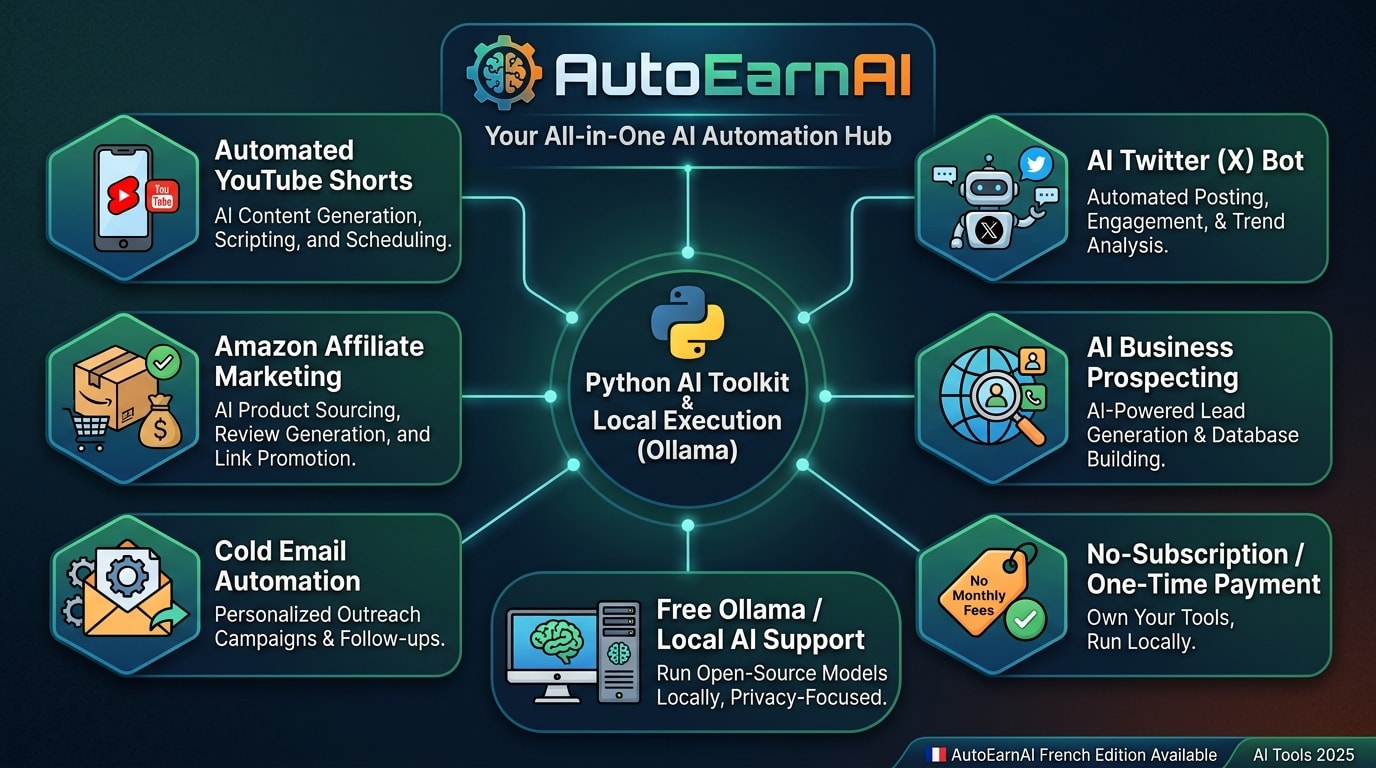
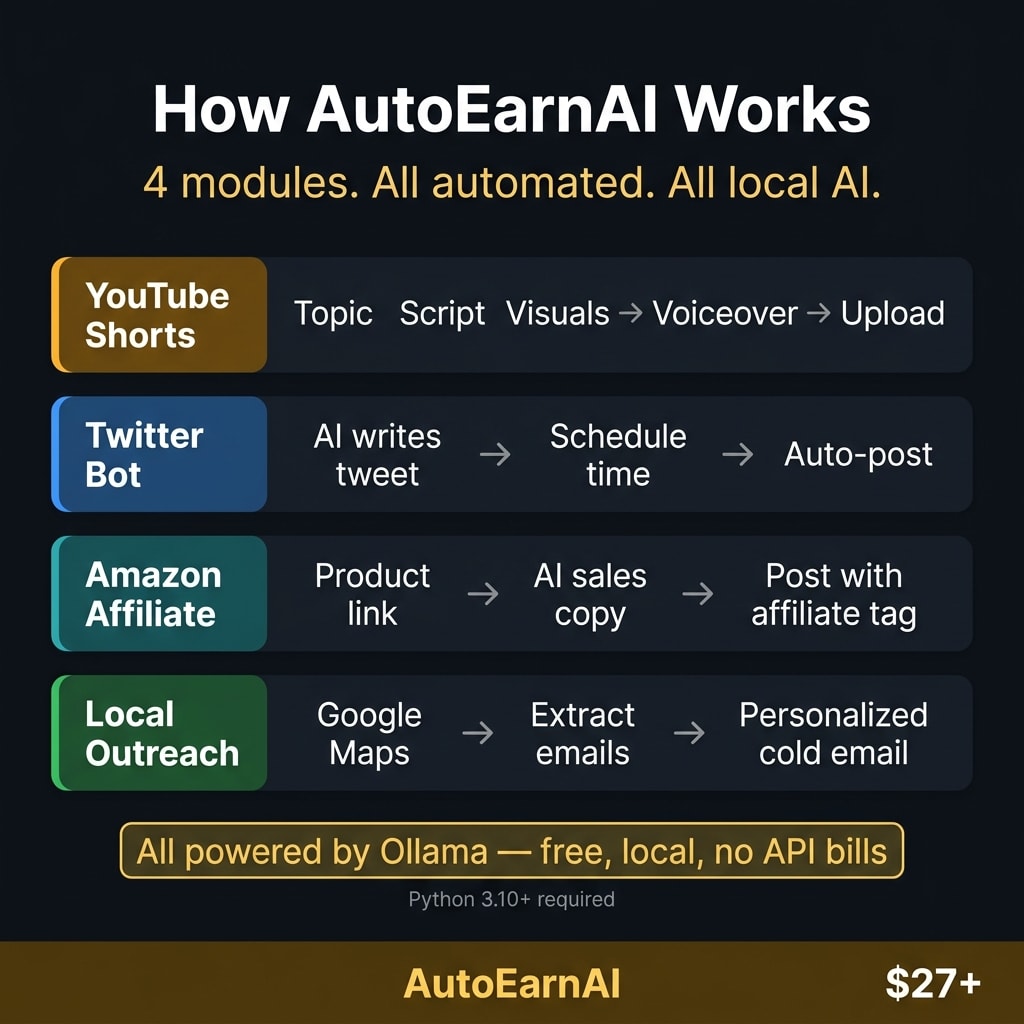
The faster way is to start from code that already does the glue work and already points at Ollama. AutoEarnaAI is one Python app with four modules: YouTube Shorts, an X bot, an Amazon affiliate poster and local business outreach. The posts and Shorts scripts are written by the model in Ollama on your computer, so the writing has no API bill. The outreach email is your own template.
Know what the kit is before you buy. It is built to publish, not only to draft. The X bot posts on a schedule, the affiliate module posts its pitch to X, and the Shorts module uploads the video to your channel. None of them stops for your approval, so the review step is yours to keep. Run each module by hand first and read what it posts.
It is also not fully offline. The Shorts images come from Google's Gemini API with your own key, and posting, scraping product pages and sending email all need the internet. If YouTube Shorts are your main goal, look at ShortFactory AI instead. It is a full pipeline built only for Shorts, while the Shorts module here is one of four.
How to use it, step by step
- Buy and download. Gumroad sends the files right after payment. Extract the zip to its own folder.
- Install the basics. You need Python 3.12 exactly, Firefox, ImageMagick and Ollama. On Windows, the setup script installs them for you.
- Run the setup wizard. It copies
config.example.jsontoconfig.json, creates the Python environment, installs the packages and asks for your Gemini key and Firefox profile path. - Log in once in Firefox. Sign in to YouTube and X yourself, then quit Firefox completely. The app reuses that saved session and never asks for your password.
- Pull a model. In a new terminal, run
ollama pull llama3.2:3b, a download of about 2 GB. - Run the preflight check. It marks each part of the setup OK, WARN or FAIL. Fix every FAIL before you launch.
- Fill in the module you want. For outreach, that means your search niche and city, your SMTP login and an email template you write yourself.
- Run one module by hand before you schedule it.
A note on outreach. The outreach tool builds its list by scraping Google Maps with an open-source scraper. That goes against Google's terms, so I do not recommend running it as shipped. Build your list from the Places API or a licensed data source instead. Sending the email has rules too. Business email in the US falls under CAN-SPAM, which requires an honest subject line, your postal address and a working opt-out.
What the output looks like
Each module ends in something public: an uploaded Short with AI images, a voiceover and subtitles, posts on your X account, or one email per business. This is the minimal email template from the kit's own outreach guide, not one of my emails:
<p>Hi {{COMPANY_NAME}},</p>
<p>
  I came across your business and wanted to reach out about a partnership opportunity that could
  help you attract more local customers.
</p>
The app swaps in each business name. Rewrite the template in your own words first; a generic opener like this gets ignored.
How much time it saves
I never timed a week by hand against a week with these modules running, so I will not give you a number. The money saving is simple: no per-call fees for the writing. The time saving depends on how much you check, and with tools that post on their own, you should check a lot.
// what it looks like
Inside AutoEarnaAI
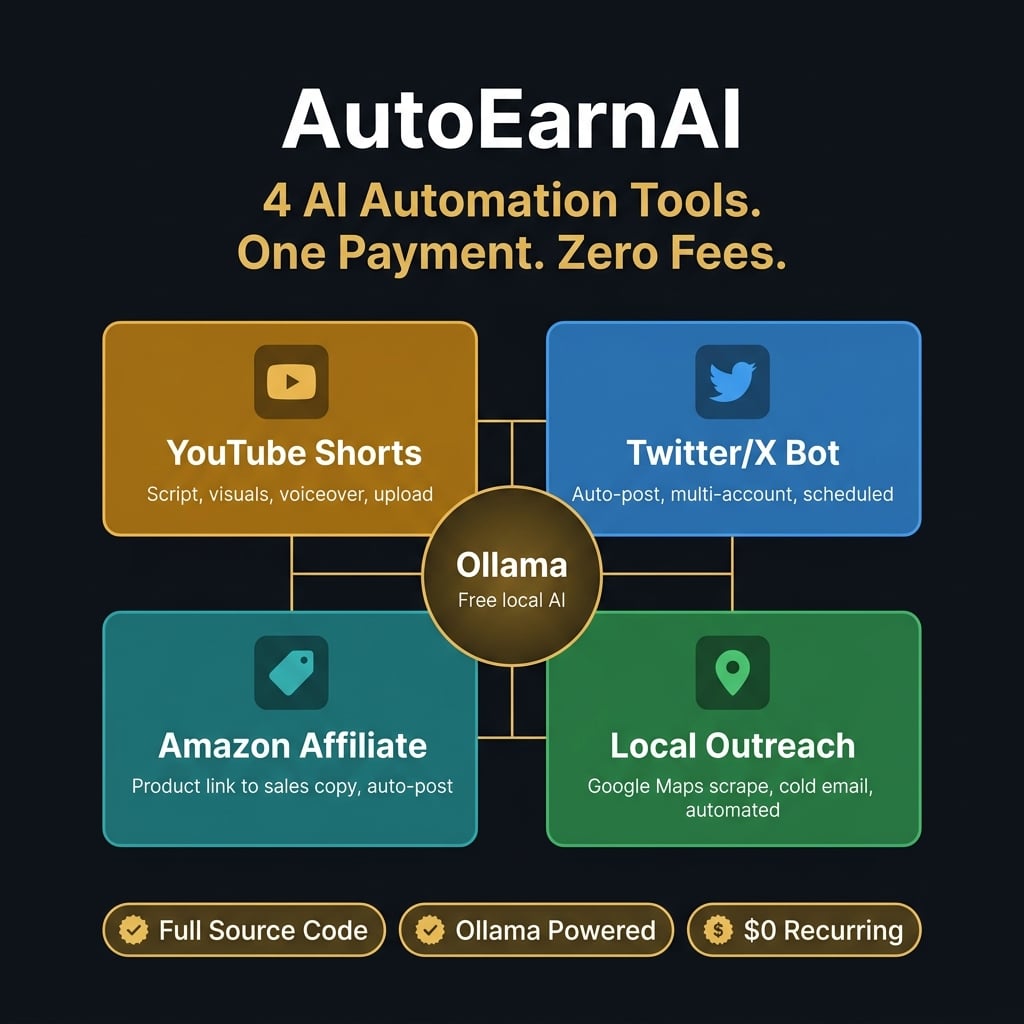
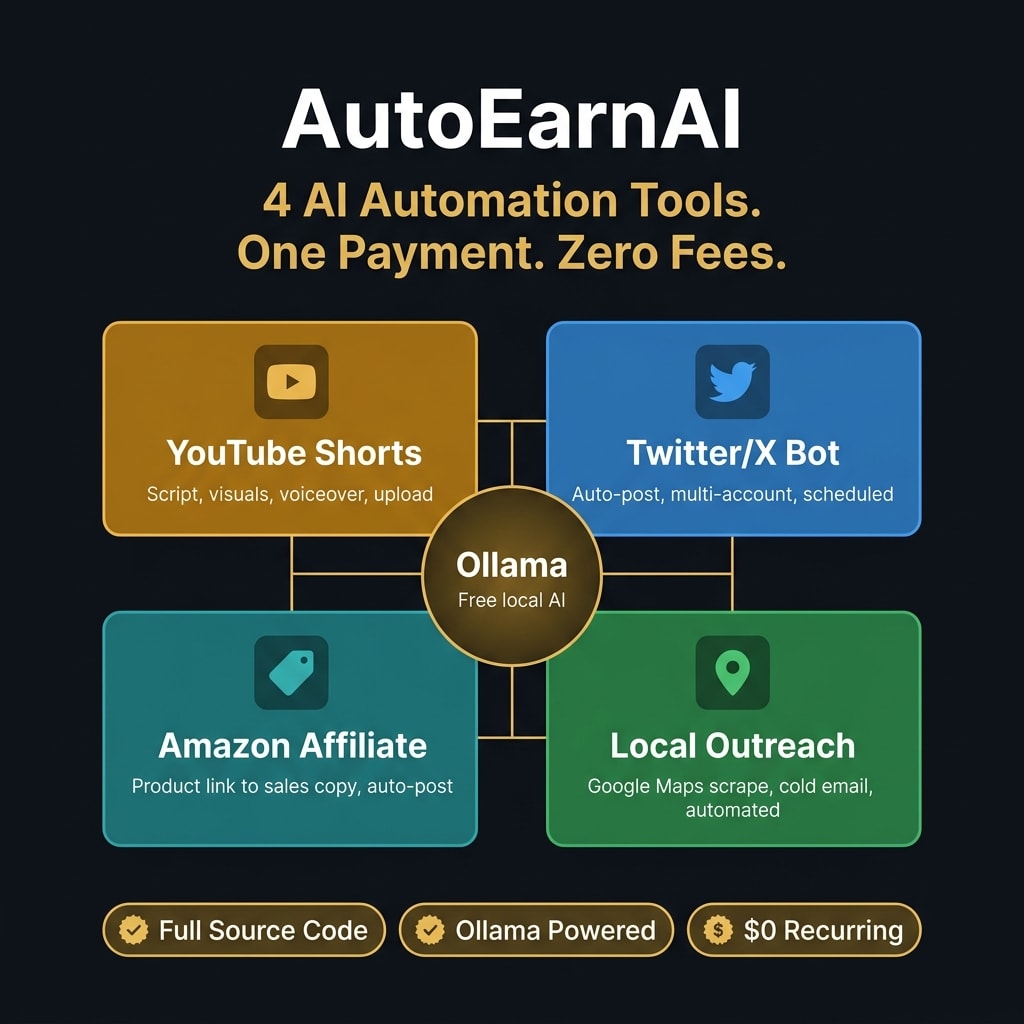
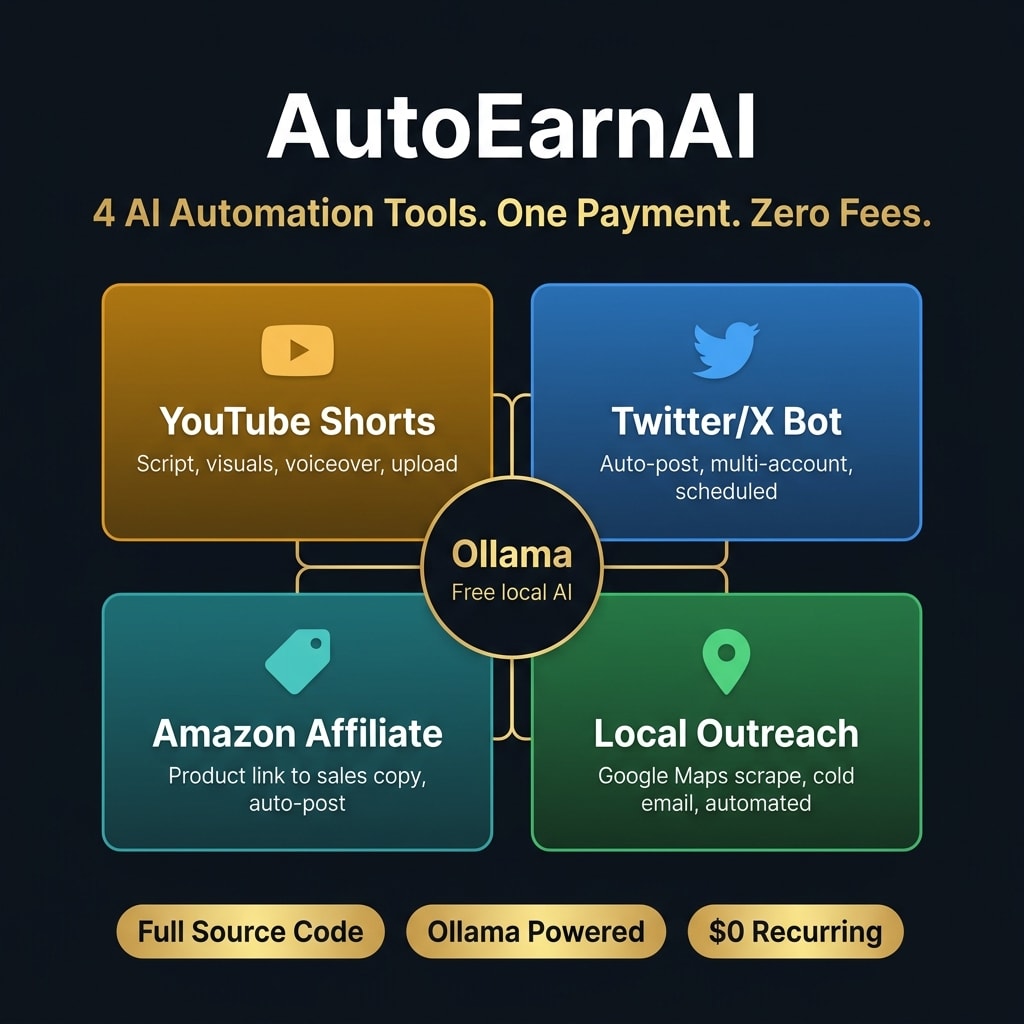
Want the setup without writing the scripts? AutoEarnaAI gives you four modules that already talk to Ollama.
Get AutoEarnaAI, $27 one-time// side by side
By hand vs a generic AI prompt vs AutoEarnaAI
All three ways can produce the same posts and emails. What changes is who does the repeat work, whether a meter is running in the background, and how much code you write before anything runs.
| Criterion | By hand | Generic AI prompt | AutoEarnaAI |
|---|---|---|---|
| Monthly cost | Free, but your evenings go into it | A chat plan, or a per-call API bill once you script it | $27 once; local models cost nothing per run |
| Code you write | None, you do every step yourself | A script per job if you want it to run on its own | None; a wizard creates config.json and you fill in the rest |
| Runs while you sleep | No | Only if you build and host the script | Yes, on a schedule, while your computer is on |
| Where your data goes | Nowhere new | To the AI company servers | Text drafting stays local; images go to Google Gemini |
| Review before posting | Always, because you post it | Always, because you paste it | Not built in; the X bot posts on its own schedule |
| Output quality | As good as your energy that night | Strong models, but generic unless you prompt well | Smaller local models; needs your review before posting |
// in the download
What is inside AutoEarnaAI
AutoEarnaAI is one Python app with four automation modules, three of which write their text with Ollama on your computer, plus a setup wizard and a preflight check. It is a one-time purchase with no subscription.
- A YouTube Shorts module: Ollama writes the script, Gemini makes the images, a local voice and subtitles are added, then it uploads through your browser
- An X bot that writes and posts on a schedule, one to three times a day, for one or more accounts
- An Amazon affiliate module that reads a product page, writes a pitch with your link and posts it to X
- A local business outreach module that emails your template to each business on its list. It scrapes Google Maps for that list, against Google's terms, so use the Places API instead
- A setup wizard that creates config.json, installs the Python packages and asks for your keys
- A preflight check that marks each part of the setup OK, WARN or FAIL before you launch
- Full Python source code, so you can read what each module does before you run it
What you do not get
- No income. The modules automate posting and outreach; what that earns depends on you.
- No built-in review step. Once you start them, the X bot and the affiliate module post on their own.
- No fully offline mode. Images use the Gemini API, and posting and outreach need the internet.
- No account logins. You sign in to YouTube and X in Firefox yourself, once.
- No hosted dashboard. It runs on your own computer from a terminal or the Windows launcher.
Who AutoEarnaAI is for, and who should skip it
This kit fits people who already do repetitive posting or outreach work by hand and own a machine that can run a local model. It does not fit anyone looking for income without effort.
It is for you if
- You spend your evenings doing posting work a script could do.
- You cancelled automation subscriptions because the fees grew faster than the results.
- You have a 16 GB machine that sits idle while you work by hand.
- You want to test X posts and affiliate pitches without paying a model per call.
It is not for you if
- You want income with zero involvement. You still pick the niche, review the output and publish.
- Your machine has less than 8 GB of RAM. The local models need at least that to run.
- You plan to mass-post unedited output. That gets accounts flagged on every platform these tools touch.
- You want a full YouTube Shorts pipeline. ShortFactory AI is built for that job.
// frequently asked
Questions buyers ask
- Can I really run AI automation with no API costs?
- Yes, for the text, if the model runs on your own computer. Ollama runs open models locally, so a script that calls it pays nothing per request. In this kit the Shorts images come from Google's Gemini API, which has a free tier, and cloud extras cost money only if you switch them on.
- How much RAM do I need for a local AI model?
- You need at least 8 GB of RAM to run small models, and 16 GB runs the standard models smoothly. Bigger models write better but load slower, so start small and move up only if the output is too weak.
- Will this actually make me money?
- I make no income promise. The tools remove manual work, such as drafting posts and emails. Whether that work turns into money depends on your niche, your offer and how well you edit what the tools draft. Anyone who promises a fixed monthly income from automation is guessing.
- Do I need coding skills to use AutoEarnaAI?
- No coding, but some setup. You need Python 3.12, Firefox, ImageMagick and Ollama. A setup wizard creates config.json and installs the packages, a preflight check flags what is missing, and you fill in your keys and paths. Changing how a module writes means editing the Python source.
- Does it work with ChatGPT?
- No, the text is written by a model running in Ollama on your own computer, not by ChatGPT. That is the point: no per-call bill for the writing. The Shorts images use Google's Gemini API with your own key, and the outreach and posting steps need the internet.
- Is it a one-time payment?
- Yes, AutoEarnaAI costs $27 once. There is no subscription. Ollama and the open models are free to download. The Gemini key for images has a free tier, so the recurring bill can stay at zero unless you opt into a paid service.
- Are these tools allowed on X, YouTube and Amazon?
- Only if you use them the way each platform's rules allow, and that is on you. The X bot and the affiliate module post through your own logged-in browser, without a review step. Read each platform's automation rules first, disclose affiliate links, and start by running each module by hand so you see what it posts.
Get AutoEarnaAI
AutoEarnaAI costs $27 as a one-time payment. You get an instant download, lifetime access to every v1 update, and no subscription.
// next problem
Related problems
- How to automate YouTube Shorts from script to upload
If Shorts are your main channel, this is the full pipeline built only for that job.
- Why your cold emails get no replies
Local tools can draft outreach. This covers the domain setup and targeting that decide whether anyone answers.
- How to see which content drives revenue
Once the posts are going out, this joins your marketing data so you can tell which ones paid off.
// Also on this topic
- guideYou run a one-person business and you can't keep up. Here is what is actually broken.
Working more hours won't fix a one-person business that is behind. Find the tasks that only pass through you out of habit, then hand them off.
- guideIs a one-person million-dollar business realistic, or is it just a story people sell?
An honest answer: most solo businesses never reach a million. What the data shows, why a few do, and what you can build either way.
- free toolPlatform fee comparison
One price against 7 platforms and 13 fee variants, sorted by take-home.
- bookThe One-Person Million
Build a Real Business With AI Doing the Work