Last updated
Get AI SEO Command Suite ($69)How to Run a Full SEO Audit with Claude Code Instead of Eight Tools
An SEO audit is a health check that tells you whether Google can find your pages, read them and trust them. Doing it by hand means jumping between a crawler, Search Console, a speed test and a spreadsheet, and it is easy to skip a step when you are tired. Claude Code can run the same checklist for you, in the same order, every time.
Why does an SEO audit take so long?
An SEO audit takes long because no single free tool sees everything. A crawler sees your pages, Search Console sees what Google indexed, a speed test sees loading time and a schema tester sees your markup. You become the glue between them, copying findings into a spreadsheet one row at a time.
Here is what that looks like in practice:
- Many tools, one person. Each tool answers one question. Joining the answers is manual work.
- Steps get skipped. The checklist usually lives in your head. On a busy day, the robots.txt check or the schema test quietly falls off.
- No two audits match. If you run the audit again next month, you probably check things in a different order, so you cannot compare results cleanly.
- The fix list comes last. After hours of checking, you still have to decide what to fix first.
On 2026-09-18 I checked all 1,010 sitemap URLs of my own site isiklisusleme.com. Every one returned 200 with a correct canonical. Yet the og:image tag was broken on 537 pages, and 445 pages had the brand name doubled at the end of the title. A status check alone would have called that site clean.
The checking is not hard. It is long and repetitive, and long repetitive work is where people make mistakes.
How to do an SEO audit by hand, step by step
A manual SEO audit is ten checks done in order, each with a free tool. You can do all of this today without buying anything, and you should do it by hand at least once so you know what a good audit looks like.
- Crawl your site. A crawler is a program that visits every page like a search engine would. The free version of Screaming Frog SEO Spider crawls up to 500 URLs. Export the list of pages with their status codes.
- Check what Google indexed. Open the Page indexing report in Google Search Console. "Indexed" means Google stored the page and can show it in results. Note every page listed as not indexed and the reason given.
- Read robots.txt and the sitemap. Open yoursite.com/robots.txt. Make sure it does not block pages you want found. Then confirm your sitemap lists the pages you care about and nothing that returns an error.
- Check titles and descriptions. Every page needs one title and one meta description, both unique. Look for missing ones, duplicates and titles that get cut off in results.
- Check headings. Each page should have one H1, the main headline. Subheadings should follow in order, H2 then H3, like chapters and sections in a book.
- Find broken links and redirect chains. In your crawl export, filter for 404 errors and for redirects that jump more than once. Fix the link at its source rather than adding another redirect.
- Test page speed. Run your key pages through PageSpeed Insights. Google's Core Web Vitals call a page good when the main content loads within 2.5 seconds, the page reacts to a tap within 200 milliseconds and the layout shift score stays at 0.1 or lower.
- Validate schema markup. Schema markup is a hidden label that tells search engines what a page is: a product, an article, a business. Paste each page type into the Rich Results Test and fix every error it reports.
- Check AI crawler access. AI search tools use their own crawlers, such as OAI-SearchBot, PerplexityBot and ClaudeBot. Make sure robots.txt does not block the ones you want. Our free AI crawler checker does this in one step.
- Rank the fixes. Put every problem in one list. Score each by impact and effort, then fix the high impact, low effort items first. A missing title on your best-selling page beats a slow page nobody visits.
That last step is the one most audits skip, and it is the one your client or your boss actually reads.
If you want the longer version of which SEO jobs suit automation and which do not, I wrote it up in Claude Code skills for SEO. Google's own SEO Starter Guide is the best free reference for the basics behind each step.
The faster way: run the audit from Claude Code
The faster way is to let Claude Code run the ten checks for you with skills that already contain the checklist. A skill is a saved set of instructions Claude Code loads when a task matches it, a bit like a recipe card it pulls out at the right moment. AI SEO Command Suite is 30 of those recipe cards for SEO work.
I built the pack around one rule from my own SEO work: automate the checks that have a right answer, and keep decisions that need judgement for a person. That is why the audit skills check and verify, and why keyword choices stay with you.
How to use it, step by step
- Buy and download. Polar or Gumroad sends the download right after payment.
- Install the skills. Copy every folder that holds a SKILL.md into
~/.claude/skills, the folder Claude Code reads skills from, and the agent files into~/.claude/agents. Include the four folders that sit directly insideseo-skills: seo-audit, ai-seo, programmatic-seo and schema-markup. The copy commands in the README skip those four, so if/seo-auditdoes not show up, that is the reason. There is no setup script. - Open Claude Code in a terminal, inside your website project or any folder.
- Run the audit. Type
/seo-auditfollowed by your site address, for example/seo-audit https://yoursite.com. It takes plain text, not flags. Before it starts, it asks a few short questions about site type, goals, priority keywords and scope, and whether you can share Search Console data. - Read the report. You get findings grouped by type with a ranked fix list at the end.
- Fix and check again. Use
/schema-markupor/on-page-seo-auditorto draft fixes, ship them, then run/seo-auditagain to confirm the problems are gone.
What the output looks like
The /seo-audit report follows the same shape every time, which is what makes month to month comparison possible. It opens with a short summary and the top issues. Then come technical findings (crawling, indexing, speed), on-page findings and content findings. Each finding lists the issue, its impact, the evidence and the fix. It ends with a ranked action plan. Schema and AI crawler checks go deeper in /schema-markup and /geo-audit.
Here is a real excerpt, translated from Turkish. To be clear about where it comes from: it is from the /seo audit command I run on my own sites, not from this pack's /seo-audit, which I have not yet timed on the same site. The target was askedtheai.com, one of my own sites, on 2026-09-28:
The scan covered 561 pages from the 27 September build. Clean: canonicals all point to www and to the page itself; no noindex page in the sitemap. P1-1: the brand appears twice at the end of the title, "| AskedTheAI | AskedTheAI", on 73 pages. P3: title over 65 characters on 403 pages, description over 165 characters on 348.
Read a report like this the way you would read a junior's work. On 2026-07-02 an audit agent told me 5 pages were missing metadata. When I checked, the real number was 3. Since then I quote the number I verified, never the number the agent gave me.
How much time it saves
Here is what I have measured, and only that. The /seo command read 561 pages of askedtheai.com in 6 minutes 47 seconds on 2026-09-28. On 2026-09-25 it crawled 753 built HTML files of a lighting-decoration site I worked on, set aside 81 redirecting pages and audited the other 522 in 12 minutes 37 seconds. I never timed a manual audit of either site, so I will not claim a ratio. You can time your own: do the ten checks above by hand once, then run /seo-audit on the same site.
The bigger saving is not the first audit. It is the fifth one, when you run the same command and get a report you can put next to last month's and compare line by line.
// what it looks like
Inside AI SEO Command Suite
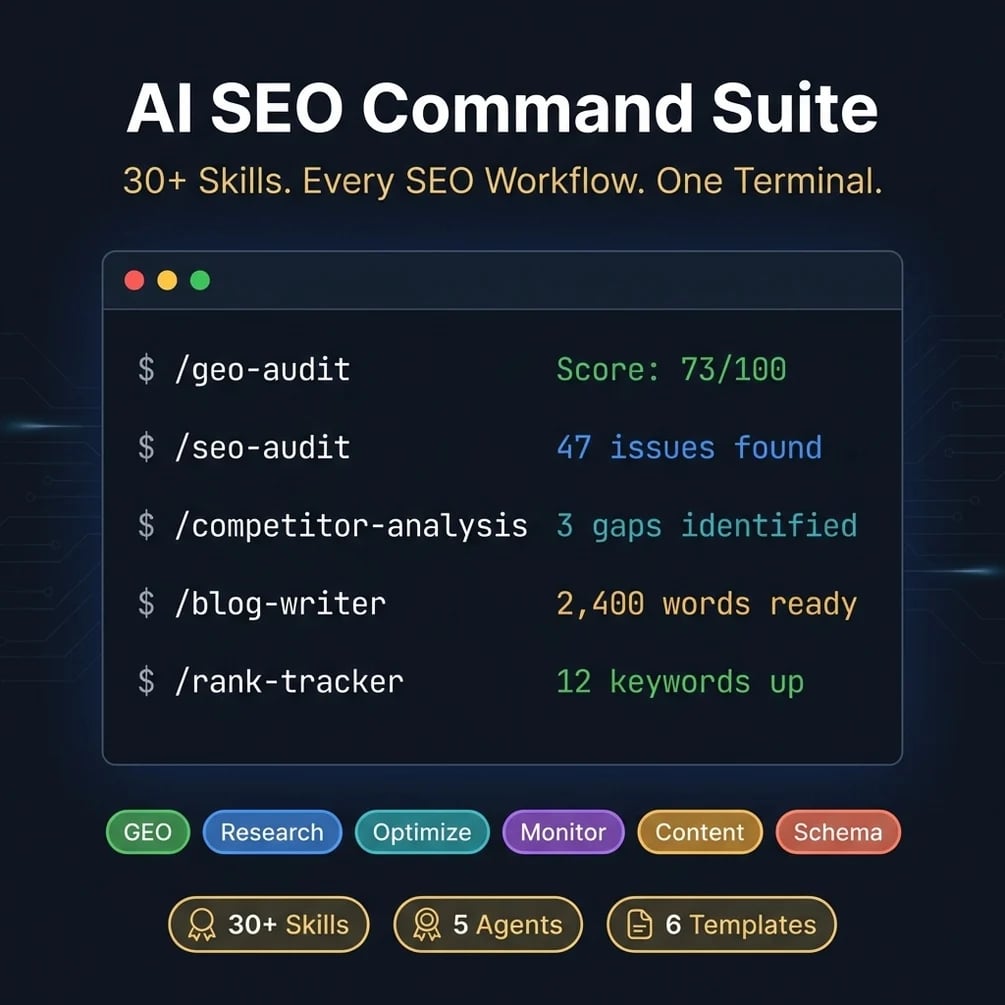
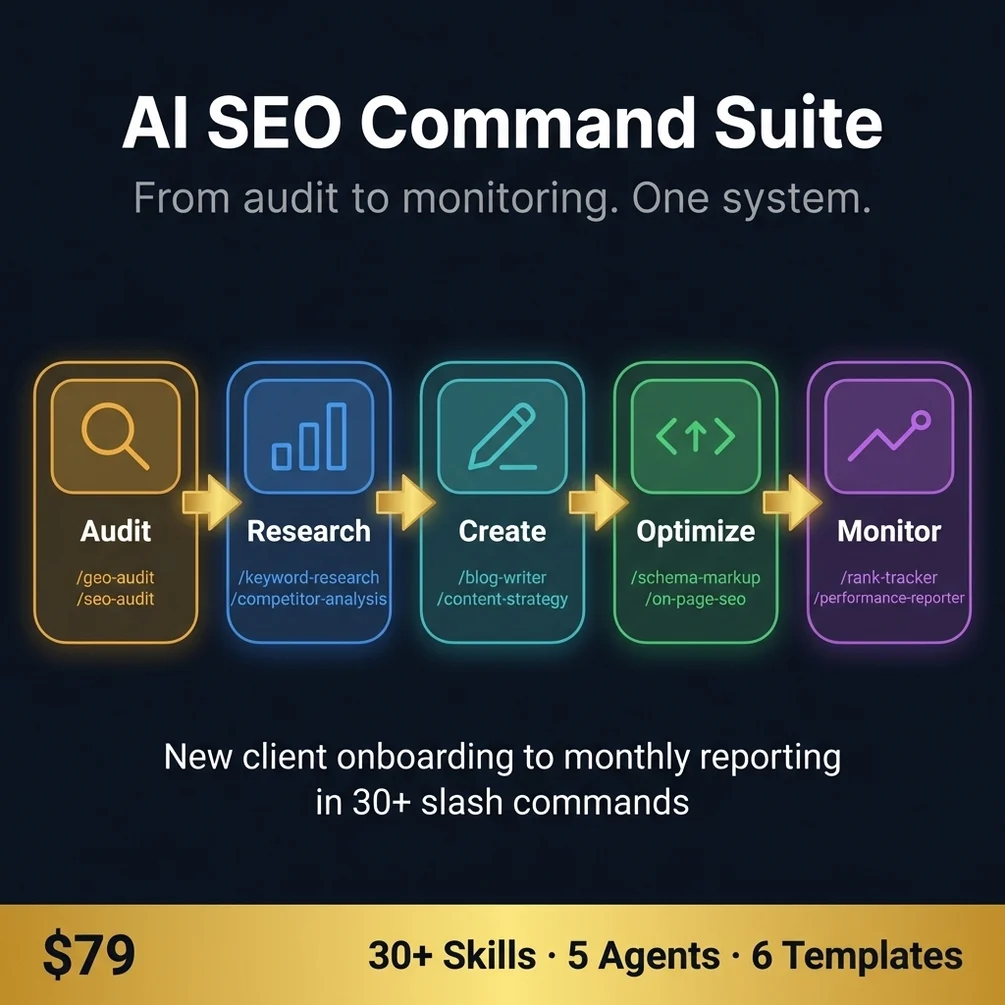
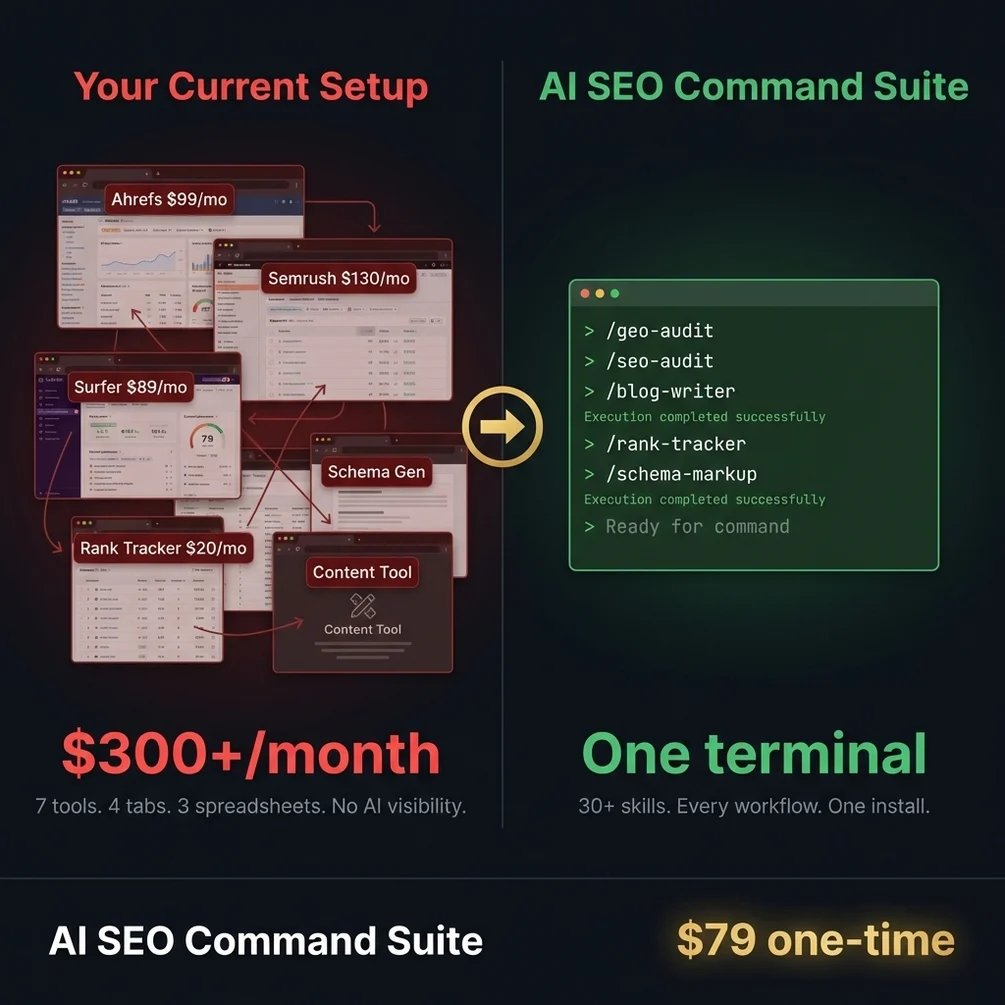
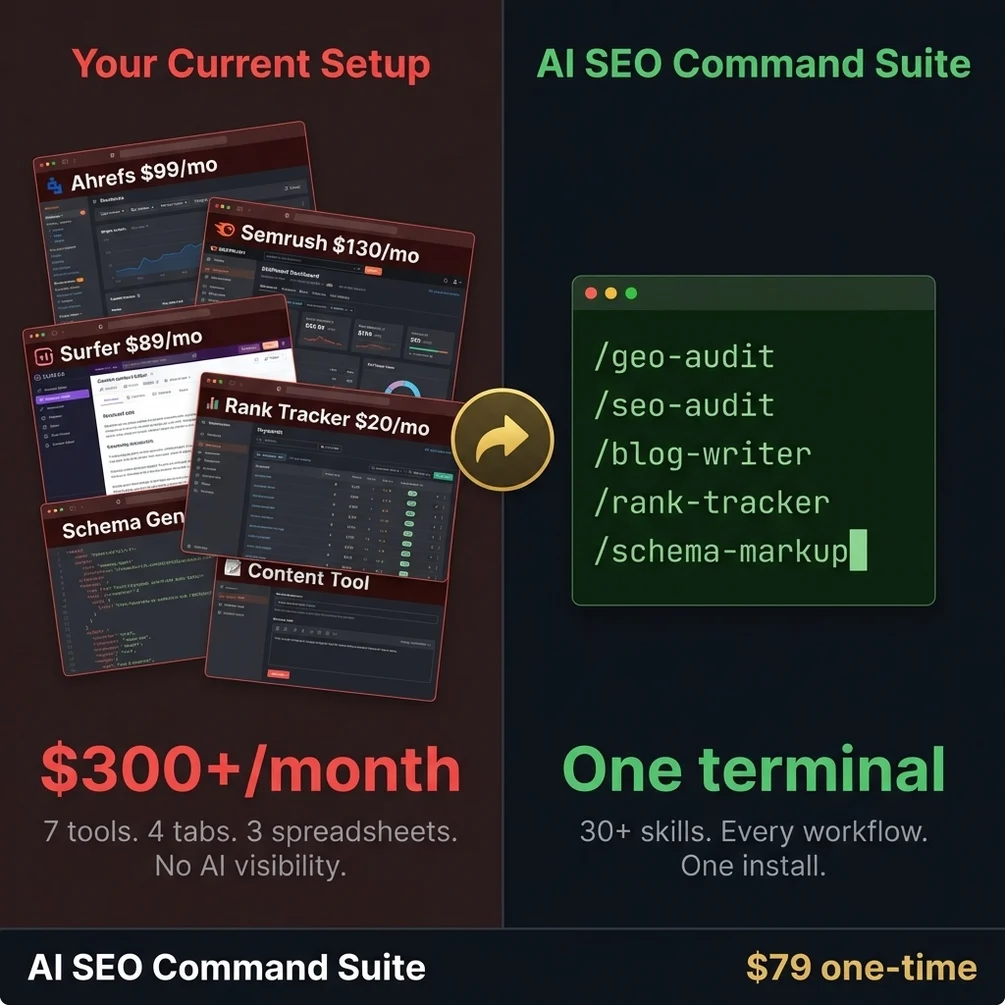
Want the ten checks without the eight tabs? AI SEO Command Suite runs them from one terminal.
Get AI SEO Command Suite, $69 one-time// side by side
By hand vs a generic AI prompt vs AI SEO Command Suite
The audit itself is the same in all three columns: the same ten checks. What changes is how long it takes, whether a step gets skipped, and whether next month's audit matches this month's.
| Criterion | By hand | Generic AI prompt | AI SEO Command Suite |
|---|---|---|---|
| Time per audit | I never timed a full manual audit, so no number here | Fast to start, but you re-explain the checklist in every chat | Minutes. A similar audit command I use read 561 pages in 6 min 47 s on 2026-09-28 |
| Skipped steps | Common when tired; the checklist lives in your head | Common; the model checks what you remembered to ask | Rare; each skill carries its own written checklist |
| Same result next month | Depends on your notes | No; answers change between chats | Yes; same skills, same order, same report shape |
| Reads your live pages | Yes, through a crawler | Only if browsing is on, and only the pages you paste | Yes, through Claude Code web tools |
| Search volume and backlink data | Needs a paid tool | Guessed, which is worse than nothing | Pulled from an SEO tool if you connect one to Claude Code; otherwise you paste it in |
| Cost | Free tools plus your hours | Your existing AI plan | $69 once, plus your Claude plan |
// in the download
What is inside AI SEO Command Suite
AI SEO Command Suite is a folder of 34 Claude Code skills that cover an SEO workflow from the first audit to monthly reporting, plus agents and templates that tie the skills together.
- 34 Claude Code skills that cover audit, research, writing, optimization and monitoring
- Audit skills such as /seo-audit and /geo-audit for Google and AI search checks
- Research skills such as /keyword-research and /competitor-analysis, including a content gap finder
- Writing skills such as /article-writing and /content-strategy for planning and drafting pages
- Optimization skills such as /on-page-seo-auditor and /schema-markup, with six JSON-LD templates
- Monitoring skills such as /rank-tracker and /performance-reporter for monthly reports
- 5 agents that split a GEO audit into technical, content, schema, platform and AI visibility checks
- A Python page checker inside /seo-audit and a schema validator script inside /schema-markup
Who AI SEO Command Suite is for, and who should skip it
This pack fits people who already know what an SEO audit should check and are tired of doing it by hand. It does not fit someone who wants a tool to make SEO decisions for them.
It is for you if
- You know the steps of an SEO audit and lose an afternoon every time you repeat them.
- You run SEO for clients and the manual checking is eating your margin.
- You already work in a terminal and SEO is the part you never automated.
- You pay for several SEO tools mostly for audits and checklists, not for their data.
It is not for you if
- You need live backlink indexes and rank data. Skills do not create that data, so keep a paid tool for it.
- You do not use Claude Code. The 34 skills are built for it and work best there.
- You are brand new to SEO. Read the free guides first and buy this when the manual work starts to hurt.
// frequently asked
Questions buyers ask
- Can AI replace a manual SEO audit?
- AI can replace the checking part of an SEO audit, not the judgement part. A skill reliably finds missing titles, broken links, slow pages and invalid schema, because each has a right answer. Deciding which keyword a page should target, or which problem to fix first for your business, still needs a person who knows the market.
- What does a full SEO audit check?
- A full SEO audit checks whether Google can crawl and index your pages, whether each page has a clear title, description and heading, whether links work, how fast pages load, whether schema markup is valid and whether AI crawlers are allowed in. It ends with a ranked list of fixes.
- Do I need coding skills to use AI SEO Command Suite?
- No coding is needed, but you need to be comfortable typing commands into a terminal. Installing the pack means copying a folder. Running an audit means typing a slash command such as /seo-audit inside Claude Code and reading the report it writes back.
- Does it work with ChatGPT?
- No, the 34 skills are built for Claude Code and run there. You can open the templates and checklists in any editor and follow them by hand, but the automation only works inside Claude Code, which needs a paid Claude plan or an API key.
- Is it a one-time payment?
- Yes, AI SEO Command Suite costs $69 once. There is no subscription. You get an instant download from Polar or Gumroad and every v1 update for life at no extra cost.
- Can it replace Ahrefs or Semrush?
- Partly. The skills replace the workflow side of those tools: audits, checklists, content planning and schema. They do not replace live ranking data or backlink indexes, so if you need those numbers, keep one paid tool, possibly on a cheaper plan.
- Do I need API keys for search data?
- No API keys are needed. The research and monitoring skills can pull numbers from an SEO tool, Search Console or analytics if you have connected one to Claude Code. Without a connection you paste your own exports, and each skill is told to say which numbers came from you and which are estimates.
- Does it work for websites that are not in English?
- Yes, the audit logic does not depend on language, so titles, headings, links and schema are checked the same way on a Turkish, Spanish or German site. Keyword prompts may need a small wording change for non-Latin scripts.
- How is this different from the AI Search Visibility Toolkit?
- AI SEO Command Suite is mainly about Google: audits, keywords, competitors and schema. The AI Search Visibility Toolkit is about AI answers: whether ChatGPT, Perplexity and Google AI Overviews can read and quote your site. Many sites need the first one before the second.
- Can Claude Code read my Search Console data?
- Only if you connect it. Claude Code reaches outside tools through MCP servers, as its own docs explain. Without one, export the Performance report from Search Console and give the file to the skill.
Get AI SEO Command Suite
AI SEO Command Suite costs $69 as a one-time payment. You get an instant download, lifetime access to every v1 update, and no subscription.
// next problem
Related problems
- Why ChatGPT does not mention your website
Your Google audit is clean but AI answers still skip you. This is the check for that.
- How to add schema markup that passes the test
If the audit flags schema errors, this pack has the templates and the validation steps.
- How to structure a blog post AI will quote
When the technical side is fixed and the posts still get no traffic, the structure is next.
// Also on this topic
- guideGEO vs SEO: what is the difference, and which one does a small business need?
GEO vs SEO side by side: ranking in a list versus being named in an AI answer. See what each one rewards and which one a small business needs.
- guideMy robots.txt is blocking GPTBot and other AI crawlers. How do I fix it fast?
Your robots.txt turns away GPTBot or ClaudeBot. Here is how to find what added the block, open the door, and check the AI can read your page.
- free toolllms.txt generator
A spec-valid llms.txt built in the browser, validated as you type.
- bookFound by AI
How Small Businesses Get Recommended by ChatGPT, Claude, Perplexity, and Google AI