Last updated
Get Structured Data Pro Pack ($19)How to Add Schema Markup That Passes Google's Test the First Time
Schema markup is a small block of hidden code that tells search engines what your page is about: a product, an article, a business. Most people copy it from an old blog post, paste it in, and get a wall of red errors from Google. This page shows how to write it yourself, test it with two free tools, and avoid the types Google no longer rewards.
Why does schema markup keep failing Google's test?
Schema markup fails Google's test mostly because it was copied from somewhere old, not written for the page it sits on. A missing comma breaks the whole block. A property from 2019 is no longer supported. A rating that is not on the page breaks Google's rules.
Here is where the time goes:
- Broken code. JSON-LD is strict. One extra comma at the end of a list and the block stops working.
- Old advice. Google keeps changing which types earn a special look in results. It cut HowTo and most FAQ results in 2023, removed the sitelinks search box in 2024, and retired FAQ rich results for every site in 2026. Its Search Central changelog dates that last change to May 7, 2026.
- Markup that does not match the page. Google's structured data policies say not to mark up content readers cannot see. A price in the code that differs from the price on the page is a problem.
- Starting from zero every time. Each new site gets the same Organization block typed out again.
I learned this on my own sites. On 2026-09-11 Search Console flagged "offers, review or aggregateRating must be specified" on 227 product families across 33 catalogue categories of isiklisusleme.com. The cause was Product markup on items that had no price on the page. Switching those list items to the plain Thing type cleared it. An earlier fix on 2026-08-09 had been worse: it pasted the company's 5 Google reviews onto the products as a rating. I rolled that back, because it counts as misleading markup.
The other trap is invented facts. On 2026-09-18 I found that 8 of the 9 Wikidata IDs in the schema of agentskillpacks.com were wrong. An AI had written them. The Stripe ID pointed at a human-rights group, the Gumroad ID at a plant, and 3 IDs did not exist at all. Since then no ID goes live until I have looked it up on Wikidata myself.
How to add schema markup by hand, step by step
Adding schema markup by hand takes seven steps: pick the type, write the block, fill in real facts, place it in the page, test it twice, publish, then watch Search Console. Do this once by hand, even if you later use templates, so you can read and fix any block you meet.
Pick the right type. A type is the kind of thing the page is about. Use Article for a blog post, Product for something you sell, Organization for your company and LocalBusiness for a shop with an address. The full list lives at schema.org, but most sites need only four or five types.
Write the block in JSON-LD. JSON-LD is a way of writing data as name and value pairs inside curly brackets. Google recommends JSON-LD over the older formats because it sits in one place and does not mix with your page design. A small Organization block looks like this:
<script type="application/ld+json">
  {
    "@context": "https://schema.org",
    "@type": "Organization",
    "name": "Example Studio",
    "url": "https://example.com",
    "logo": "https://example.com/logo.png",
    "sameAs": ["https://www.linkedin.com/company/example-studio"]
  }
</script>
Use only real, visible facts. Every value in the block should also be on the page. Do not add ratings you do not have. Google says a business that hosts reviews about itself cannot get star snippets on its Organization or LocalBusiness markup.
Place it in the page. Paste the script block into the head of the page, or into the custom code field your CMS offers. One block per type is enough. Keep it on the page it describes, not site-wide, unless it is your Organization block.
Test it in the Rich Results Test. Paste your URL into Google's Rich Results Test. It shows which Google features the page can get and lists errors and warnings. Fix every error. Warnings are optional fields you may skip.
Test it in the Schema Markup Validator. The Schema Markup Validator checks your code against all of schema.org, not only the parts Google uses. It catches types that Google ignores but other tools, including AI crawlers, may still read.
Publish and watch Search Console. After Google crawls the page again, the Enhancements section of Search Console shows valid items and errors per type. Check it a week or two after launch. If errors show up, test that URL again to find the exact line.
A word on AI search. Google says there is no special schema needed to appear in AI Overviews. Schema still helps machines know who you are. I treat it as a clear label, not a ranking trick. For the AI side, our free AI crawler checker confirms bots can reach your pages at all, and GEO for small shops covers what else moves the needle.
No access to the page head? Other places the block can go
| Where | What Google says |
|---|---|
| The page body | Fine. Google's intro to structured data says the script tag can sit in the head or the body. |
| A CMS widget or plugin | Fine, if the block shows up in the page Google renders. |
| Google Tag Manager | Works through a Custom HTML tag, per Google's JavaScript structured data guide. Pull values from the page with variables, so code and page never disagree. |
| Product pages built with JavaScript | Possible, but the same guide warns this can make Shopping crawls less frequent and less reliable. Prefer server-rendered markup for price and stock. |
When the block is added by script, test the live URL in the Rich Results Test, not pasted code.
The faster way: start from tested JSON-LD templates
The faster way is to start every block from a template that already has the right fields in place, then change only the values. Structured Data Pro Pack is that set of six templates. A separate field guide lists the required and recommended fields for each type, so you know what you can delete.
An older description of this pack promised FAQ rich results. That promise stopped being true in May 2026, and this page says so plainly.
How to use it, step by step
- Buy and download. Polar or Gumroad sends the files right after payment.
- Open the template for your page type, for example Product.
- Replace the sample values with your real name, price, links and dates. Delete any field you cannot fill with a true value. The Product template has rating and review fields; remove them unless real reviews are shown on that page.
- Paste the block into your page head or your CMS custom code field. The pack has no CMS-specific notes, so use your platform's own docs for where that field lives.
- Run the test workflow. Test the live URL in the Rich Results Test and the Schema Markup Validator, in that order.
- Use the skills if you work in Claude Code. Run
/schema-markupwith a page address to audit the page and draft markup for it. Use geo-schema for entity markup aimed at AI search, with sameAs links to your real profiles. Runschema_validator.pyon a saved page to pull out each JSON-LD block and score it from 0 to 100 on required and recommended fields.
What the output looks like
The output is a single script block per page type, filled with your own facts. The templates are plain JSON, which cannot hold comments. Each one marks the values you replace in capitals, such as PRODUCT_NAME, and a separate field guide lists the required and optional fields for each type. The README describes these as bracketed placeholders, but in the files they are capitals.
One more honest note: the field guide is out of date in three rows. It still lists HowTo steps, FAQ dropdowns and the sitelinks search box as rich results you can earn. Google retired all three, as the links above show. The WebSite template also carries a SearchAction for that retired search box, so treat it as optional.
I do not have a filled pack template with a saved test result to show you yet. What I can show is a real schema check from my own audit setup, run on a lighting-decoration site I worked on, on 2026-09-25 (English original, trimmed):
Schema & Structured Data: 61/100 (Fair) … The live HTML of 8 pages was fetched as GPTBot … No JSON parse errors. … HowTo was dropped by Google in 2023. LocalBusiness is a second entity with no link to #organization.
And one real Rich Results Test result: the home page of textwordcount.com, another of my sites, had 4 ItemLists and got "Multiple ListItem specified on the page". One fix took the page from 13 JSON-LD blocks to 9, with no ItemList left.
How much time it saves
I have not timed a Product block from scratch against one from the template, so I will not give you a number. The one timing I do have is the schema check above: the agent fetched and checked 8 live pages in 3 minutes 46 seconds. That agent is part of my own audit setup, not this pack.
The bigger win is on the tenth site. You stop rebuilding Organization blocks from memory and start from code you already trust.
// what it looks like
Inside Structured Data Pro Pack
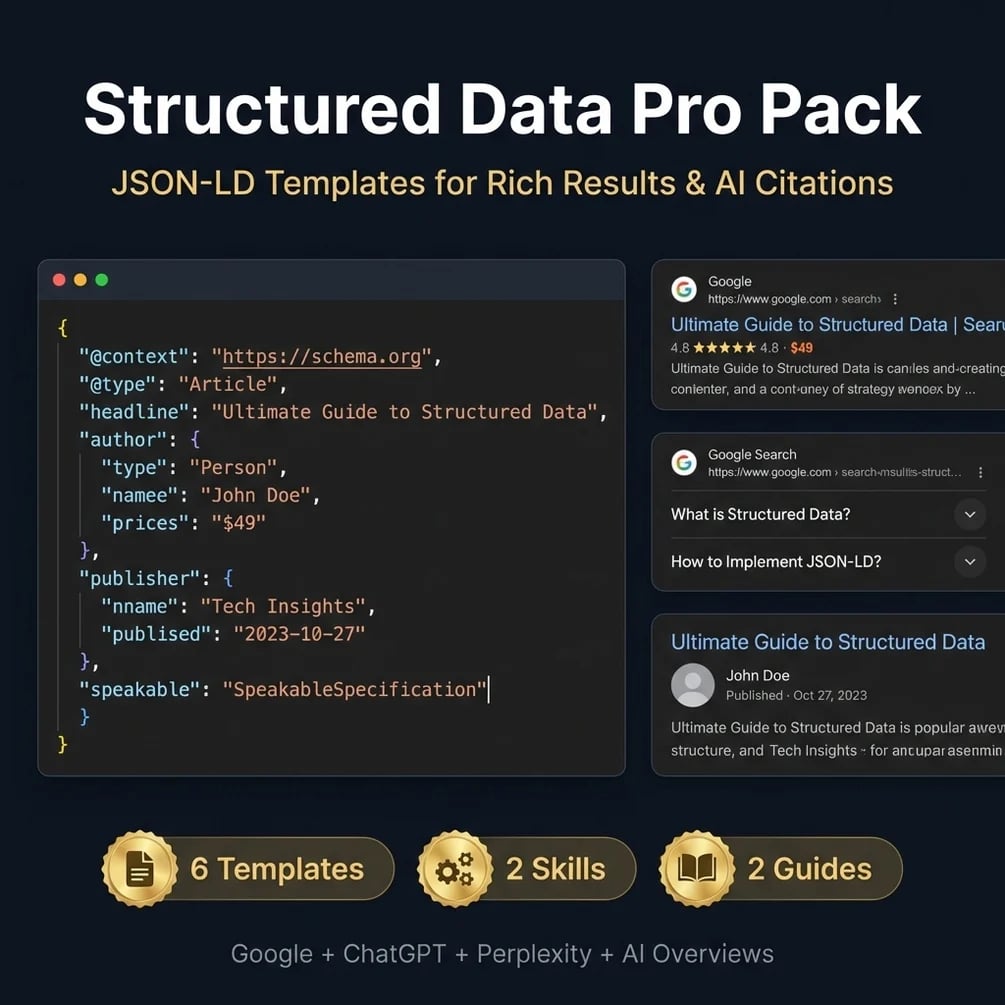
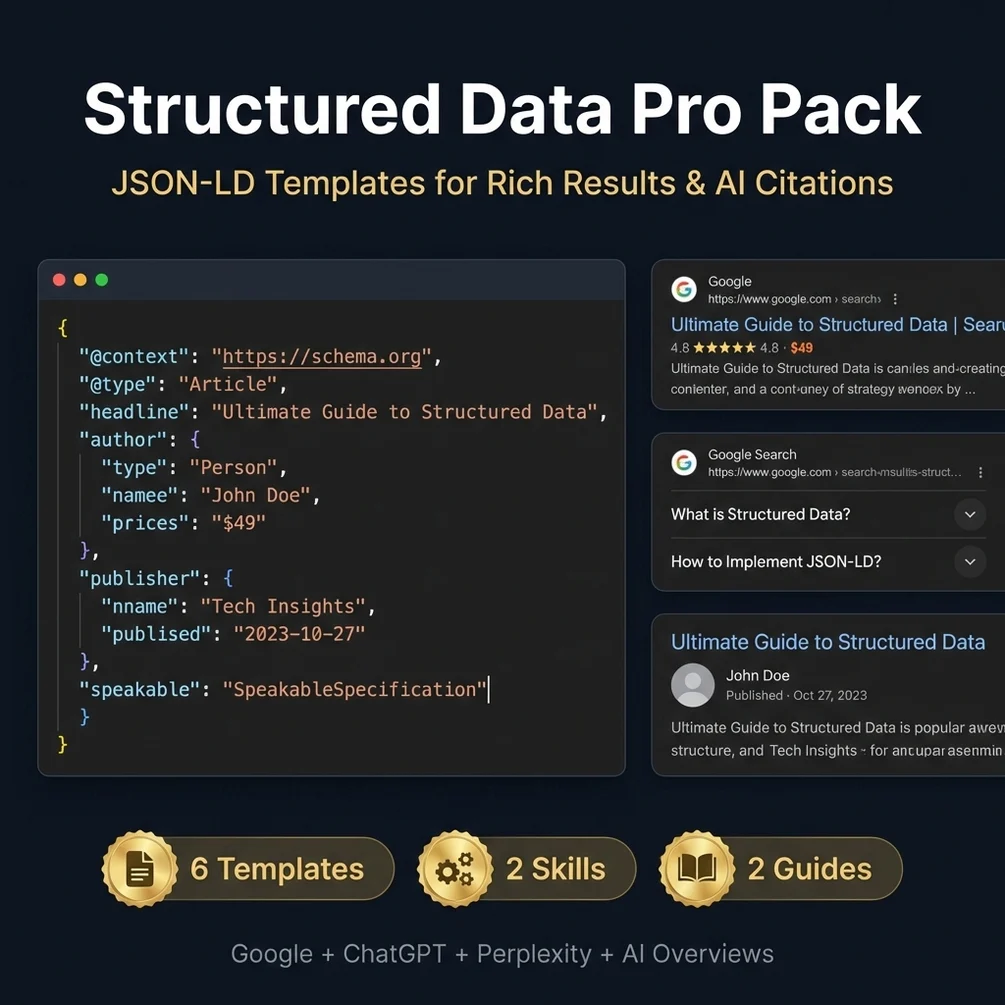
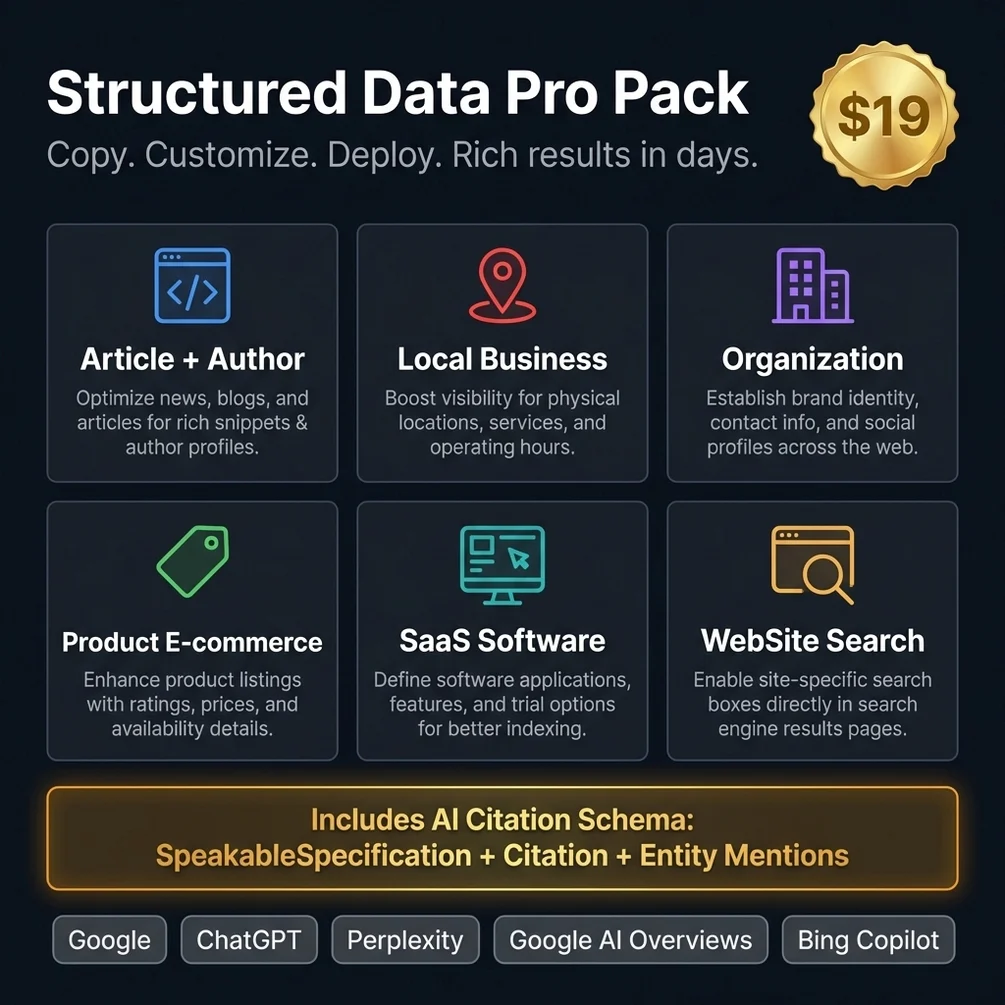
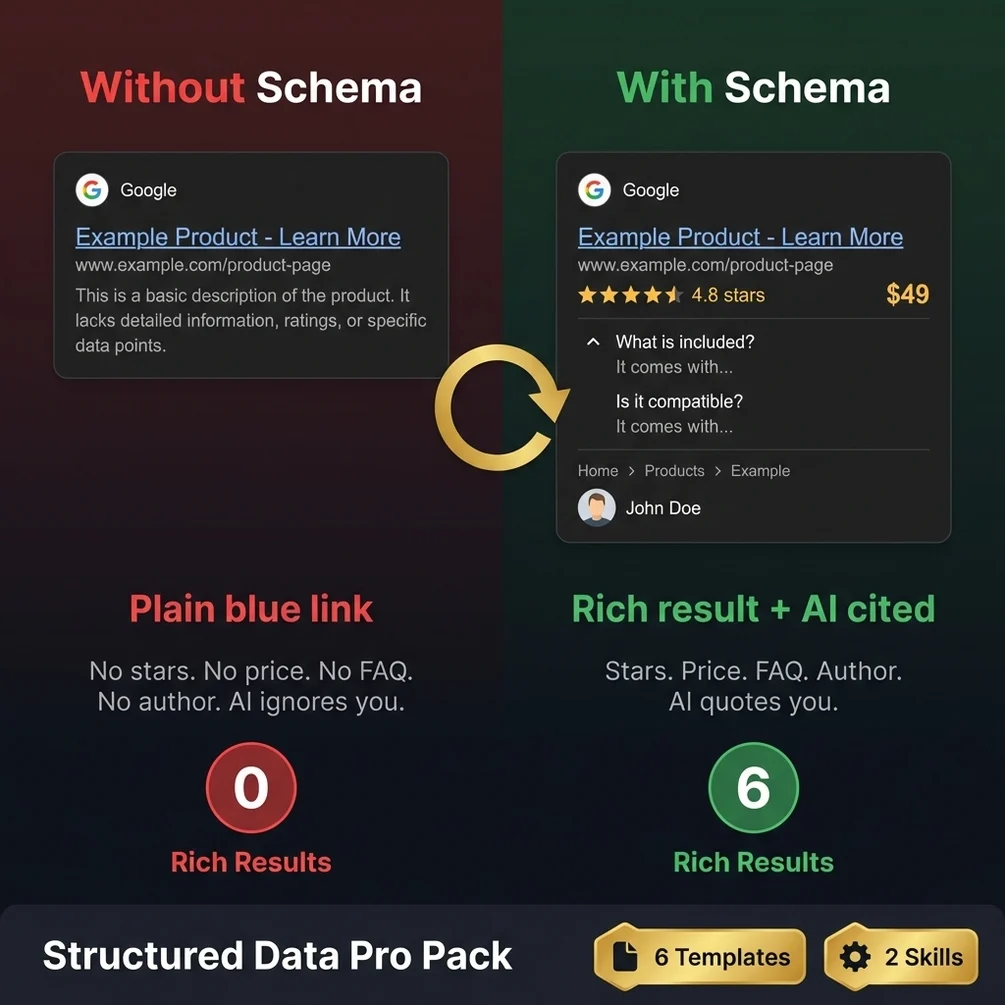

Want to skip the blank page? Structured Data Pro Pack starts you from six templates with the fields laid out.
Get Structured Data Pro Pack, $19 one-time// side by side
By hand vs a generic AI prompt vs Structured Data Pro Pack
The markup ends up the same in all three columns, because schema.org defines it. What changes is how often you hit errors, how long each page type takes, and whether the code matches Google's current rules.
| Criterion | By hand | Generic AI prompt | Structured Data Pro Pack |
|---|---|---|---|
| Time per page type | Slow on the first try; I never timed it, so no number here | Fast, but often uses old or made-up properties | Faster to start, since the fields are laid out; not timed yet either |
| Errors on first test | Common: missing commas, wrong nesting, wrong property names | Common: mixes current and retired rich result types | Starts from a template with every required field in place; you test your filled copy |
| Matches current Google rules | Only if you read the docs each time | Depends on the training date of the model | Partly. The field guide still lists HowTo, FAQ and sitelinks search box results, which Google retired |
| Works on any CMS | Yes | Yes | Yes; plain JSON-LD for any page head. No CMS-specific notes are included |
| Cost | Free, plus your time | Your existing AI plan | $19 once |
// in the download
What is inside Structured Data Pro Pack
Structured Data Pro Pack is six JSON-LD templates for the page types most sites need, two Claude Code skills, a Python validator script and two reference guides.
| # | what ships | type |
|---|---|---|
| 01 | 6 JSON-LD templates: Article with author, LocalBusiness, Organization, Product, SaaS and WebSite | .json |
| 02 | SpeakableSpecification in the Article template, and sameAs entity advice in the geo-schema skill | .json |
| 03 | 2 Claude Code skills, schema-markup and geo-schema, plus a Python validator script | .json |
| 04 | 2 reference guides: when to use which type, and implementation patterns with worked examples | .md |
| 05 | An audit, draft and validate workflow inside the schema-markup skill | .json |
What you do not get
- FAQ rich results. Google stopped showing them in May 2026, so no template can bring them back.
- Fake star ratings. Review and rating markup must come from real reviews shown on the page.
- A plugin or app. These are code templates you paste and edit, not a tool that installs itself.
- Any promise of rich results. Google decides what to show, even for valid markup.
Who Structured Data Pro Pack is for, and who should skip it
This pack fits people who add schema to their own or client sites and are tired of starting from scratch. It does not fit sites with thin content, because markup only describes what is already on the page.
It is for you if
- You have shipped schema before and watched Search Console flag half of it.
- You build client sites and rewrite the same Organization and Article blocks every time.
- You want markup that helps AI tools read who you are, written to current rules.
- You can paste a code block into a page head or a CMS field.
It is not for you if
- Your content is thin. Schema describes what a page already says; it does not add value.
- You want FAQ dropdowns in Google results. That feature is gone for every site.
- You already run a clean, tested schema setup. There is little new here for you.
// frequently asked
Questions buyers ask
- How do I add schema markup to my website?
- You add schema markup by placing a JSON-LD script block in the HTML of the page, usually in the head. The block describes the page with schema.org types and properties. Then you test the live URL in the Rich Results Test and fix any errors it shows.
- Does FAQ schema still give rich results in Google?
- No. Google stopped showing FAQ rich results on May 7, 2026, for all sites. FAQPage markup is still valid schema.org code and can help machines read your questions and answers, but it no longer changes how your result looks in Google.
- Why does Search Console show schema errors?
- Search Console shows errors when a required property is missing, a value has the wrong format, or the JSON itself is broken by a stray comma or quote. Open the report, click the error, and test that URL in the Rich Results Test to see the exact line.
- Do I need coding skills to use the pack?
- You need to be able to edit text and paste a code block into your site. You change values like names, prices and links inside the template. No programming is needed, but you do need access to your page head or a custom code field.
- Does it work with ChatGPT?
- The templates are plain JSON-LD and work anywhere, and you can ask ChatGPT to help fill them in. The two included skills run in Claude Code. ChatGPT and other AI tools can read JSON-LD on your pages, though none of them promise it changes what they cite.
- Is it a one-time payment?
- Yes, Structured Data Pro Pack costs $19 once. There is no subscription. Polar or Gumroad sends the download right after payment.
- Can I add star ratings to my own business with schema?
- Not for your own business. Google says reviews a business hosts about itself cannot earn star snippets on LocalBusiness or Organization markup. Ratings on products must come from real reviews shown on the page, and fake ones can lead to a manual action.
- Will valid schema get me cited by AI tools?
- Valid schema helps AI tools understand who you are and what a page covers, but no engine promises a citation for it. Google says no special schema is needed to appear in AI Overviews. Clear, answer-first content matters more.
Get Structured Data Pro Pack
Structured Data Pro Pack costs $19 as a one-time payment. You get an instant download, lifetime access to every v1 update, and no subscription.
// next problem
Related problems
- How to write blog posts AI tools will quote
Schema only describes what the page says. If the page itself is hard to quote, start there.
- Why ChatGPT does not mention your website
Schema is one of several reasons AI answers skip a site. This audit checks the rest.
// Also on this topic
- guideIs SEO dead now that people ask ChatGPT instead of Google?
SEO is not dead, but the question changed. Ranking and being named by AI are different games. Here is what still counts and what to add.
- guideChatGPT doesn't recommend my business. It names three others instead. Why?
ChatGPT names your rivals and skips you. Here are the five checks an AI runs before it names a small business, and how to see which one you fail.
- free toolAI crawler checker
12 AI crawlers tested against any robots.txt, with the matched rule.
- bookFound by AI
How Small Businesses Get Recommended by ChatGPT, Claude, Perplexity, and Google AI