Last updated
Get AI Search Visibility Toolkit ($49)Why ChatGPT Doesn't Mention Your Website, and How to Fix It
When ChatGPT or Perplexity answers a question in your field and never names your site, the cause is usually one of three things. The AI cannot reach your pages, cannot find a clean answer on them, or cannot tell who you are. You can check each one yourself in an afternoon. This page shows how, and then how to run the same checks as one audit.
Why doesn't ChatGPT mention your website?
ChatGPT skips a website when it cannot reach it, cannot pull a clear answer from it, or cannot tell who is behind it. Google rankings do not carry over on their own. Most AI tools use their own crawlers and their own way of picking sources, so a page can rank well and still never be named.
That gap costs you in a quiet way. People now ask an assistant before they open a search page. If the answer names three of your competitors, the buyer never reaches the results where you rank.
Here is what usually sits behind the silence:
- The door is shut. A crawler is a program that visits pages to read them. AI search tools send their own, such as OAI-SearchBot for ChatGPT and PerplexityBot for Perplexity. A single line in robots.txt, or a firewall rule at your host, can turn them away.
- The answer is buried. AI tools quote short, clear passages. A page that starts with a long story and gives the answer in paragraph nine is hard to quote.
- Nobody knows who you are. An entity is a thing the AI can name: a person, a brand, a business. If your name, what you do and where you work are vague or differ across the web, the AI has nothing solid to point to.
- You never checked. Most site owners have never asked an assistant about their own topic and written down who it names.
On 2026-09-25 I checked the query "yılbaşı ışık süsleme fiyatları 2026" (Christmas light decoration prices 2026) for a lighting-decoration site I worked on. Retail price sites led the results, the AI summary took its answer from a competitor's B2B blog, and the site was not there at all. The same day, a query about municipal street lighting costs pulled four of its URLs and quoted its budget post. Same site, same day, opposite results.
The entity problem showed up in the same check. An old, closed directory listing for the same business made Google's summary describe it as an event company in the wrong district. No code change on the site could fix that.
How to check your AI search visibility by hand, step by step
A manual AI visibility check is five steps: test what the assistants say, check crawler access, check your key pages, check your entity, then rank the fixes. You can do all of it today with free tools. Do it by hand once, even if you later automate it, so you know what a good result looks like.
- Ask the assistants first. Write down five questions a buyer would ask in your field, such as "best accounting software for freelancers". Ask each one in ChatGPT, Perplexity and Google with AI Overviews showing. Note who gets named and which pages get linked. This is your baseline, the "before" picture.
- Check crawler access. Open yoursite.com/robots.txt. This is a plain text file that tells bots where they may go. Look for lines that block OAI-SearchBot, PerplexityBot, ClaudeBot or Claude-SearchBot. OpenAI's crawler page explains that OAI-SearchBot finds pages for ChatGPT search, while GPTBot collects training data, and that the two settings work separately. Perplexity's bot page says the same for PerplexityBot. Our free AI crawler checker reads the file for you.
- Check the layer above robots.txt. Some hosts and CDNs block AI bots by default with a bot filter. A CDN is a network that serves your site from many places to make it faster. If robots.txt looks fine but bots still fail, check your host's bot or firewall settings.
- Check that Google can index you. Google says its AI Overviews only use pages that are indexed and able to show a snippet. It also says there are no extra technical requirements and no special files or markup needed. So for Google, normal SEO health comes first.
- Rewrite your key pages answer-first. Pick the three pages that should answer the questions from step 1. Put a two or three sentence answer right under each main heading. Add one real number or date per section. Short, plain passages are easier for an AI to lift and quote.
- Make your entity clear. Use the same business name, description and links everywhere: your About page, your social profiles, your directory listings. Add Organization or Person schema, a hidden label that tells machines who you are. Link to your real profiles with the sameAs property.
- Decide on llms.txt honestly. llms.txt is a proposed file that gives AI tools a short map of your site. No major AI engine has confirmed that it uses it to pick sources. It is cheap to add, so add it if you like, but do it last. I wrote up what my own server logs show in Does llms.txt actually work?
- Rank the fixes and repeat. Put every problem in one list. Fix blocked crawlers first, because nothing else matters until bots can read you. Then fix pages, then entity. Ask your five questions again a few weeks later and compare with step 1.
The 5-minute AI crawler audit goes deeper on step 2, including which bots train models and which ones cite you.
The faster way: run a GEO audit from Claude Code
The faster way is to let Claude Code run these checks with skills that already hold the checklist. GEO means generative engine optimization: making a site easy for AI answer engines to read and quote. A skill is a saved set of instructions Claude Code loads when a task matches it. AI Search Visibility Toolkit is 11 of those skills, built for the AI side of search.
How to use it, step by step
- Buy and download. Polar or Gumroad sends the download right after payment.
- Install the skills. Copy the contents of the skills folder into
~/.claude/skills, the folder Claude Code reads skills from, and the agent files into~/.claude/agents. There is no setup script. If a skill never fires, check where it lives: one of mine once sat for weeks in a folder Claude Code does not load. - Open Claude Code in a terminal, inside any folder.
- Run the audit. Type
/geo-auditfollowed by your site address, for example/geo-audit https://yoursite.com. - Read the score. You get a GEO score out of 100 with a breakdown by platform and by area, then a ranked fix list.
- Fix and run again. Use the llms.txt and schema skills to draft fixes, ship them, then run the audit again to compare.
- Write the client report. If the site belongs to a client, run
/geo-reportfor a Markdown report you can export to PDF. A/geo-report-pdfskill is also in the folder, but the PDF script it calls is not in the current download, so it will not run yet.
What the output looks like
The audit returns one overall GEO score, then scores for citability, technical setup, schema and brand presence, and a readiness breakdown for ChatGPT, Perplexity, Google AI Overviews, Gemini and Bing Copilot. Those platform scores are estimated from your pages: structure, schema, crawler access and entity signals. The skills do not send questions to the assistants themselves. The last section is the fix list, ordered so blocked access always comes first.
Here is a real summary from a /geo-audit run on that lighting-decoration site on 2026-09-25, translated from Turkish. It ran on the GEO skills installed on my own machine, which share their names and five-agent layout with this toolkit but are not the same files.
Overall GEO score: 56/100. AI citability 66, brand authority 28, content E-E-A-T 49, technical GEO 86, schema 61, platform 54. The technical base is strong: full SSR, every AI bot gets a 200, Content-Signal and markdown negotiation work. Content and entity signals pull the score down. JSON-LD is printed via next/script in 31 files, so Service and LocalBusiness schema never reach the raw HTML.
A score is not a promise. It tells you how ready a site is to be read and quoted. Whether an assistant actually names you also depends on your competitors and on what the rest of the web says about you.
How much time it saves
That /geo-audit run on the lighting-decoration site took 16 minutes 56 seconds on 2026-09-25, with five agents working in parallel. I never timed the manual version of these checks, so I will not claim a ratio.
The real saving shows up on the second audit. You run the same command a month later and get a report in the same shape, so you can see what moved.
// what it looks like
Inside AI Search Visibility Toolkit
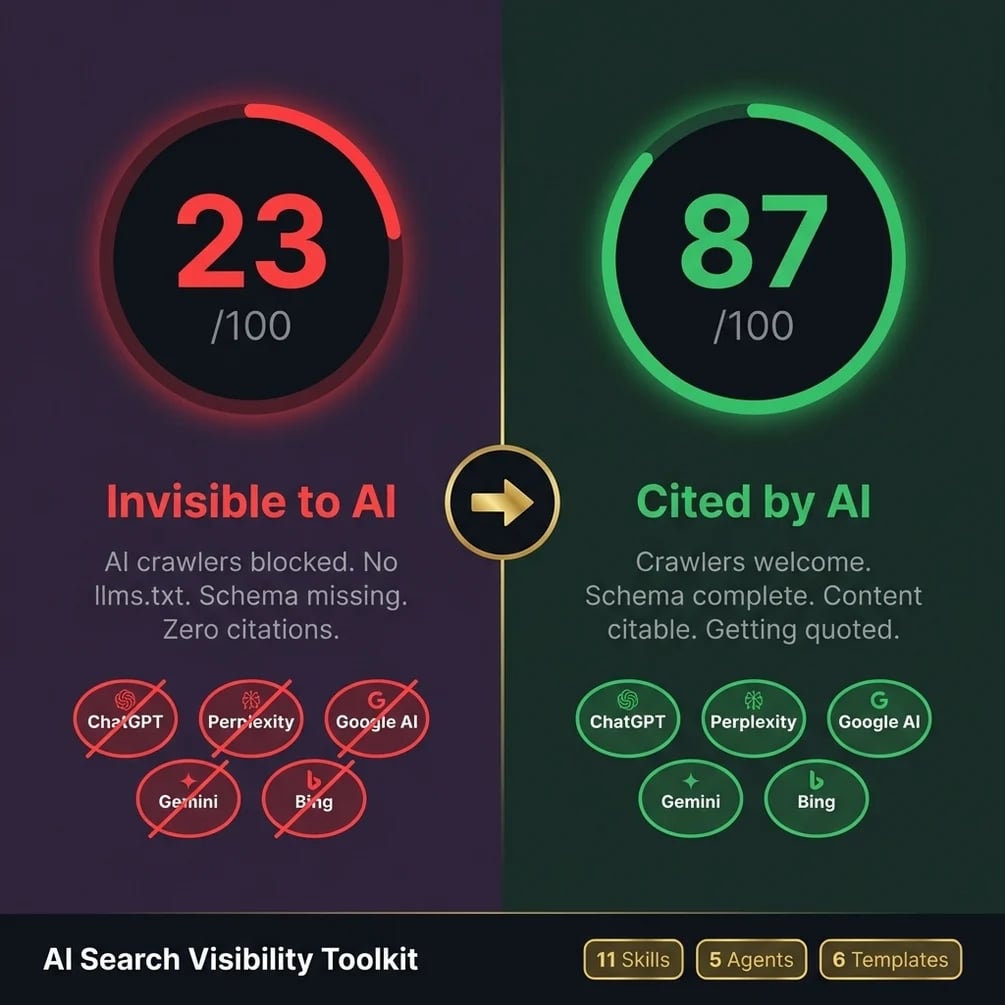
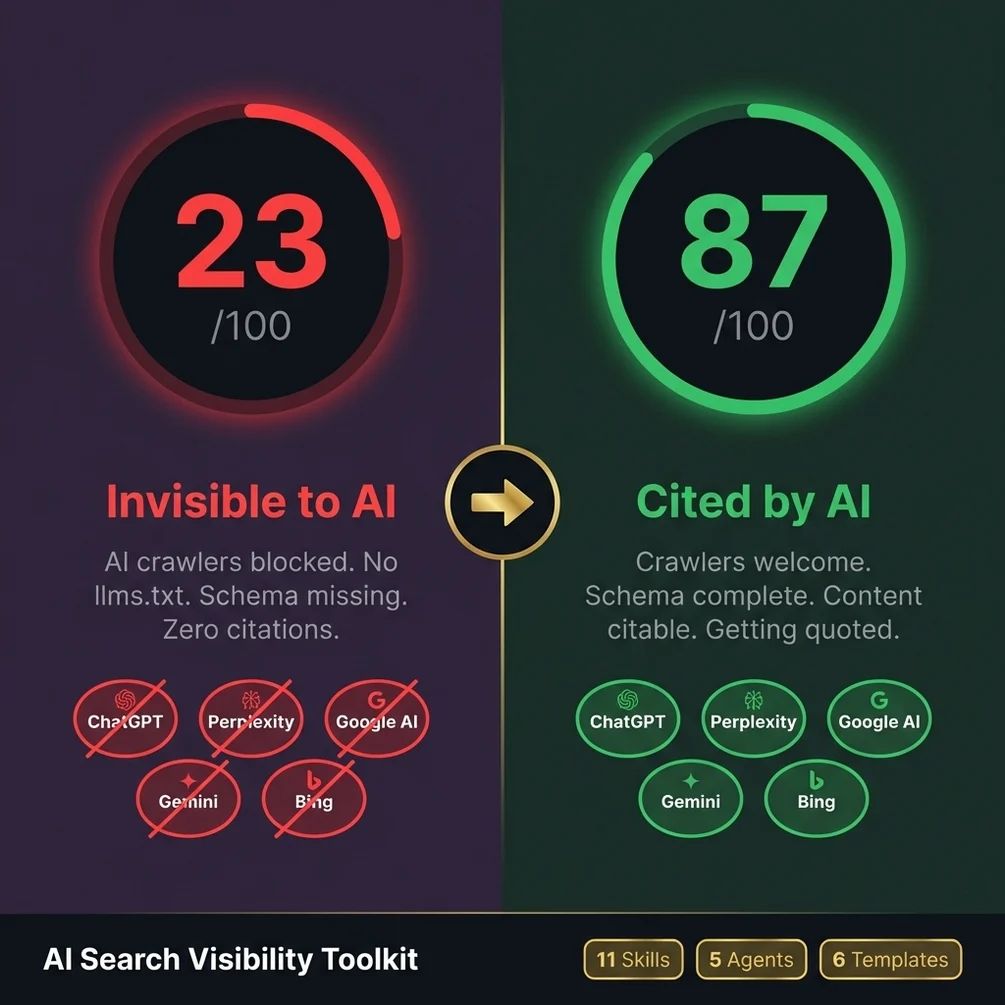
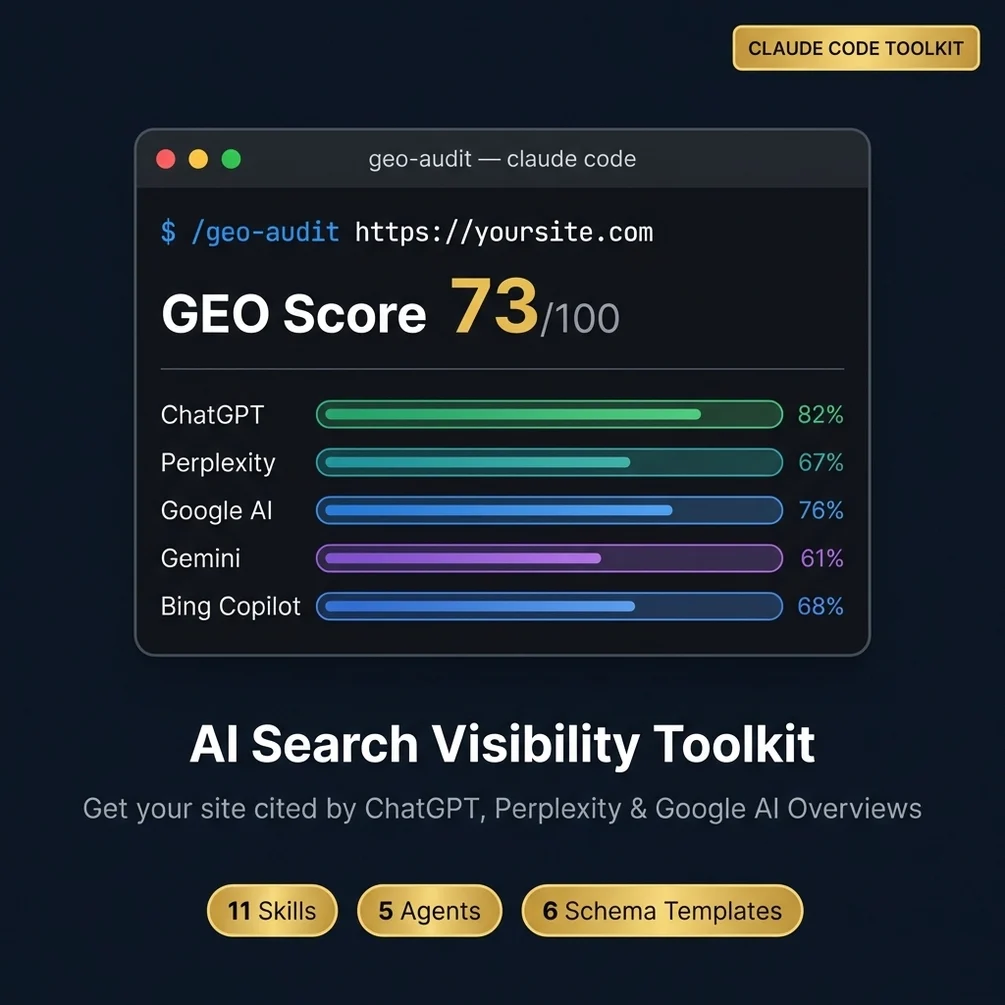
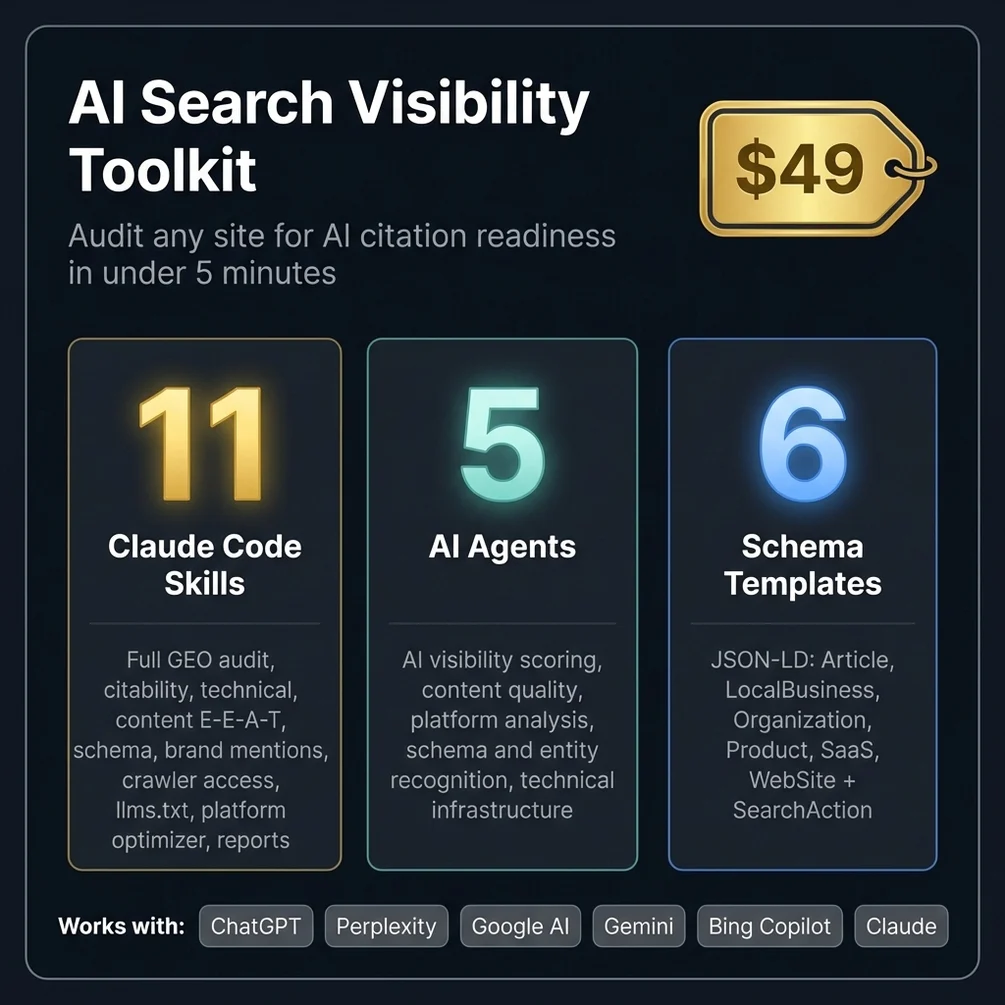
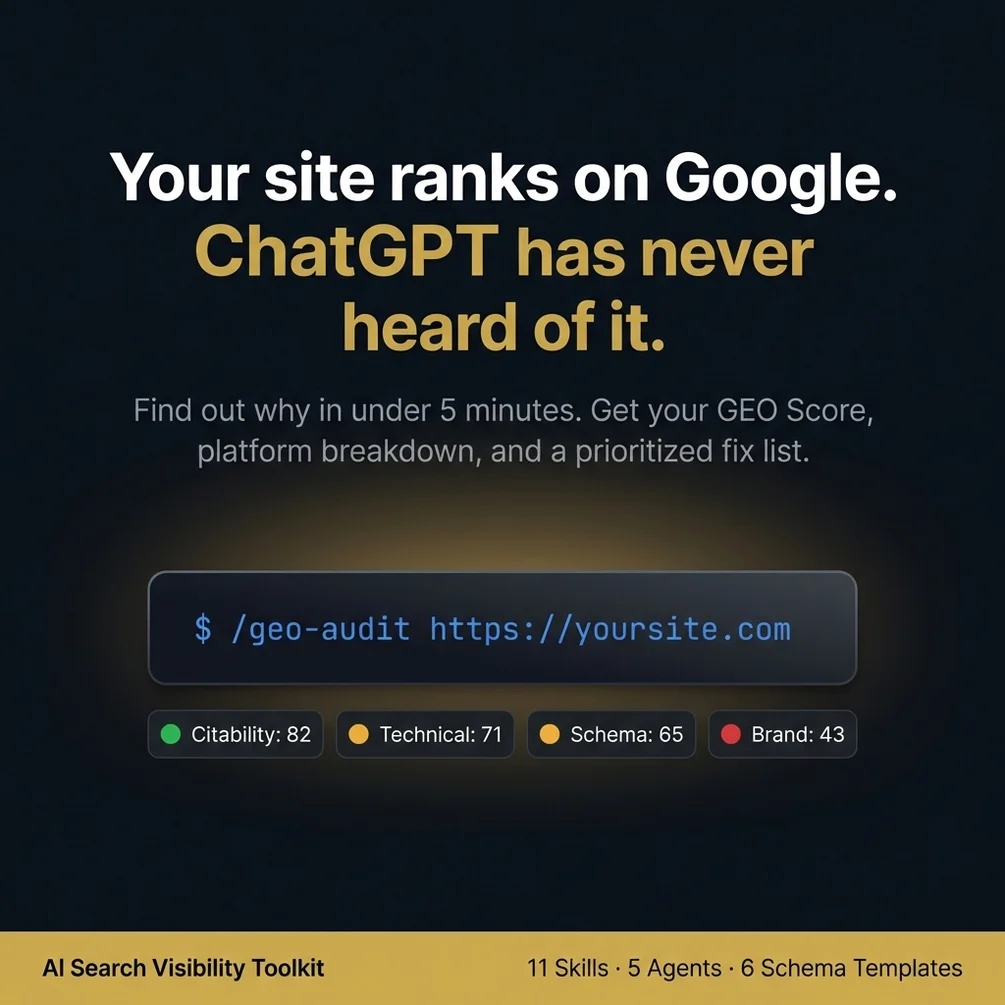
Want the five checks as one command? AI Search Visibility Toolkit runs them from Claude Code.
Get AI Search Visibility Toolkit, $49 one-time// side by side
By hand vs a generic AI prompt vs AI Search Visibility Toolkit
The checks are the same in all three columns: crawler access, answer quality, entity clarity, schema and live answers. What changes is how long it takes, how much gets missed, and whether you can show the result to a client.
| Criterion | By hand | Generic AI prompt | AI Search Visibility Toolkit |
|---|---|---|---|
| Time per site | I never timed the manual checks, so no number here | Fast to start, but you paste pages in one by one | Not timed with the shipped files. My own GEO skills with the same names took 16 min 56 s on one site (2026-09-25) |
| Crawler access check | Read robots.txt line by line against each bot name | Only if you paste the file, and bot names may be out of date | Built into the crawler access skill |
| Answer quality of pages | Your own judgement, page by page | A general opinion that changes between chats | Scored by the citability skill with a written checklist |
| Live AI answers | You ask each assistant by hand and take notes | The model cannot see what other assistants say | Estimated from your pages; it does not ask ChatGPT or Perplexity directly. Brand mentions are checked live on the web |
| Client report | Write it yourself in a doc | Copy and paste into a doc | A Markdown report from /geo-report that you can export to PDF |
| Cost | Free tools plus your hours | Your existing AI plan | $49 once, plus your Claude plan |
// in the download
What is inside AI Search Visibility Toolkit
AI Search Visibility Toolkit is a folder of 11 Claude Code skills and 5 agents that audit a site for AI search, plus 6 JSON-LD templates and a report skill that turns the audit into a Markdown report you can send to a client.
- 11 Claude Code skills: full GEO audit, citability, technical checks, content E-E-A-T, schema, brand mentions, crawler access, llms.txt, platform optimizer and reports
- A /geo-audit command that returns a GEO score with a breakdown by AI platform and a ranked fix list
- 5 agents for AI visibility scoring, content quality, platform analysis, schema and entity recognition, and technical setup
- 6 JSON-LD schema templates: Article, LocalBusiness, Organization, Product, SaaS and WebSite
- An llms.txt template and setup steps
- A /geo-report skill that writes the audit up as a Markdown report for clients
- Free v1.x updates
Who AI Search Visibility Toolkit is for, and who should skip it
This toolkit fits people whose site works on Google but stays silent in AI answers, and agencies whose clients now ask about AI search. It does not fit anyone looking for a promise of citations by a set date.
It is for you if
- You rank fine on Google and do not show up in a single AI answer in your niche.
- You run an agency and clients have started asking what you do about AI search.
- You have never checked whether OAI-SearchBot or PerplexityBot can reach your site.
- You want one repeatable audit instead of a pile of browser tabs.
It is not for you if
- You cannot change a single file on your site and have nobody who can. Some fixes need that.
- You want a guaranteed citation date. No tool can promise when an AI will start naming you.
- You want a Google rank tracker. This audits AI search readiness, not Google positions.
// frequently asked
Questions buyers ask
- Why is my website not showing in ChatGPT?
- The most common reason is that ChatGPT's search crawler, OAI-SearchBot, is blocked in your robots.txt or by your host's firewall. If access is fine, the next suspects are pages that hide the answer deep in long text and a brand the AI cannot clearly identify.
- How long until ChatGPT or Perplexity starts citing my site?
- Nobody can promise a date. Access fixes can take effect quickly; OpenAI says robots.txt changes for search take about 24 hours to apply. Whether you then get cited depends on your content, your competitors and how much the web already says about you.
- Does llms.txt help me show up in AI answers?
- There is no public proof that it does. No major AI engine has confirmed it reads llms.txt when choosing what to cite. It costs ten minutes to add, so it is a cheap bet, but it should never come before crawler access and clear pages.
- Do I need coding skills to use the toolkit?
- No coding is needed for the audit. You type a command such as /geo-audit in Claude Code and read the report. Some fixes, like editing robots.txt or uploading a file, need access to your site files or your CMS settings.
- Does it work with ChatGPT?
- The skills run inside Claude Code, not inside ChatGPT. What they check is how ready your site is for ChatGPT, Perplexity, Google AI Overviews, Gemini, Bing Copilot and Claude. You need a paid Claude plan or an API key to run them.
- Is it a one-time payment?
- Yes, AI Search Visibility Toolkit costs $49 once with no subscription. You get an instant download from Polar or Gumroad, and v1.x updates are free.
- Can I use it for client sites?
- Yes. The same skills work on your own site or a client's, and the report skill writes a Markdown report you can export to PDF and send. If you want to sell audits as a service, AI SEO Agency OS adds the pricing and sales side.
- Does blocking GPTBot hide me from ChatGPT search?
- No. GPTBot collects data for model training, while OAI-SearchBot is the one that finds pages for ChatGPT search. OpenAI treats the two settings separately, so you can block training and still allow search.
- Why does ChatGPT name my site only sometimes?
- Answers vary from run to run, so one test proves little. Turn web search on when you test, because an answer from memory does not read your pages. Ask each question a few times and count how often you appear.
Get AI Search Visibility Toolkit
AI Search Visibility Toolkit costs $49 as a one-time payment. You get an instant download, lifetime access to every v1 update, and no subscription.
// next problem
Related problems
- How to write blog posts AI tools will quote
If the crawlers can reach you but your pages never get quoted, the page structure is the next fix.
- How to add schema markup that passes the test
When the audit flags missing or broken schema, this pack has the templates and the checks.
- What to charge for an AI visibility audit
Running this audit for clients? This is the pricing, scripts and delivery plan around it.
// Also on this topic
- guideHow to get your website quoted in ChatGPT, Perplexity and Google AI answers
AI tools quote the cleanest sentence, not the prettiest paragraph. Here are four rules for writing answers ChatGPT and Perplexity can lift.
- guideChatGPT describes my business wrong, or can't say what I do. Is it me?
ChatGPT gets your business wrong or calls it something vague. Here is how the AI builds a label for you, and the one sentence that fixes it.
- free toolllms.txt generator
A spec-valid llms.txt built in the browser, validated as you type.
- bookFound by AI
How Small Businesses Get Recommended by ChatGPT, Claude, Perplexity, and Google AI