Last updated
Get AI Content Blueprint ($29)How to Structure a Blog Post So Google Ranks It and AI Quotes It
A blog post gets cited by AI when a tool like ChatGPT or Perplexity can lift one clear passage from it and trust that passage enough to show it. Most posts are written to be read top to bottom, so the answer hides in the middle. This page shows how to build a post around quotable answers by hand, then how to do it every time with a fixed framework.
Why do AI tools skip most blog posts?
AI tools skip most blog posts because they cannot find one short, trustworthy passage to quote. A tool like Perplexity reads many pages for each question and picks the clearest answer. If your answer sits in paragraph eight, after a long story, another page wins.
Writers rarely see this happen. The post goes live, it gets a few views, and nothing tells you an AI tool read it and passed.
Here is what usually goes wrong:
- The answer comes late. Many posts open with a story or a warm-up. AI tools and busy readers both want the answer first.
- Headings are clever, not clear. A heading like "The secret sauce" tells a machine nothing. A heading that matches a real question helps it match your section to that question.
- No proof. Vague claims are hard to quote. A 2023 study on generative engine optimization found that adding quotations, statistics and cited sources made pages more visible in AI answers, by up to 40% in its tests. Keyword stuffing did not help.
- No visible author. An unnamed post gives the tool no person to trust. Google's guide to helpful content asks who made the content and why, and a byline answers both.
I learned this on my own site. My post on how many words fit in 1000 characters, on textwordcount.com, had 18,588 impressions and only 10 clicks in 12 months, at an average position of 7.41. The title still said "(Complete Guide 2025)" and the answer was buried. In September 2026 I rewrote it answer-first, with the number in the title: "How Many Words Is 1000 Characters? 140-200 Words (2026)".
How to write a citable blog post by hand, step by step
Writing a blog post that AI can cite is eight steps: pick one question, answer it in the first lines, give each heading its own answer, add proof, name the author, write a real FAQ, check that bots can read the page, and review the draft for filler. You can do this today in any editor.
- Pick one question per post. Write it down in the words a reader would type. "How do I price a logo design?" is a question. "Thoughts on pricing" is not. One post, one main question.
- Answer it in the first two or three sentences. Start with the answer, then explain. Keep that opening under about 60 words so it can stand alone if a tool lifts it.
- Turn headings into questions or clear claims. Each H2 should match a smaller question inside the main one. Then answer it in the first sentence under that heading, the same way you did at the top.
- Add one real number or source per section. Use a date, a price, a measured result or a link to a primary source. If you do not have a number, do not make one up. A missing number is better than a fake one.
- Keep paragraphs short. Two to four sentences each. One idea per paragraph makes each one easier to quote on its own.
- Name a real author. Add a byline with a short line on why this person knows the topic, and link to a real profile. Then add Article markup with the author's name, a hidden label that helps machines connect the post to the person.
- Write a FAQ from real questions. Pull them from customer emails, comments or Search Console queries, not from your head. Answer each one in its first sentence. Google no longer shows FAQ rich results, per its Search Central changelog, so do this for readers and AI tools, not for a special look in search.
- Check access, then edit for filler. Make sure AI crawlers can reach the page with our free AI crawler checker. Then run the draft through the free AI writing checker to catch stock phrases and flat rhythm that make a post read as generated.
Google itself says there are no special tricks for AI Overviews beyond good, crawlable pages. That is why these steps look like plain good writing. They are.
If you want the Google side in more depth, I wrote the seven structural moves for AI Overviews as a separate guide. The GEO citability scoring sheet shows how I score a page before publishing.
How to check if AI tools already quote your post
You check by asking the tools yourself. Type the main question of your post into ChatGPT with search on, and into Perplexity. Both list the pages they used next to the answer. Write down who was quoted and on what date, then ask again a few weeks after you publish.
If your page never shows up, check access before you rewrite anything. OpenAI says its OAI-SearchBot crawler is the one that brings sites into ChatGPT search. A site that blocks it will not appear in those answers. GPTBot is a separate crawler for model training, so you can block that one and still allow search.
Two more things the top guides agree on. Show the date you last updated the post, and link to the original study, not a blog that quotes it.
The faster way: write inside a 14-section framework
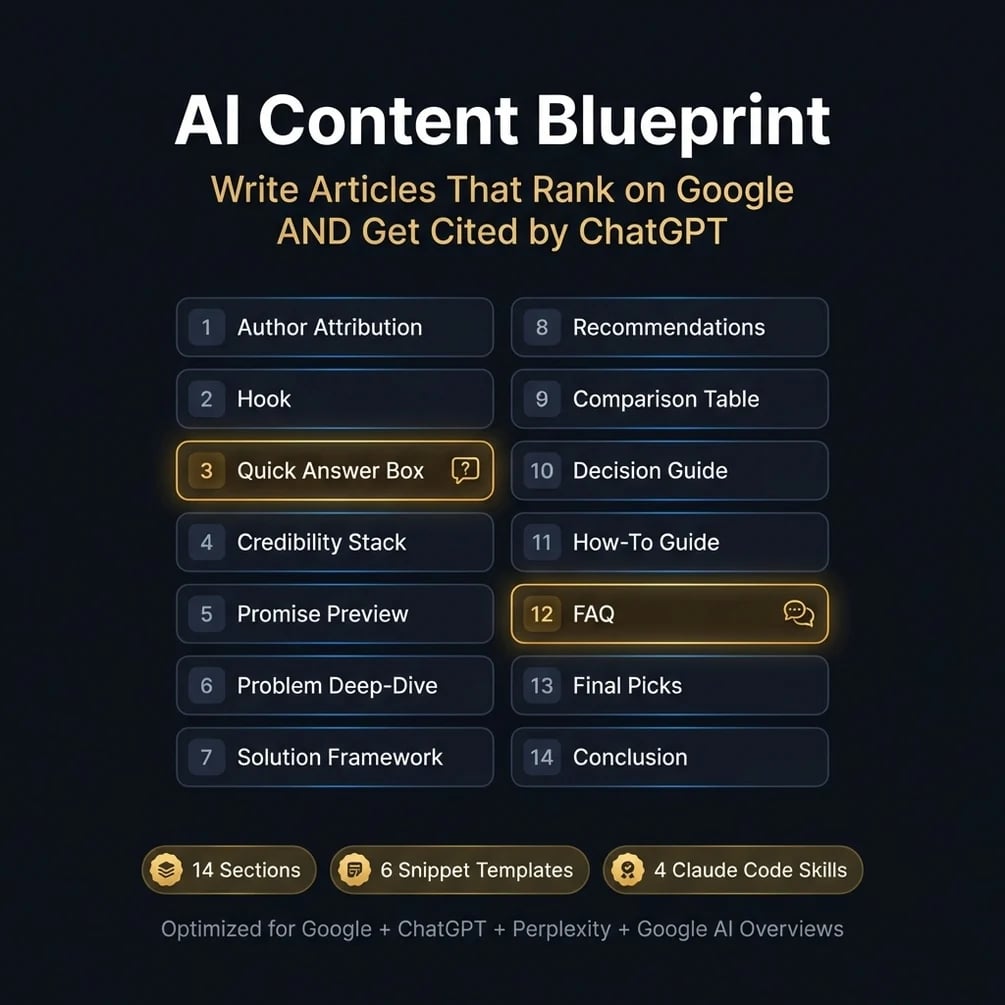
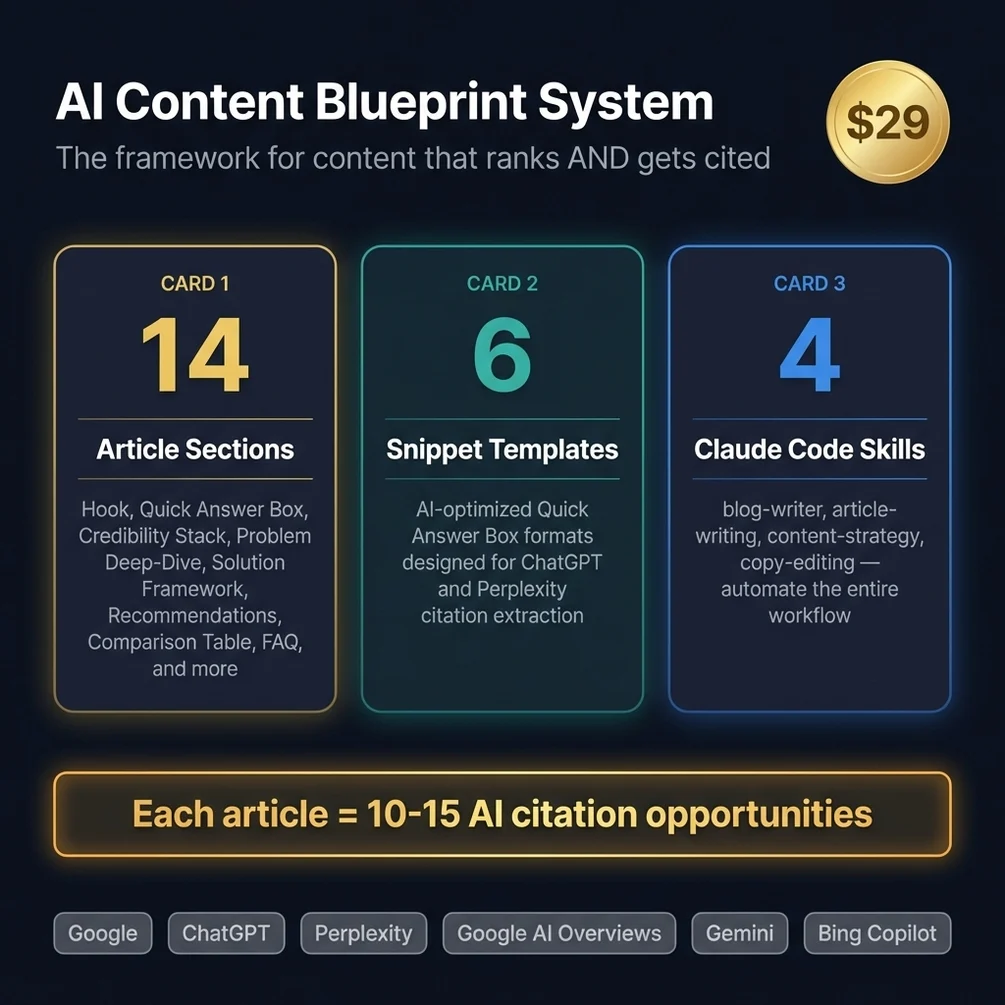
The faster way is to stop designing structure for each post and write inside a framework that already has it. AI Content Blueprint is that framework: 14 sections in a fixed order, each with a job, plus templates and a Claude Code skill that drafts inside it.
On this site every blog post has to pass a machine check before it ships: my own detector for phrases that sound generated, at least 3 dated sources, an answer-first opening and a limit on links. A fixed order makes that check easier to pass, because the quick answer, the proof and the FAQ are never left out by accident.
How to use it, step by step
- Buy and download. Polar or Gumroad sends the files right after payment.
- Read the framework once. The 14 sections run from author attribution, hook and quick answer box, through the problem and the solution, to comparison table, how-to guide, FAQ and conclusion.
- Fill the quick answer box first. Write the short answer before anything else. If you cannot, the post is not ready.
- Write each section in order, using the snippet templates for answer boxes, comparisons and FAQ blocks.
- Or let Claude Code draft it. Copy the contents of the skills folder into
~/.claude/skills, then run/blog-writerfollowed by your topic and target keyword. The README also lists/article-writingwith a brief and/content-strategywith your niche. - Edit with your own facts. Replace every sample number with a real one, or cut it. Add your byline and markup, then publish.
What the output looks like
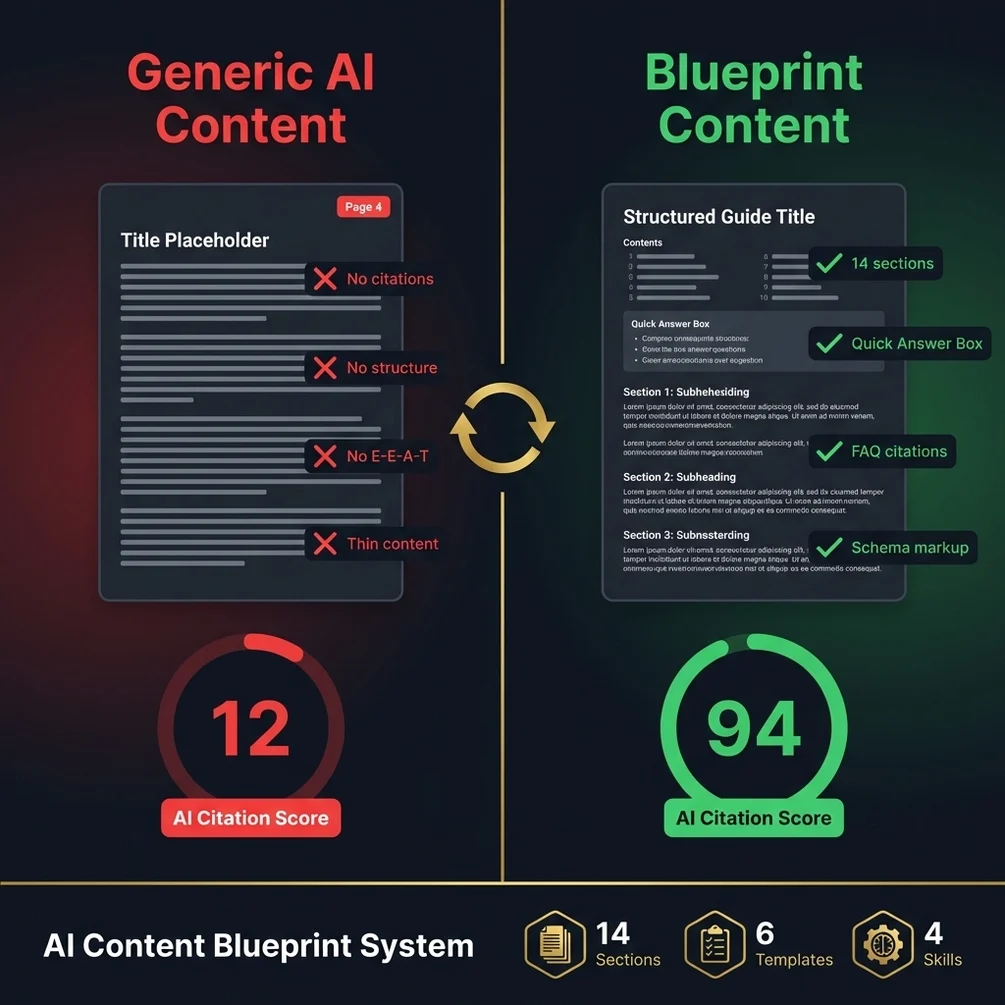
The output is a post with a short answer near the top, a clear section for each part of the question, at least one comparison table, a how-to block and a FAQ, all under one named author. Every post you write after that has the same shape, so readers and tools know where to look.
Here is a real run, described rather than pasted, because the post is in Turkish. On 2026-09-28 I ran the blog writer agent I use on my own sites for a post on hepsihesapla.com about how much Christmas lights add to an electricity bill. It handed back a 53-character title, a 147-character description, a body of about 1,750 words and 6 FAQs. Inside were a 4-step formula list, a tariff table, a watts-per-meter table, two worked examples and a safety list. Its own scan for em dashes and banned phrases came back clean. My setup is not the shipped skill word for word, but it follows the same idea: answer first, proof in each section, FAQ at the end.
How much time it saves
I never timed a post written from a blank page, so I will not give you a before and after ratio. What I did time was the draft step. On 2026-09-28 four writer agents ran in parallel on four posts, and each took between 4 minutes 51 seconds and 5 minutes 52 seconds for about 1,750 words. A review agent then re-scored one post in 57 seconds and moved it from 78 to 84 out of 100. Those numbers leave out my brief and my own edit, which still take real time.
The point is not raw speed. With the structure fixed, your time goes into the facts, which is where it should go.
// what it looks like
Inside AI Content Blueprint
Want every post to follow the same quotable shape? AI Content Blueprint gives you the framework.
Get AI Content Blueprint, $29 one-time// side by side
By hand vs a generic AI prompt vs AI Content Blueprint
A post built by hand, by a generic prompt or with the framework can all end up quotable. The difference is how often you get the structure right, how long it takes, and whether post ten looks like post one.
| Criterion | By hand | Generic AI prompt | AI Content Blueprint |
|---|---|---|---|
| Time per post | I never timed it, so I give no number | Fast draft, then long edits to fix structure and facts | About 5 minutes per draft in my run on 2026-09-28; my edit time was not measured |
| Answer under each heading | Only if you remember on every section | Often a long intro first, answer later | Built into the section order |
| Real numbers and sources | Yes, from your own research | Risky; models can invent figures | The framework asks for them; you still supply them |
| Same shape every post | Depends on your notes | No; output changes between chats | Yes; the same 14 sections each time |
| Cost | Free, plus your time | Your existing AI plan | $29 once |
// in the download
What is inside AI Content Blueprint
AI Content Blueprint is a 14-section article framework for Google and AI search, with snippet templates, a quick answer box formula, FAQ templates and four Claude Code skills including a blog writer.
- A 14-section article framework, from author attribution and hook to FAQ and conclusion
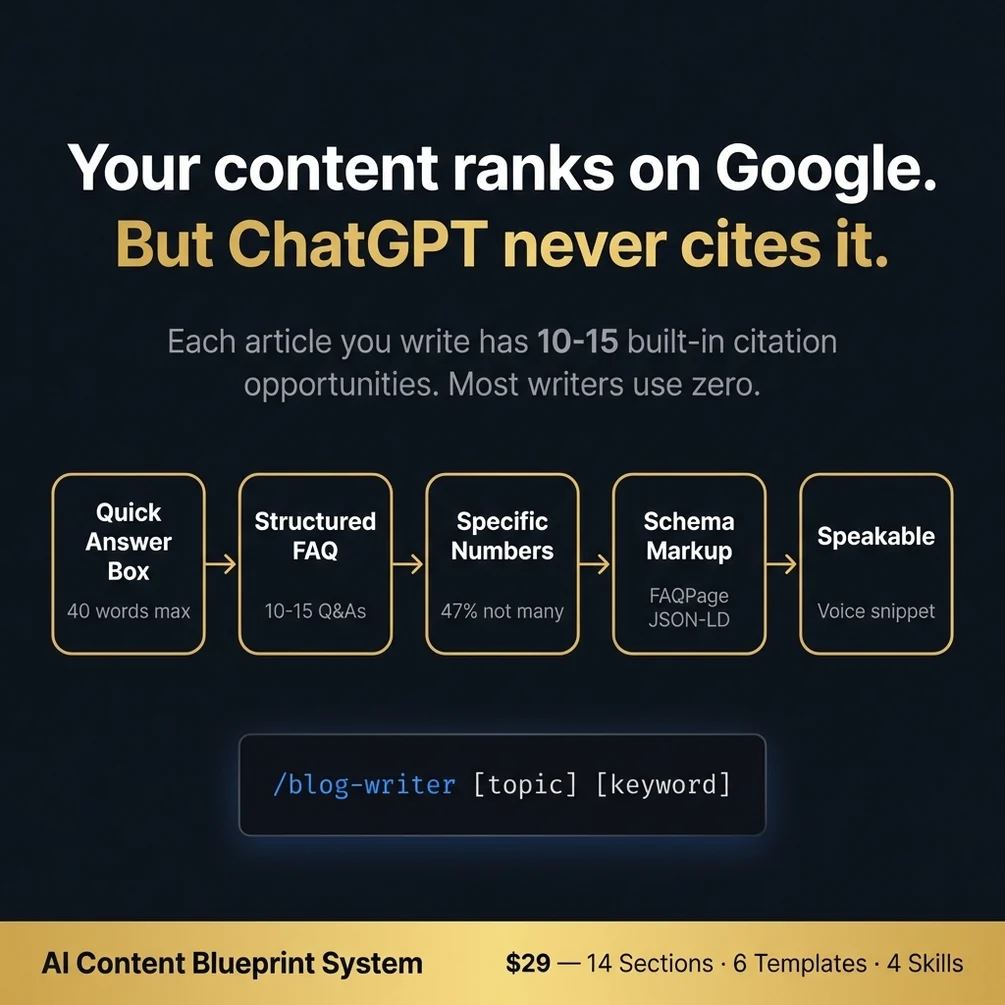
- A quick answer box formula for the short summary AI tools tend to lift
- 6 snippet templates for answer boxes, comparisons and FAQ blocks
- FAQ and schema templates that help machines read your questions and answers
- 4 Claude Code skills, including a blog writer you run as /blog-writer with a topic and keyword
- A step by step guide to writing content that AI engines can cite
Who AI Content Blueprint is for, and who should skip it
This framework fits people who publish written posts and want them to be easier for Google and AI tools to quote. It does not fit anyone who wants a guaranteed citation date or has nothing to say yet.
It is for you if
- You write good posts and watch worse ones outrank you because they are easier to scan.
- You asked an AI tool a question in your niche and your site never came up.
- You publish often and could not describe your own article structure.
- You want a repeatable shape for posts, not another list of tips.
It is not for you if
- You do not publish written content. This is an article framework, not an idea generator.
- You want FAQ dropdowns in Google. Google stopped showing FAQ rich results in May 2026.
- You want full automation without Claude Code. The writer skill needs it; the framework does not.
// frequently asked
Questions buyers ask
- How do I get my blog posts cited by ChatGPT?
- You make each section easy to quote and make sure ChatGPT's search crawler can reach the page. Put a short, direct answer under every heading, back it with a real number or source, and name a real author. No method can force a citation, but this raises the odds.
- Why are my blog posts not getting traffic?
- Posts usually get no traffic because they answer a question nobody searches, answer it later than other pages do, or cannot be crawled and indexed. Check indexing in Search Console first. Then compare your opening paragraph with the top results for the same question.
- Does FAQ schema still help?
- FAQ schema no longer gives rich results in Google, which stopped showing them on May 7, 2026. FAQPage markup is still valid and can help machines read your questions and answers. A real FAQ section on the page helps readers either way.
- Do I need coding skills to use the blueprint?
- No. The framework and templates are documents you follow in any editor. The blog writer skill runs in Claude Code, where you type a command and get a draft. Adding schema means pasting a code block, which most CMS tools allow.
- Does it work with ChatGPT?
- The framework and templates work with any tool, including ChatGPT, because they are written instructions. The four skills are built for Claude Code and run there. You can paste the framework into ChatGPT as a guide, but the automation stays in Claude Code.
- Is it a one-time payment?
- Yes, AI Content Blueprint costs $29 once, with no subscription. Polar or Gumroad sends the download right after payment.
- How long until AI tools start citing my posts?
- Nobody can promise a date. It depends on how often the engine crawls your site, how much the web already trusts your domain and how strong the competing pages are. Better structure raises your chances; it does not set a timeline.
- Is the framework only for blog posts?
- No. The 14 sections fit long articles best, but the quick answer, FAQ and source rules also work on product pages, guides and landing pages. Any page that answers a question can use them.
Get AI Content Blueprint
AI Content Blueprint costs $29 as a one-time payment. You get an instant download, lifetime access to every v1 update, and no subscription.
// next problem
Related problems
- Why ChatGPT does not mention your website
Great posts still go unquoted if AI crawlers are blocked. This audit checks the whole site.
- How to add schema markup that passes the test
Once the post is structured, these templates add the Article and author markup.
// Also on this topic
- guideHow to get your website quoted in ChatGPT, Perplexity and Google AI answers
AI tools quote the cleanest sentence, not the prettiest paragraph. Here are four rules for writing answers ChatGPT and Perplexity can lift.
- guideWhy do ChatGPT emails sound generic? A one-line prompt vs a real brief
ChatGPT gives you emails with the warmth of a parking ticket? Compare a one-line prompt with a four-part brief and see what is missing.
- free toolAI writing checker
Five style tells flagged by position, each with the editorial fix.