Last updated
Scared of the terminal? Here is why one wrong key won't break your computer
A black window and a blinking cursor
Your job list is on the desk. You open the setup page, and the first line says: open a terminal.
So you do. A dark window appears. There's a line with your name in it and a small cursor blinking at the end. No buttons. No menu.
Your hand hovers over the keys. What if I type the wrong thing and wipe something?
You close it. Maybe next weekend.

Why "just follow the install guide" doesn't help
Install guides are written by people who have used a terminal for years. They skip the part where you are afraid. They also skip which window you are in, and that is the thing that trips most people up.
So you paste a line, get a wall of red text and decide the problem is you. It almost never is.

The terminal is an order window
Picture an old diner with a window between the dining room and the kitchen. You write your order on a slip and pass it through. The cook reads it exactly as written. Write "pancaks" and you don't get pancakes. You get the slip back with "I don't know what that is."
Nobody gets hurt. You fix the spelling and try again.
The terminal is that window. Your computer is the kitchen. And the diner has many rooms. The cook only works in the room you stand in. In the terminal a room is a folder, and you walk into it with a command called cd.
Here is the part that makes it easier. Once you type claude, a new cook takes over. This one doesn't need exact spelling. You write to it in plain English. So you meet two listeners in one window: the strict one before you type claude, and the patient one after.

How to open it, and the only commands you need
Opening the window is the first small step.
- Windows: press the Windows key, type
PowerShell, and press Enter. Check that the line starts withPS. - Mac: press Command and Space, type
Terminal, and press Enter.
You do not need to learn the terminal. You need a handful of lines, and the book fits them in two small tables.
Before Claude starts, in the plain window:
| Type this | What it does |
|---|---|
cd claude-practice |
Walks into the folder called claude-practice |
claude |
Starts Claude Code in the folder you are in |
claude -c |
Continues your most recent session in this folder |
claude --version |
Shows which version you have, a good first test |
Once Claude is running:
| Type this | What it does |
|---|---|
/help |
Lists what you can do |
/clear |
Clears the conversation and starts fresh |
/exit |
Ends the session |
Esc twice, or /rewind |
Goes back to an earlier point and undoes file changes |
Everything else, you ask for in plain English.

The one kind of command to respect
Your fear has a real core, and it is worth naming so the rest can relax. The risky commands are the ones that delete or move files. The official checkpointing page says files changed by terminal commands, such as rm (remove), mv (move) or cp (copy), cannot be undone with Claude's rewind.
So the book sets two guards from day one. First, the practice folder holds copies, so a deleted file still exists somewhere else. Second, the book's lock file has an ask rule for rm, so Claude must stop and ask before any delete, in every mode. You will add it in the chapter on permissions.

The four errors that look like damage
None of these are a broken computer. They come up again and again in Anthropic's install troubleshooting page.
"claude is not recognized." The program is in a folder the terminal doesn't search yet, or the window was open before the install. Open a new window first. That fixes a lot.
The right line in the wrong window. On Windows, use PowerShell. Its line starts with PS. The Mac line looks harmless, but it fails in PowerShell, because there the word curl points to a different program.
"This organization has been disabled." An old setting called ANTHROPIC_API_KEY, left from a tutorial, is being used instead of your plan. Remove it, then check with /status.
Git it can't find. On Windows, the docs suggest also installing Git for Windows. Choose the option that adds it to your PATH, then restart the terminal.
Look at all four together. Each one is a mismatch between where something is and where the terminal is looking. The fix is to point one at the other.
A practice folder makes the first session safe
Your first job never runs on real files. Make a folder called claude-practice and copy, don't move, five to twenty files into it. Walk in with cd. Type claude. Log in. Say yes to trusting the folder, because you made it.
Then look at the bottom of the screen before you type anything. New sessions start in auto mode, where Claude decides many steps on its own. Press Shift and Tab together until it says manual. Now it asks before it changes anything. Your first message: "List the files in this folder and tell me what they seem to be. Don't change anything."
I don't have a first-day disaster of my own on record, so the book says so plainly and uses other people's trouble instead. I'd rather tell you that than make one up.

The chapter that holds your hand
This is the problem Claude Code for Non-Programmers was written for. The book is independent and is not affiliated with Anthropic.
The Terminal Without Fear is the whole first session, start to finish, in about 30 minutes. It has the install lines for each system, a printable checklist, and a When It Breaks table for every error above. Anthropic also has its own terminal guide for people who have never used one.
What Claude Code Actually Is gives you the job list you bring to that first session.
Glossary for Humans explains words like terminal, command and working folder in plain language when you meet them.
Once it is running, set it to ask first. The page on making Claude Code ask before it changes files shows how.
The book for this problem
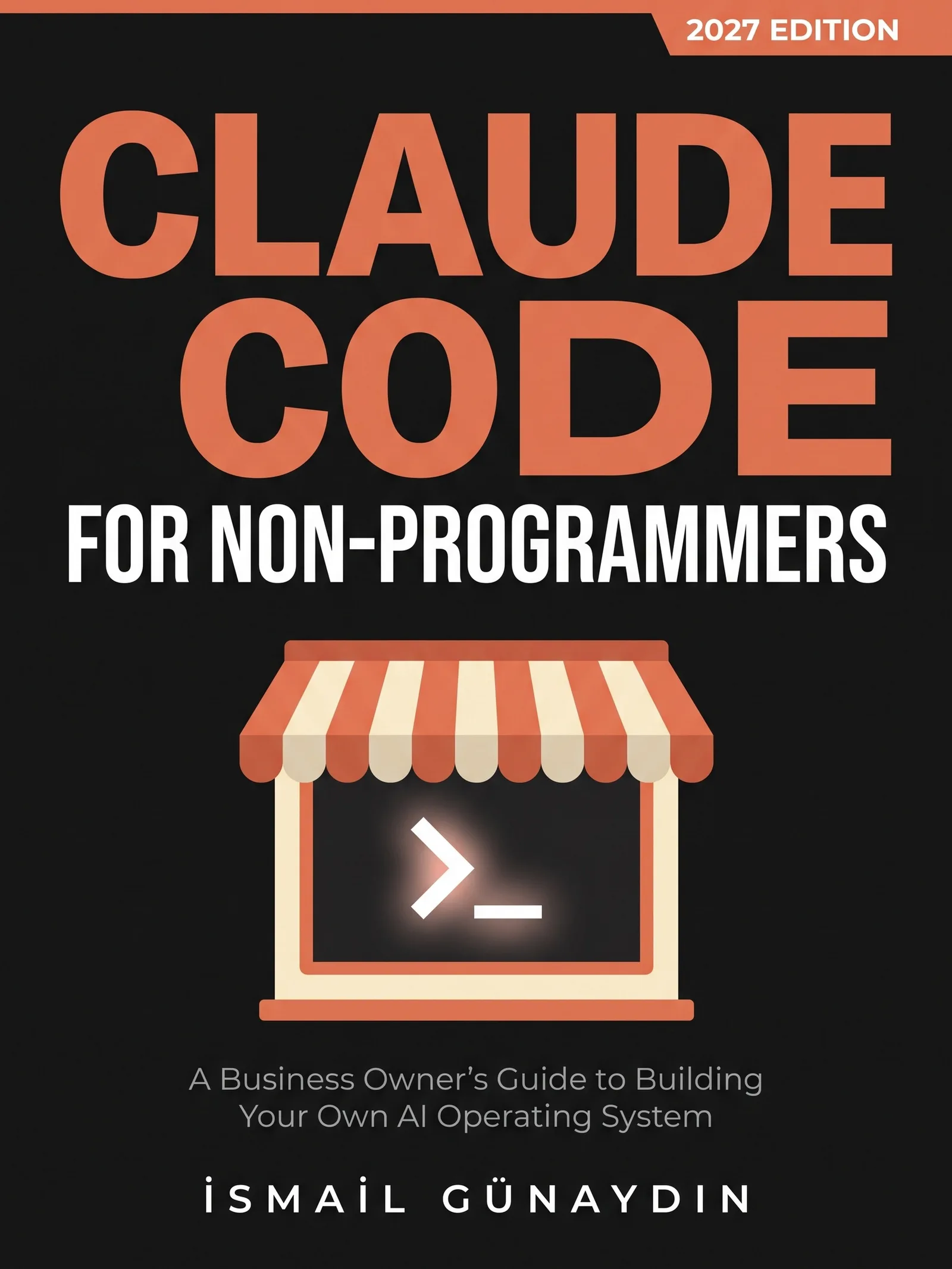
Claude Code for Non-Programmers
A Business Owner's Guide to Building Your Own AI Operating System (2027 Edition). By İsmail Günaydın, 355 pages.
Where this problem is in the book:
- The Terminal Without Fear
- What Claude Code Actually Is
- Glossary for Humans
Links go to Amazon. I wrote this book and earn a royalty on every sale. Amazon sets the price and handles delivery and returns.

Is Claude Code for Non-Programmers the right book for you?
Yes, if
- You open the setup page, see the words open a terminal, and close the tab
- You are afraid one wrong key will wipe something
- You tried once and got an error you couldn't read
Skip it if
- You already use the terminal every day
- You want a full course on command-line tools
Fair doubts before you buy
Couldn't I skip the terminal and use the desktop app?
You can. There is a desktop app and a web version, and they use the same engine, though both need a paid Claude plan. The book sticks with the terminal because it shows you exactly what is happening, and it is where most first-day trouble is easiest to see and fix.
I'm not technical. Won't I just get stuck on the install?
Maybe, for a few minutes. That is why the book has a table of the errors people hit most, taken from Anthropic's own install troubleshooting page and the public issue tracker. Most of them need a new terminal window, or the right install line for your window.
Get Claude Code for Non-Programmers
A business owner who has never opened a terminal can give Claude real jobs on real files, safely, using one working system including the parts that broke.
Links go to Amazon. I wrote this book and earn a royalty on every sale. Amazon sets the price and handles delivery and returns.
This book is independent and is not affiliated with or endorsed by Anthropic.

Questions people ask about this
- Can you break your computer by typing in the terminal?
- A typo can't. A line the terminal doesn't understand comes back with an error, and nothing happens. The real care is about commands that delete or change things, and that is why your first Claude Code jobs run on copies, with Claude set to ask before it changes anything.
- What is the terminal in simple words?
- It is a window where you type commands instead of clicking. Every computer has one. On Windows it is usually PowerShell. On a Mac it is called Terminal.
- Why does it say claude is not recognized?
- The installer put the program in a folder your terminal does not search yet, or the terminal was open before you installed. Open a new terminal and try claude --version again. If it still fails, follow the Verify your PATH steps on the official install troubleshooting page.
- Which terminal should I use on Windows for Claude Code?
- PowerShell. Its lines start with PS. CMD lines start with just C:. Each needs a different install line, and pasting the Mac line into PowerShell gives errors like 'irm is not recognized' or a complaint about fsSL.
- What computer do I need for Claude Code?
- As of the 2027 Edition, the setup page lists macOS 13 or newer, Windows 10 version 1809 or newer, or common Linux versions such as Ubuntu 20.04, plus at least 4 GB of memory and an internet connection.
- How do I open the terminal on Windows or a Mac?
- On Windows, press the Windows key, type PowerShell and press Enter. The line should start with PS. On a Mac, press Command and Space, type Terminal and press Enter. Anthropic's terminal guide in the official docs has sections for Mac, Linux and Windows, for people who have never opened one.
Related problems
- What is Claude Code, and can you use it if you don't write code?
Claude Code is Claude with hands: it works on the files in a folder. What it can reach, what it can't, and a safe first job for a non-coder.
- How to make Claude Code ask before it changes your files
New Claude Code sessions start in auto mode and don't ask. The six modes in one table, how to make Manual your default, and the locks no mode can skip.
- Claude Code changed files it shouldn't have. What to do right now
Files changed that you never approved. Stop it, rewind this session, restore from git, and what no undo button can bring back. Plain steps first.
- Everything inside Claude Code for Non-Programmers
Every chapter, who the book is for, and every problem it helps with.