Last updated
How to make Claude Code ask before it changes your files

| Mode (settings name) | What runs without asking | Who it is for |
|---|---|---|
| Manual (default) | Only reading | Beginners, and anything you care about |
| Accept edits (acceptEdits) | Reading, file edits and common file commands like copying and moving | Work you will review after, in a folder you can restore |
| Plan (plan) | Reading, and no changes to your files | Thinking before doing |
| Auto (auto) | Everything, with a background checker | People who already have locks in place |
| Don't ask (dontAsk) | Only tools you approved in advance; the rest is refused | Jobs that run with nobody watching |
| Bypass (bypassPermissions) | Everything, with no checks | Throwaway virtual machines only |
What the table tells you
There are six modes. The permission modes page lists them by the names you see in the left column.
For your first month, you need three of them. Manual for anything you care about. Plan before any job that touches more than a few files. Accept edits only in a folder of copies.
Press Shift and Tab to move between them. The order is auto, manual, accept edits, plan. The status line at the bottom names the mode you are in. Read it before every first task.
Don't ask and bypass never show up for daily work. Don't ask is built for scripts with nobody at the keyboard. Bypass skips every check, and the flag that starts it has the word "dangerously" in its name. The name is fair.
Modes are how often. Rules are what at all.
Picture a babysitter with a key to your house. You can say "ask me before anything except looking around." Or "just walk around and write me a plan." Those are modes.
Then there are locks. The medicine cabinet is locked. It doesn't matter what you told the babysitter. A lock is a lock.
In Claude Code, the locks are permission rules. There are three kinds. Deny means never. Ask means always ask me, in every mode. Allow means fine without asking. Deny is checked first, and the first match wins, so a deny rule beats any allow rule. The permissions page shows the full syntax.
A rule like Read(./secrets/**) in the deny list keeps Claude out of a secrets folder. Bash(rm *) in the ask list makes it stop before any delete. Type /permissions to see every rule and the file it came from.
One honest limit. A rule matches the words of a command, not what the command really does. Lock the word rm, and a differently worded command that deletes can slip past. Treat rules as strong guardrails with known gaps.

The settings file, ready to paste
Here is the personal default from the book, the same one the permission modes page shows. Ask Claude Code to open ~/.claude/settings.json, add this, keep anything already there, and show you the file before it saves:
{
  "permissions": {
    "defaultMode": "default"
  }
}
Start a new session. The status line should read "manual mode on."
Want Claude to ask before every file edit even when you are in auto or accept edits? Add an ask rule. The docs say a tool matched by an ask rule is never approved on its own, in any mode:
{
  "permissions": {
    "defaultMode": "default",
    "ask": ["Edit", "Write"]
  }
}
Then type /permissions to check that the rule loaded and which file it came from.

Careful with "Yes, and don't ask again"
When Claude asks, the prompt gives you more than yes or no. On a terminal command, the permissions page shows these choices: Yes, Yes and don't ask again for that command, Yes and switch to auto mode, and No.
Two of those quietly change what happens next.
- Don't ask again on a file edit lasts until the session ends. On a terminal command or a web address, it is saved as a rule in the project's
.claude/settings.local.jsonand holds in future sessions too. - Switch to auto mode moves the whole session to auto, so the next steps stop asking.
If you meant "yes, just this once," pick plain Yes. If you already clicked one of the others and regret it, open /permissions and remove the rule.

Using the VS Code extension?
The extension has its own default. The docs say it does not read a project's settings file for the starting mode. To make every new conversation start in Manual, set claudeCode.initialPermissionMode to default in your VS Code user settings. During a conversation, click the mode label at the bottom of the prompt box to switch.
The day it didn't ask
You ran your first job yesterday. It went well. Today you start a session in a different folder, type your request and lean back for the first question.
It doesn't ask. A file gets renamed, then another. Text scrolls past. By the time you sit up, it says it's done.
Nobody said yes to any of it. You forgot to press Shift and Tab, and the session started in auto. Set the default tonight and tomorrow's first session will start by asking.

Where I turn the questions off
My assistant runs scheduled jobs at night: a morning briefing, a weekly check of my notes, a weekly pulse on my brands. Nobody is there to answer a prompt, so those jobs run with prompts off.
That is only safe because each job reads my notes and writes one report. It never fixes anything. The worst a confused night run can do is write a wrong report.
The other side cost me about an hour. One project had a rule blocking recursive delete, and it stopped a setup tool from building a new site skeleton. I built it by hand and kept the rule. An hour is cheap for a folder one wrong command can't wipe.
The chapters behind this page
This is the problem Claude Code for Non-Programmers was written for. The book is independent and is not affiliated with Anthropic.
Permissions and Modes walks you through all six modes, sets Manual as your default, puts locks on a practice folder, and ends with a five-minute test that proves the locks work.
Safety and Failure adds the next layer: deny rules for secret files, and the undo buttons for when something slips through anyway.
Automation covers hooks, rules that run on their own, and how unattended jobs handle permission when nobody is there to click yes.
The book for this problem
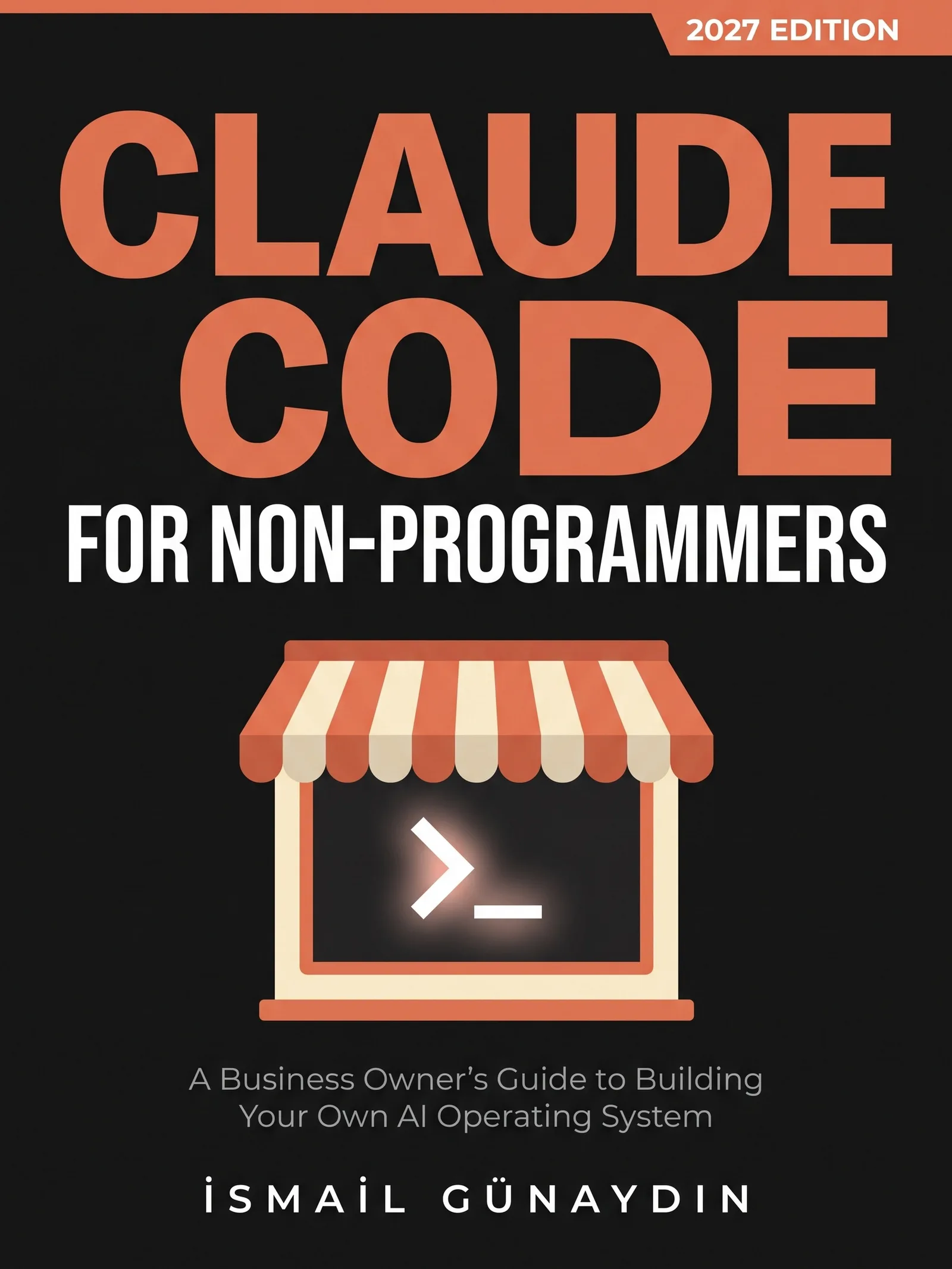
Claude Code for Non-Programmers
A Business Owner's Guide to Building Your Own AI Operating System (2027 Edition). By İsmail Günaydın, 355 pages.
Where this problem is in the book:
- Permissions and Modes
- Safety and Failure
- Automation
Links go to Amazon. I wrote this book and earn a royalty on every sale. Amazon sets the price and handles delivery and returns.

Is Claude Code for Non-Programmers the right book for you?
Yes, if
- Claude Code renamed or edited files before you said yes
- You learned from an older guide that said it always asks first
- You want a few things locked no matter what mode you are in
Skip it if
- You want to switch every check off; the book will talk you out of it
- You manage Claude Code for a whole company through IT
Fair doubts before you buy
Won't Manual mode slow me down with questions all day?
It asks more, yes. That is the point for your first month. Manual is the mode with the most questions and the fewest surprises. The book's advice is to move to auto once you have deny rules on the files that matter, a backup you have tested, and enough sessions to recognize when Claude is heading the wrong way.
Can't I just tell it in the chat not to change anything?
You can, and auto mode's checker does take it into account. But your words are read from the conversation each time, not saved as rules. In a long session, the message where you said it can be summed up and lost. A limit written as a rule stays.
Get Claude Code for Non-Programmers
A business owner who has never opened a terminal can give Claude real jobs on real files, safely, using one working system including the parts that broke.
Links go to Amazon. I wrote this book and earn a royalty on every sale. Amazon sets the price and handles delivery and returns.
This book is independent and is not affiliated with or endorsed by Anthropic.

Questions people ask about this
- Why does Claude Code not ask permission anymore?
- The starting mode changed in 2026. In August, auto mode became the starting mode on Pro, Max and Team plans. By the end of September 2026 it was the built-in starting mode for terminal and VS Code sessions on every plan. Older guides that say it asks before every edit describe the old default.
- How do I change the default permission mode in Claude Code?
- Put "defaultMode": "default" inside "permissions" in ~/.claude/settings.json, your personal settings file. The mode called default shows on screen as Manual. A project's settings file cannot turn on auto or bypass as a default, and it gives no error if you try.
- What is plan mode in Claude Code?
- Plan mode lets Claude read everything but change none of your files. It writes you a plan and you decide. Enter it with Shift+Tab until the status line says plan mode, or start your message with /plan. It is the mode the book would teach every business owner first.
- Is auto mode in Claude Code safe?
- It is a real safety layer, not a promise. A separate model reviews each action and blocks ones that go beyond your request or seem driven by hostile text. The documentation says auto mode reduces prompts but does not promise safety. You are still responsible for what runs.
- Should I use --dangerously-skip-permissions?
- Not on your own computer. It skips every check. The docs say to use it only inside isolated containers or virtual machines, and it offers no protection against prompt injection. Nothing in the book needs it.
- How do I make Claude Code ask before every edit in VS Code?
- Open your VS Code user settings and set claudeCode.initialPermissionMode to default. New conversations then start in Manual and ask before each edit. The extension ignores a project's .claude/settings.json for the starting mode. You can also click the mode label under the prompt box to switch during a conversation.
Related problems
- Claude Code changed files it shouldn't have. What to do right now
Files changed that you never approved. Stop it, rewind this session, restore from git, and what no undo button can bring back. Plain steps first.
- Scared of the terminal? Here is why one wrong key won't break your computer
The black window looks like one typo could break things. It can't. What the terminal is, the four errors most people hit, and a safe first session.
- Can you paste an API key or client data into Claude Code? Where secrets go instead
A pasted key is saved in a plain text file. Where keys and client records go instead, the deny rules that lock them, and what to do after a leak.
- How to run Claude Code on a schedule, and know the job actually ran
Four ways to schedule Claude Code compared, what each needs to stay on, and the watcher that catches jobs that die without a word.
- Everything inside Claude Code for Non-Programmers
Every chapter, who the book is for, and every problem it helps with.