Last updated
Get Visa Document Translator ($9)How to Translate Documents for a Visa Application Before Your Appointment
Most visa offices want every foreign-language document translated, and many want that translation certified by a qualified translator. That is slow and paid per page, so it pays to know exactly which documents need it. This page shows you how to read and prepare your documents yourself, and then certify only the ones that must be certified.
Why is translating visa documents so stressful?
Translating visa documents is stressful because the rules are strict, the deadline is close, and the papers hold your most private data. Most visa offices want each foreign-language document translated into their language. Many also want the translation certified, meaning a translator signs a statement that it is complete and correct.
Here is what makes it hard:
- Certified translation is slow and paid per page. If you send everything, you pay for pages that may not need it.
- You cannot read your own documents. Before you pay anyone, you want to know what a stamp or a legal phrase actually says.
- Free web translators are risky. Uploading a passport scan to a site you cannot check is a real privacy risk.
- Legal words translate badly. A general translator often gets terms like "civil registry extract" or "apostille" wrong.
A clear plan fixes most of this. Know which pages must be certified, and read the rest yourself first.
How to translate documents for a visa application by hand, step by step
To translate documents for a visa application by hand, you check the rules, scan each page cleanly, pull out the text, write a side-by-side draft, and then certify only what the authority demands. Here is each step.
- Check what the authority requires. Find the official rules for your visa. They usually say which language, and whether the translation must be certified or sworn. For example, US immigration rule 8 CFR 103.2(b)(3) says any foreign-language document sent to USCIS must come with a full English translation. The translator must certify it is complete and accurate, and that they are competent to translate. Other countries have their own rules, often stricter.
- List every document. Write down each document, how many pages it has, and whether it needs translation. Some offices only want certain pages, such as the photo page of a passport.
- Scan each page cleanly. Lay the page flat in good light, with no shadow. A scanner set to 300 DPI is ideal. DPI means dots per inch: how much detail the scan keeps. The Tesseract quality guide says OCR works best at 300 DPI or more, and that tilted pages read much worse.
- Pull out the text. OCR means optical character recognition: software that turns a picture of text into text you can copy. Tesseract is a free, open-source OCR program that runs on your own computer. You can also type short documents by hand.
- Translate line by line. Keep the same order as the original, one line at a time. Translate meaning, not word for word, but never change names, dates or numbers.
- Copy names exactly as on your passport. If your name is spelled "Muller" on your passport, use that spelling everywhere, even if the birth certificate says "Müller". Mismatched spellings cause delays.
- Lay it out side by side. Put the original on the left and your translation on the right. This makes it easy for you, or a translator, to check each line.
- Mark what you are unsure of. Highlight stamps you cannot read and legal terms you could not translate with confidence. Look those up in an official glossary or ask the office that issued the document.
- Certify only what must be certified. Take the documents that need it to a qualified translator. Your side-by-side draft helps you check their work and spot a wrong date or name before you submit.
- Keep copies of everything. Save the original scans, your drafts and the certified versions in one folder. You may need them again at the appointment or for a renewal.
That middle part, steps 3 to 8, is where the hours go. It is also where privacy matters most, because it is when your documents are most likely to end up on someone else's server. Done by hand with an OCR program on your own computer, nothing leaves it.
What three visa offices ask a translation to include
| Country | What the official page says | Can you translate your own? |
|---|---|---|
| United States (USCIS) | A full English translation, with the translator certifying it is complete and accurate and that they are competent to translate (8 CFR 103.2(b)(3)) | The rule does not name anyone who is excluded; check your form instructions |
| United Kingdom (visitor visa) | A full translation the Home Office can check, with the translator's confirmation that it is accurate, the date, the translator's full name and signature, and contact details (GOV.UK supporting documents guide) | Other UK routes ask more, such as a certified professional translator; read the guide for your route |
| New Zealand (visitor visa) | Since 17 June 2024, a certified English translation of every document not in English (Immigration New Zealand) | No. The applicant, family members and the applicant's immigration adviser are excluded |
Checked October 21, 2026. Recheck before you submit.
The faster way: a Claude Code skill that drafts the translation
The faster way is to let software do steps 3 to 7: read the photo, pull out the text and lay out an English draft next to the original. Visa Document Translator does this as a Claude Code skill. A skill is a saved set of instructions that Claude Code follows when you call it by name.
Here is how the work splits. The OCR runs on your own computer, with macOS Vision, EasyOCR or Tesseract, whichever you install. The translation does not. Claude does it, so the text of your document is sent to Anthropic and processed under Anthropic's privacy policy and the terms of your plan. If Claude opens the image itself to check the rotation or a stamp, the image goes too. There is no offline mode.
Decide that before you start. Leave out pages you do not need translated, and cover numbers you do not need, such as an account number on a bank letter. If no AI provider should see the text at all, the by-hand steps above are the private route.
To be clear about the other limit: this is a draft for reading and preparing. It is not a certified translation, and you should not submit it as one.
How to use it, step by step
- Buy and download. Gumroad sends the files right after payment.
- Install the skill. Copy the
visa-doc-translatefolder into~/.claude/skills, the folder Claude Code reads personal skills from. If the command does not show up, see why Claude Code skills do not trigger. - Install the helpers. Run
pip install pillow reportlabfor the PDF. Then add one OCR program: macOS Vision on a Mac, or EasyOCR or Tesseract elsewhere. The skill guide gives the exact install line for each. - Check your language. The guide names 22 common source languages into English, including Turkish, Arabic, German, Spanish, Russian, Chinese, Hindi and Ukrainian. It also names Turkish, German and French as targets. Other pairs may work but have not been tested.
- Photograph or scan each page. Flat, well lit, no shadow. Cover anything you do not need translated.
- Run the skill on one file. Type
/visa-doc-translatefollowed by the file name, for example a photo of a bank letter. The skill converts HEIC photos on a Mac, fixes the rotation, reads the text and writes the PDF next to the original. - Ask for the unclear lines. Ask Claude to list every line, stamp or name it was not sure of. Check each one against the original.
- Delete the "certified" line. The PDF template adds a note at the bottom: "This is a certified English translation of the original document." It is not. Remove that line before you show the PDF to anyone.
- Send only the required documents to a certified translator. Bring your drafts so you can check their version.
What the output looks like
The skill writes a file named after your photo, ending in _Translated.pdf. Page 1 is your original image, turned the right way up and scaled to fit an A4 page. Page 2 is the English translation, with a centered title and the text in the same order as the original. The skill is told to keep names in the original spelling with English in brackets, and to copy every number, date and amount exactly.
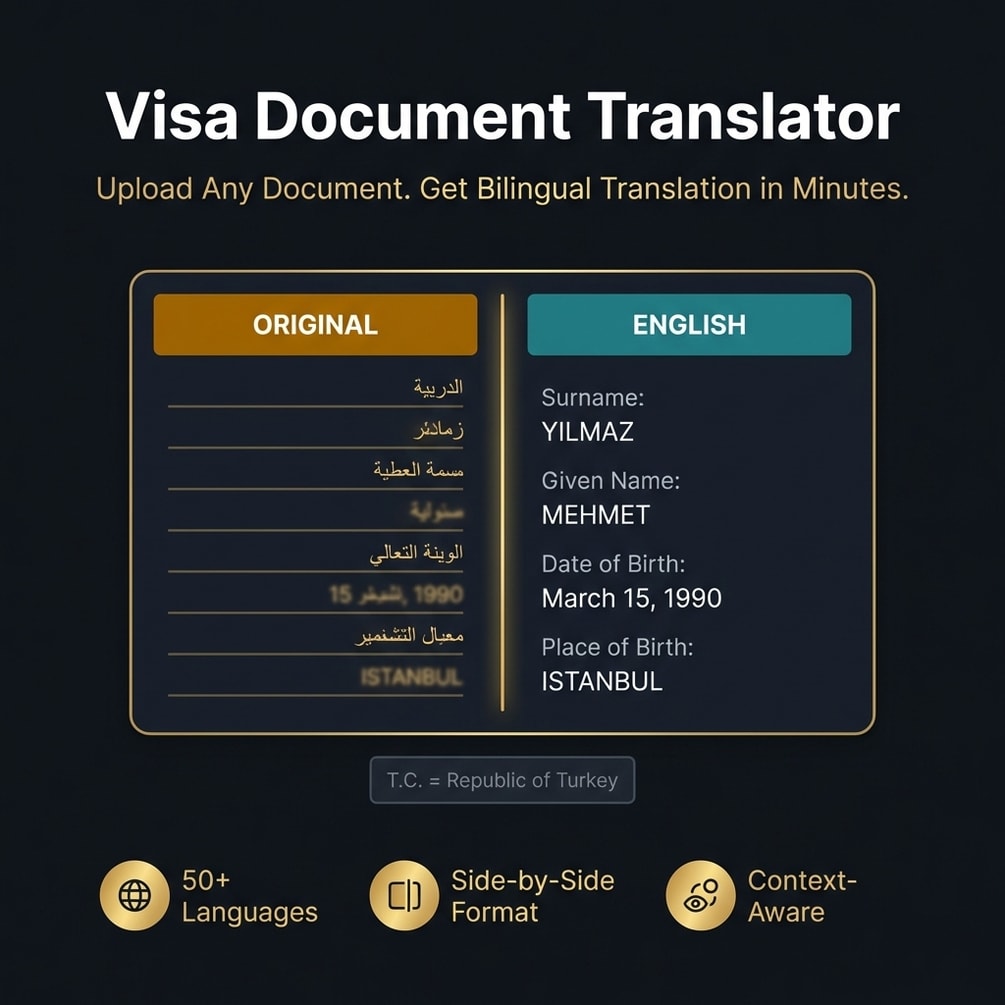
The guide also shows a side-by-side layout you can ask for in the chat. This is the guide's sample, not my document:
ORIGINAL (Turkish)              | ENGLISH TRANSLATION
Soyadı: YILMAZ                  | Surname: YILMAZ
Adı: MEHMET                     | Given Name: MEHMET
Doğum Tarihi: 15.03.1990        | Date of Birth: March 15, 1990
Doğum Yeri: İSTANBUL            | Place of Birth: ISTANBUL
Under it come translator notes and a review note for any line the OCR could not read. The PDF route does not add those notes on its own, which is why step 7 asks for them.
I have not measured OCR accuracy on clean scans or phone photos, so I will not quote a percentage. Treat every name, date and number as unchecked until you have compared it with the original.
How much time it saves
I never timed documents done by hand against the same documents done with the skill, so I will not give you a before and after number.
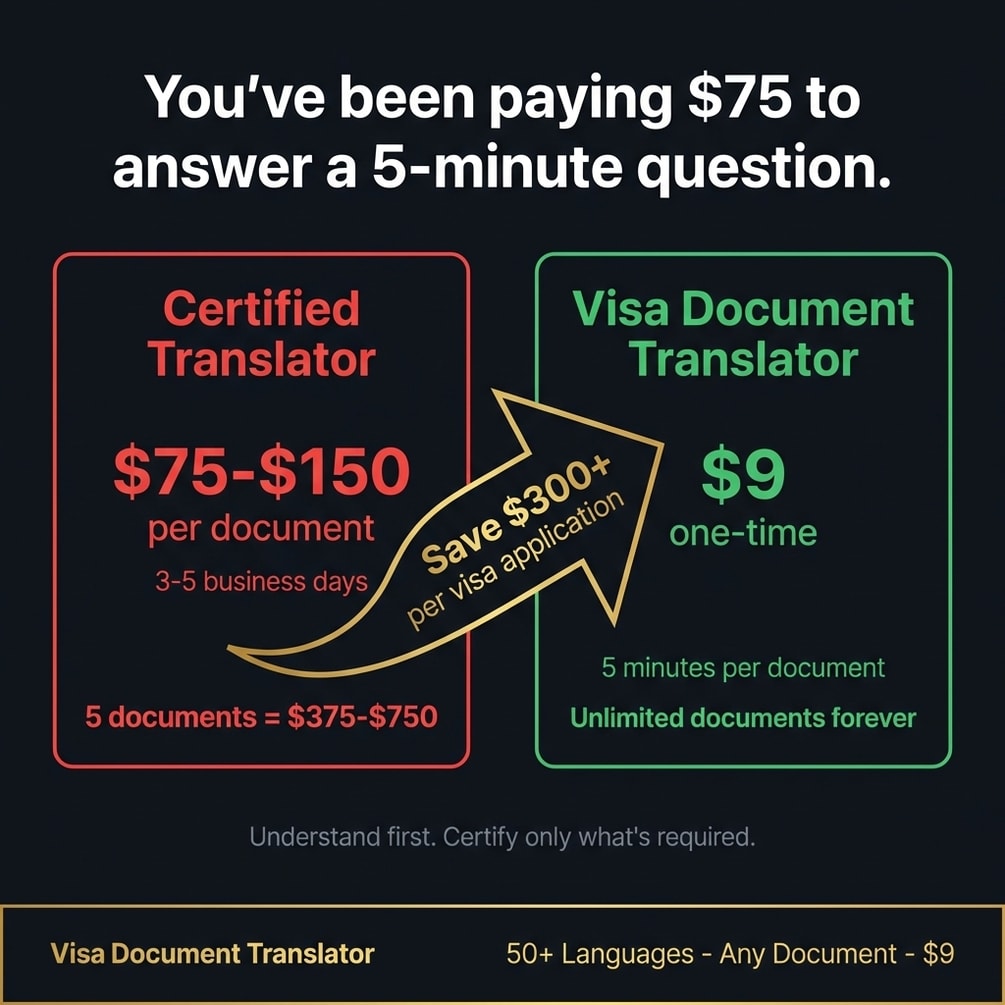
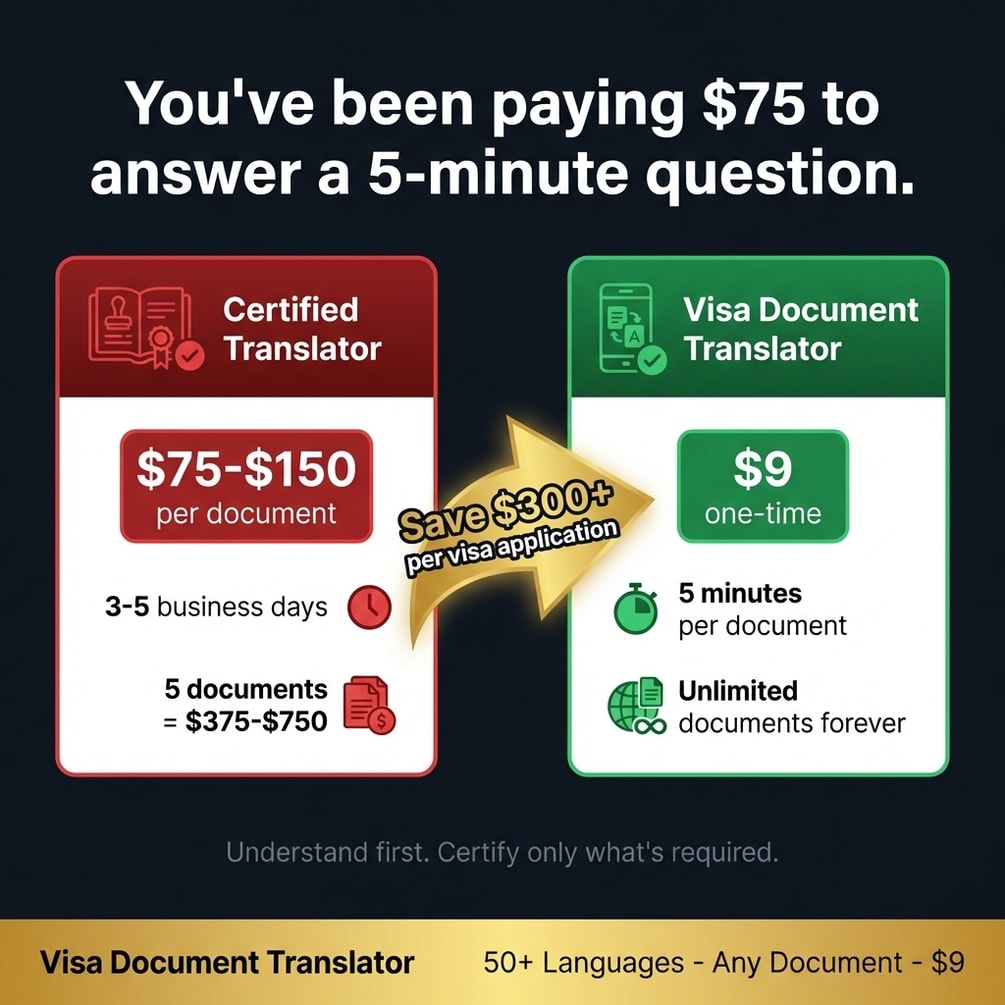
The bigger saving is often money. When you know what each document says, you can check the rules and certify only the pages that need it. Our free tools page has a few more small helpers worth a look.
// what it looks like
Inside Visa Document Translator
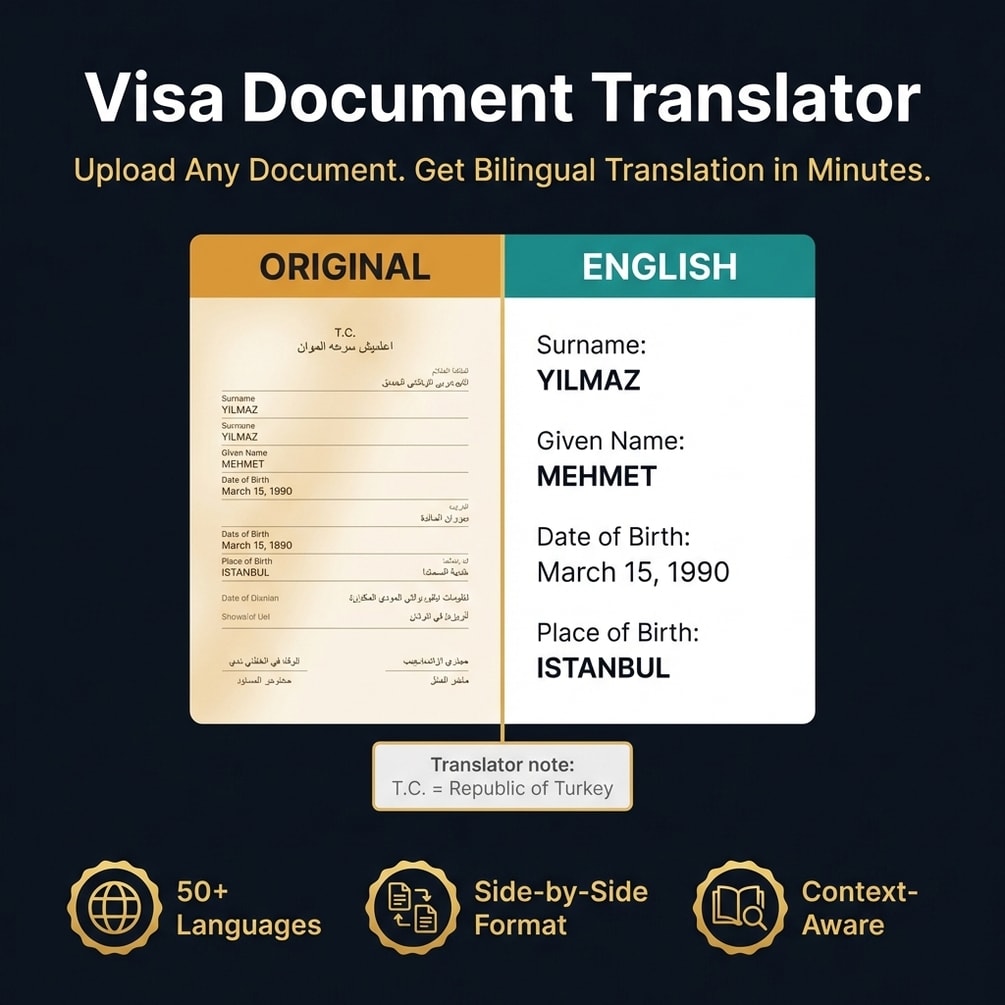
Want an English draft of each document tonight? Visa Document Translator is a Claude Code skill that reads the photo and writes it for you.
Get Visa Document Translator, $9 one-time// side by side
By hand vs a generic AI prompt vs Visa Document Translator
None of the three columns gives you a certified translation. That still comes from a qualified human translator. What changes is how fast you understand your documents, who sees their text, and how many pages you end up paying to certify.
| Criterion | By hand | Generic AI prompt | Visa Document Translator |
|---|---|---|---|
| What you get | Whatever layout you make | A chat reply you copy out by hand | A PDF: the original image, then the English translation |
| Who sees the text | Only you, if you never upload anything | The AI service you paste it into | Anthropic, because Claude does the translation |
| Reads a photo of the document | You type it out yourself | Some chat tools read images, with mixed results on stamps | Yes, with macOS Vision, EasyOCR or Tesseract on your computer |
| Shows what is uncertain | Only if you notice it | Rarely; the answer sounds sure even when wrong | Only if you ask; the guide shows a review note format |
| Accepted as a certified translation | No | No | No. Use a certified translator for anything you submit |
| Cost | Free, plus your evenings | Free or your existing AI plan | $9 once, plus your Claude plan |
// in the download
What is inside Visa Document Translator
Visa Document Translator is one Claude Code skill. It reads a photo of a document with an OCR program on your computer, then Claude translates the text and builds a PDF with the original image on page 1 and the English translation on page 2.
- One Claude Code skill, run with /visa-doc-translate and an image file
- Automatic HEIC to PNG conversion on a Mac and rotation from the photo data
- Text extraction with whichever OCR program you install: macOS Vision, EasyOCR or Tesseract
- A bilingual PDF: the original image on page 1, the English translation on page 2
- A guide with a side-by-side text layout, translator notes and a review note format for unclear lines
- A list of 22 common source languages into English, plus Turkish, German and French as targets
What you do not get
- No certified, sworn or notarized translation. No software can give you one.
- No offline mode. Claude does the translation, so the document text is sent to Anthropic.
- No app or website. It runs inside Claude Code, and you install Python packages yourself.
Who Visa Document Translator is for, and who should skip it
This fits people with a visa appointment coming up, a folder of documents to understand, and no problem sending the text to an AI provider. It does not fit anyone who needs a sworn or certified translation to hand in, because no software can provide that.
It is for you if
- You have a visa appointment this month and a folder of documents in another language.
- You need to know what a foreign document says before you pay anyone to certify it.
- You already use Claude Code and are fine with Anthropic processing the document text.
- You want to certify only the documents that truly need it.
It is not for you if
- You need a sworn, notarized or certified translation to submit. Only a qualified human translator can provide that.
- You do not want any document text to reach an AI provider. Translate by hand or use a human translator.
- Your documents are handwritten. OCR struggles with cursive and this tool will not rescue them.
- Your language is not on the guide list. Other pairs may work, but they have not been tested.
// frequently asked
Questions buyers ask
- Do visa documents need a certified translation?
- Often, yes. Many authorities require it for anything you submit. For example, US immigration rules say every foreign-language document sent to USCIS needs a full English translation, certified by the translator as complete and accurate. Always check your own embassy or visa office's rules.
- Is Visa Document Translator a certified translation?
- No. It makes a working draft so you can read and prepare your documents. If your visa office asks for a certified, sworn or notarized translation, you still need a qualified human translator. The PDF template adds a line calling itself a certified translation. Delete that line before you show the PDF to anyone.
- Can I translate my own documents for a visa?
- Sometimes, but the answer changes by country, so check the official rules first. Some offices accept a translation by anyone who certifies it is accurate and that they are competent. Others need a sworn translator. Even when you cannot submit your own version, it helps you check the paid one.
- Does my data leave my computer?
- Yes. The OCR step runs on your computer, but Claude does the translation, so the text of your document is sent to Anthropic and handled under Anthropic's terms. If Claude opens the image to check it, the image is sent too. Cover or crop anything you do not need translated.
- Do I need coding skills to use it?
- Not much, but you need Claude Code, a paid Claude plan, two Python packages for the PDF and one OCR program. After that you type one command with the file name.
- Does it work with ChatGPT?
- No. It is a Claude Code skill and runs only in Claude Code. It does not use ChatGPT, OpenAI or a local model.
- Is it a one-time payment?
- Yes, Visa Document Translator costs $9 once. There is no subscription. Gumroad sends the download right after payment. You still need your own Claude plan to run it.
- How accurate is the OCR on phone photos?
- Accuracy depends mostly on the photo. Flat, sharp, well-lit pages read best. The skill fixes rotation from the photo data, but it cannot fix blur, so check names, dates and numbers against the original every time.
- What document types does it handle?
- The guide lists birth and marriage certificates, police certificates, bank statements, diplomas and transcripts, job contracts, tax documents, ID cards and court papers, among others. It is built for printed text. Handwriting reads poorly.
Get Visa Document Translator
Visa Document Translator costs $9 as a one-time payment. You get an instant download, lifetime access to every v1 update, and no subscription.
// next problem
Related problems
- How to run AI tools on your own computer with no API bill
A different kit that drafts with local models through Ollama, if you want AI work that runs on your own machine.
- How to make AI writing sound like you wrote it
Useful for the cover letter or motivation letter some visa applications ask for.
// Also on this topic
- guideHow to stop checking everything AI writes: what to check, what to skip
Re-reading every AI draft saves you no time. Check the few things AI gets confidently wrong, skip the rest, and ship with a 30-second gate.
- guideAI gave a confidently wrong answer and it went to a client. Here is what to do now.
You sent a client something AI wrote and it was wrong. Own it today, fix the facts against a real source, and stop it from happening again.
- free toolAI writing checker
Five style tells flagged by position, each with the editorial fix.