Last updated
Get B2B Growth Machine ($19)Why Your B2B Cold Emails Get No Replies, and How to Fix the Pipeline
Cold emails get no replies for three plain reasons. They land in spam, they reach the wrong people, or they ask for too much too soon. The first one is technical and you can check it today. The other two are about who you write to and what you say. This page walks through each fix by hand, then shows a system that keeps the fixes in place.
Why do B2B cold emails go unanswered?
B2B cold emails go unanswered mostly because they never reach the inbox, they reach the wrong person, or they ask for too much. Copy gets the blame, but copy is usually the last of the three problems. A perfect email in the spam folder still gets zero replies.
Here is how each problem shows up:
- Spam folder. Since February 2024, Gmail and Yahoo require sender checks that many small teams never set up. Missing records means filtered mail.
- Wrong list. "Companies that need this" is not a target. A broad list means most readers have no reason to answer.
- Too big an ask. Asking a stranger for a 30 minute call in the first email is a lot. A small question is easier to say yes to.
- No follow-up. One email and silence is not a sequence. Many replies come from a later touch.
- No memory. You send in a burst when the pipeline panics, then stop. Nothing is written down, so the next burst starts from zero.
My own outreach shows the last one best. On October 10, 2026, I had 565 mobile numbers of local businesses, ready for WhatsApp messages. Four days later the sent column still said 0 of 565. The list was never the problem. Sending was. I now write a stop rule before I start: 80 messages with 0 replies, and I stop and rethink.
How to fix cold email deliverability and targeting by hand, step by step
Fixing cold email by hand means three jobs in order: get into the inbox, pick the right people, then write a short email with a small ask. You can do all three with free tools. Skip none of them, because each one hides the others.
- Check your sender records. Send an email to a Gmail account you own, open it, and choose Show original. Look for PASS next to SPF, DKIM and DMARC. If any says FAIL or is missing, fix that first.
- Set up the three records. SPF is a list of servers allowed to send for your domain. DKIM is a digital signature that proves the email was not changed on the way. DMARC tells inboxes what to do when the first two fail. You add all three as text records in your domain settings.
- Read the rules you are sending into. Google's email sender guidelines say every sender needs SPF or DKIM. Senders of more than 5,000 messages a day to Gmail need all three, plus one-click unsubscribe. Yahoo's sender best practices match closely.
- Warm up slowly. A new domain has no reputation yet. Start with a handful of emails a day to real people who are likely to reply, then raise the number bit by bit over about two weeks. Sudden spikes look like spam.
- Watch your spam rate. Google wants spam complaints below 0.3%, and suggests staying under 0.1%. Google Postmaster Tools shows the rate once you send enough mail.
- Write your ideal customer profile. List your three best customers. Write down what they share: company size, industry, the event that made them look for help, and who signed. That shared pattern is your target.
- Build a small list that matches it. Fifty well-matched people beat five hundred random ones. Check that each email address is real, because bounces hurt your sender reputation.
- Write a short first email. One sentence on why you picked them, one on the problem you solve, one small question. Plain text, no images, no attachments.
- Plan the follow-ups. Three or four touches spread over two to three weeks is a common pattern. Stop the moment someone replies.
- Follow the law. In the US, CAN-SPAM requires an honest subject line, your postal address and a working opt-out. You must honor opt-outs within 10 business days. Each breaking email can cost up to $53,088. The FTC said in a notice published September 15, 2026 that this figure stays the same for 2026.
- Track replies by segment. Count replies per ICP group, not just in total. If one group answers and another does not, you just learned who your buyer is.
None of this is clever. It is a checklist, and the teams that get replies are the ones that follow it every time. For WhatsApp outreach I cap manual sends at 20 to 30 a day, each with an opt-out line.
Reach the right person, then earn the open
Two more fixes show up in almost every guide on this problem. Both cost nothing.
- Write to the person who owns the problem. The right company is only half the target. A CEO gets the most email and often does not own what you sell. If you sell a hiring tool, the head of hiring feels the pain every week. Use the titles from your ICP and pick the one closest to the daily problem.
- Make the subject line plain and true. Many people read only the subject line before they delete. Name the topic in a few words, such as their company name and the problem. CAN-SPAM also bans subject lines that mislead about what is inside, so never add a fake "Re:" to pretend you spoke before.
Then give the silence time. No reply to the first email often means "not now", which is why the follow-ups in step 9 matter.
I wrote up how I run outreach for a one-person agency, from list to follow-up, in the 6-phase outreach workflow. It is a good free companion to this list.
The faster way: a B2B pipeline system from ICP to closed deal
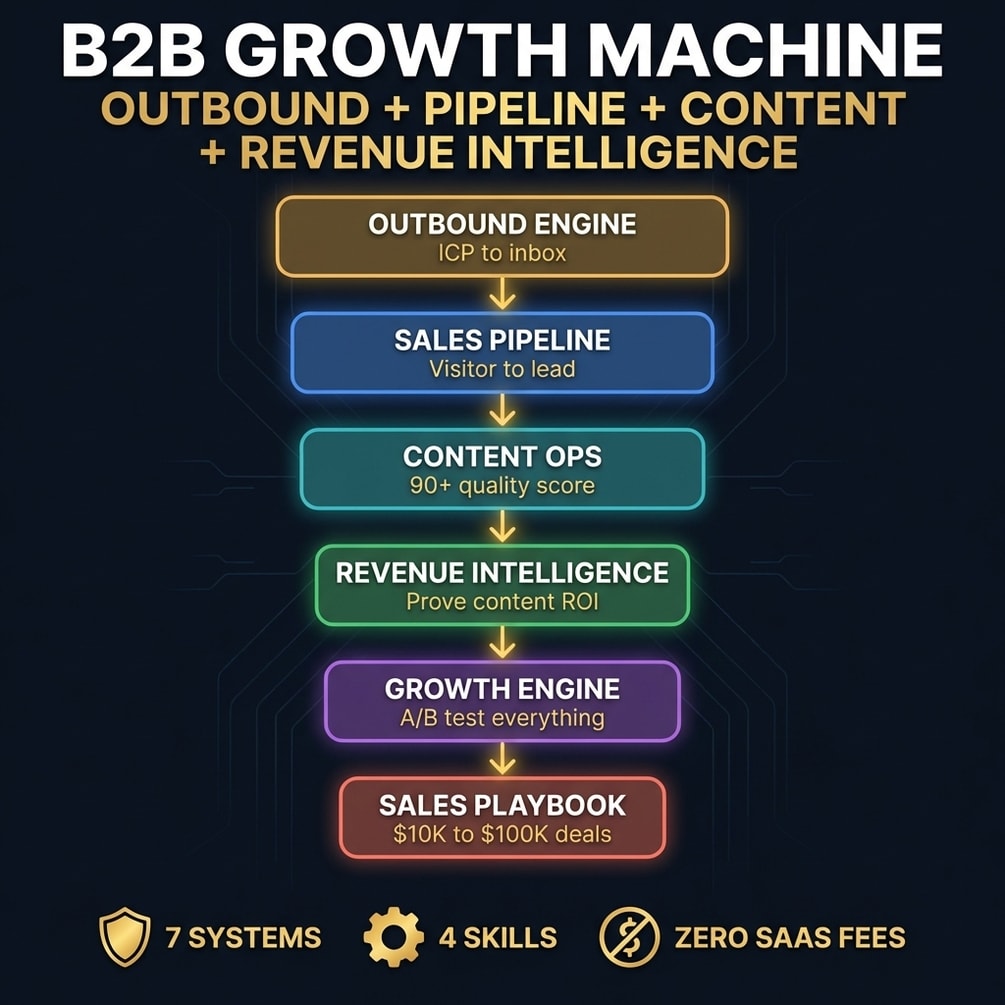
The faster way is to start from systems that already hold the template, the sending rules and the scripts. B2B Growth Machine is seven systems that cover the path from who to email to how to grow a $1K pilot into a larger contract.
I want to be clear about what that means in practice. Most of the seven systems are Python scripts that call outside tools through your own API keys: Apollo for leads, LeadMagic for email checks, Instantly for sending, HubSpot for deals. If you will not run a script, use the by-hand steps above and the two plain-text skills.
How to use it, step by step
- Buy and download. Gumroad sends the files right after payment.
- Read the sending rules first. They sit in the outbound engine's references. Set up SPF, DKIM and DMARC, then warm the account for at least 14 days before any campaign.
- Fill in the ICP template using your own closed deals. It asks for titles, industries, company size and who you never target.
- Run the outbound engine in Claude Code with
/outbound-engineand your ICP. It writes the sequence and a search spec for your prospecting tool. - Build the list with the lead pipeline script, or by hand in Apollo using the search spec.
- Adapt one sequence to your offer. Keep it short and keep the first ask small.
- Use the sales playbook once a pilot closes, to plan the path to a bigger contract.
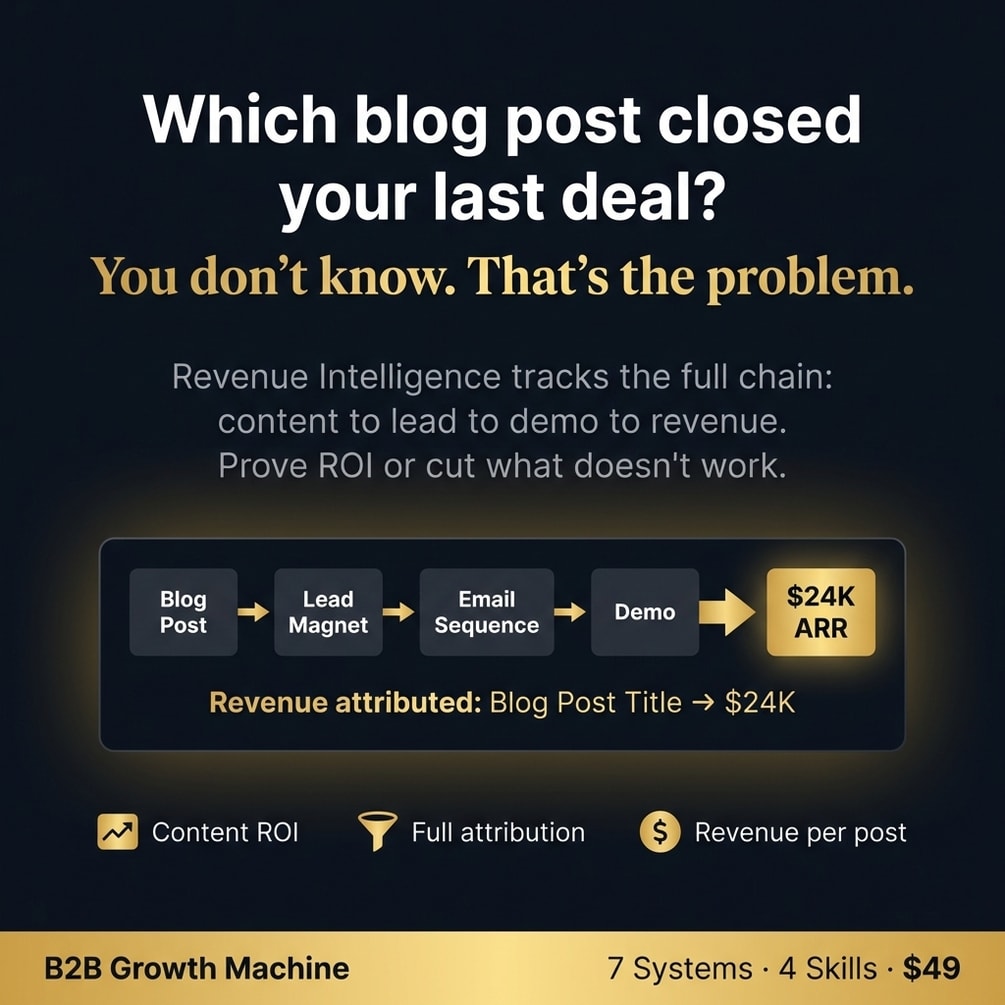
If you later want to know which blog posts helped those deals close, MarketFlow AI covers attribution in more depth.
What the output looks like
The ICP template is a fill-in form. It has primary titles, secondary titles and a "never target" list. Then come primary, secondary and excluded industries, and a minimum, maximum and sweet spot for company size. The sequence plan has five emails: value and one question on day 1, a case study on day 4, an objection on day 8, a new angle on day 14 and a breakup on day 21.
The sending rules are short and strict: 30 emails a day per account as the safe limit, 14 days of warmup, plain text and at most one link per email.
How much time it saves
I have not timed a full setup with the pack, so I will not put a number here. What it saves is the second round. When the pipeline goes quiet next quarter, you do not start over. You open the same template and rules and send to the segment that answered last time.
// what it looks like
Inside B2B Growth Machine

Want the ICP template, sending rules and a five-email sequence in one place? B2B Growth Machine has them.
Get B2B Growth Machine, $19 one-time// side by side
By hand vs a generic AI prompt vs B2B Growth Machine
The fixes are the same in every column: inbox placement, a sharp list, a short email. What changes is whether the setup is written down, and whether you can repeat it when the pipeline goes quiet again.
| Criterion | By hand | Generic AI prompt | B2B Growth Machine |
|---|---|---|---|
| Inbox setup | Possible with free guides, easy to miss a record | Explains SPF and DKIM, but cannot check your DNS | Written sending rules: 14 days of warmup, SPF, DKIM and DMARC passing, 30 emails a day per account |
| Who you email | Usually anyone who might need it | A generic persona unless you feed it real deals | An ICP template with primary, secondary and excluded titles and industries |
| Email copy | Written fresh each time | Fast drafts that often sound alike | A five-email sequence plan you adapt to your offer |
| Repeatable next month | Only if you wrote it all down | No; each chat starts over | Yes; the templates and scripts stay the same |
| Time to first meeting | Weeks; a new domain needs about two weeks of warmup first | Same ramp; copy is not the slow part | Same ramp; I have not measured time to a first meeting with the pack |
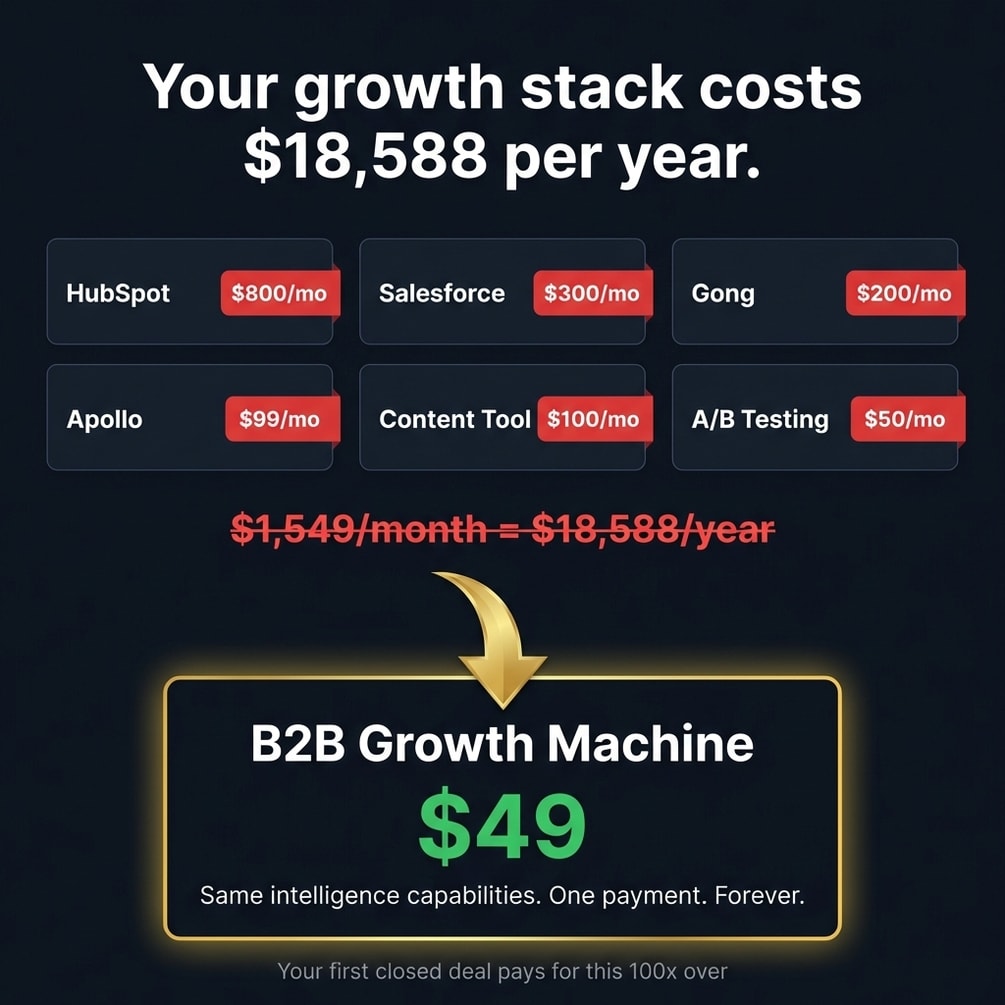
| Cost | Your hours | Your AI plan | $19 once, plus your sending tool and any data tools the scripts call |
// in the download
What is inside B2B Growth Machine
B2B Growth Machine is seven B2B systems and four supporting skills. The outbound engine covers the ICP, sending rules and cold sequences. Other systems handle visitor routing, content, revenue attribution, A/B tests and deal sizing. Most systems are Python scripts.
- Outbound engine: an ICP template, an Instantly-ready sequence workflow and written deliverability rules
- A five-email cold sequence plan, sent over 21 days, ending with a breakup email
- A lead pipeline script that searches Apollo, verifies emails with LeadMagic and uploads to Instantly
- Sales pipeline scripts that score and route identified website visitors
- A sales playbook with deal stages from $1K pilots up to $100K and more
- Revenue intelligence scripts that credit closed HubSpot deals to the pages buyers read
- Four skills: market research, RevOps, analytics tracking and a competitor ads extractor
What you do not get
- No spreadsheet. Tracking happens in your CRM or in script output.
- No step-by-step warmup checklist. The sending rules are a short reference inside the outbound engine.
- No contact lists. The scripts pull leads through your own Apollo account and keys.
Who B2B Growth Machine is for, and who should skip it
This pack fits B2B founders and small sales teams who sell contracts between $1K and $100K and want a repeatable pipeline. It does not fit low-price self-serve products, anyone who needs meetings this week, or anyone who will not run a script.
It is for you if
- You closed one good deal this year and cannot explain how to repeat it.
- You send cold email in bursts when the pipeline panics, then stop.
- You close deals between $1K and $100K with a process that lives in a Notion page.
- You track pipeline in your head and present it with confidence you do not feel.
It is not for you if
- You sell self-serve plans under $500 a month. This depth is built for $1K to $100K contracts.
- You need pipeline this week. Outbound takes weeks to ramp, even when done well.
- You will skip the domain warmup. Without it the cold email systems work against you.
// frequently asked
Questions buyers ask
- Why are my cold emails not getting replies?
- Most cold emails get no replies because they never reach the inbox, they go to people who do not have the problem, or they ask for a big meeting from a stranger. Check inbox placement first, since no copy fix helps an email nobody sees.
- How do I know if my cold emails go to spam?
- Send a test to a Gmail account you own, open it and choose Show original. It shows whether SPF, DKIM and DMARC passed. For volume sending, Google Postmaster Tools shows your spam complaint rate, which Google wants below 0.3%.
- What is an ideal customer profile?
- An ideal customer profile is a short written description of the company most likely to buy from you and stay. It covers size, industry, the trigger that makes them look for help, and who signs. The best source is your own closed deals, not a guess.
- Do I need coding skills to use B2B Growth Machine?
- You do not need to write code, but you do need to run it. The seven systems are mostly Python scripts that need Python installed plus API keys for tools such as Apollo, Instantly or HubSpot. The DNS records for SPF, DKIM and DMARC are copy and paste work in your domain settings.
- Does it work with ChatGPT?
- Partly. Two of the four skills, market research and RevOps, are plain text you can paste into ChatGPT as instructions. The ads extractor needs an agent with web access, such as Claude Code. The seven systems are Python scripts that run on your own computer.
- Is it a one-time payment?
- Yes, B2B Growth Machine costs $19 once with no subscription. You will still need your own email sending tool and domain, which are separate costs.
- How long until pipeline starts moving?
- Expect weeks, not days. The pack's own sending rules say no campaign before 14 days of warmup, and a warmup score of 80 or more. After that, a five-email sequence runs over 21 days. I have not measured a time to first meeting, so I will not promise one.
- Do I need a CRM already set up?
- For outbound alone, no. The outbound engine works with Instantly and Apollo. The revenue intelligence scripts read HubSpot deals, so attribution needs HubSpot. Without a CRM, keep a plain log of sends and replies per segment until you pick one.
Get B2B Growth Machine
B2B Growth Machine costs $19 as a one-time payment. You get an instant download, lifetime access to every v1 update, and no subscription.
// next problem
Related problems
- How to see which content drives your pipeline
Once outbound runs, this joins CRM and content data so you know which channel brings the deals.
- How to start an AI agency with a system
Selling services rather than software? This covers outreach inside a full agency setup.
- Why your landing page gets traffic but no sales
If replies send people to a page that does not convert, the leak has moved. This finds it.
// Also on this topic
- guideI automated my admin, but I keep checking if it actually ran. Is that normal?
You automated the work and now you watch it all day. Here is why the checking happens, and how to set things up so silence means fine.
- guideIf AI does most of my work, what is left of me? What should I never hand to AI?
Worried that handing work to AI will make you replaceable? Here are the four things to keep, the test for each, and how to draw the line.
- free toolPricing calculator
Floor, anchor and premium price band, with revenue after fees.
- bookThe Leverage Stack
How One Person Runs What Used to Take a Team